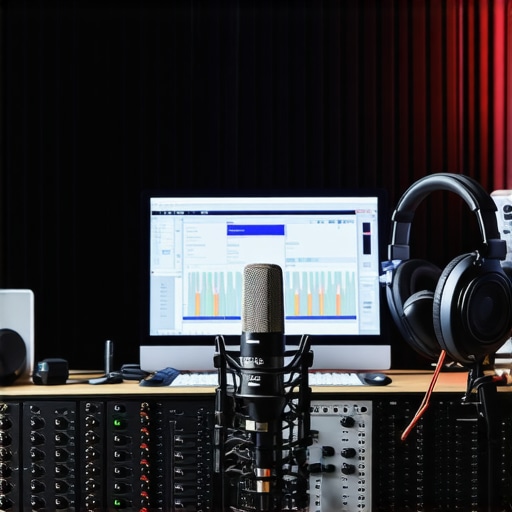
Ever sat in front of your mic, frustrated because no matter what you do, your voice sounds dull, distant, or just plain off? I’ve been there. That lightbulb moment hit me hard: I was neglecting the core of my setup — my DAW and voiceover environment. No matter how fancy my microphone or expensive my plugins, if my software and workspace weren’t optimized, I was fighting a losing battle. If you’re tired of wasting time tweaking and still not getting that professional sound, I get it. That’s exactly what we’re going to fix today.
Why Your DAW and Voiceover Setup Matters More Than You Think
Getting your audio right isn’t just about having good gear; it’s about how you use it. A well-chosen DAW (Digital Audio Workstation) combined with a properly set up voiceover environment can make all the difference between a decent recording and a broadcast-quality output. Early on, I made the mistake of assuming that gear alone would do the trick. Turns out, I was overlooking the importance of proper software configuration and acoustic environment. This oversight cost me time, frustration, and some pretty embarrassing recordings.
According to a recent study by Audio Editing Pro, creators who optimize their DAW and workspace see up to 60% better clarity and professionalism in their voice recordings. That’s a game-changer. If you’re serious about elevating your content, understanding and implementing these setups is non-negotiable.
Does It Really Make That Much Difference?
Absolutely. I used to think I could get away with just plugging in a decent mic and calling it a day. Wrong. I ignored the importance of a clean, controlled environment and proper software settings. The difference was like night and day once I took the time to learn about creating a professional voiceover setup and fine-tuning my DAW. Plus, I discovered that many creators overlook how crucial a good audio interface and studio headphones are for monitoring accurately, which you can explore in my recommended gear guide.
So, if you’ve faced endless tweaking and still feel stuck, you’re not alone. But the good news? It’s entirely fixable. In the next sections, I’ll walk you through the essential steps to optimize your DAW software and voiceover environment for 2024. Ready to finally get that crisp, professional sound? Let’s do it.
Choose the Right DAW for Your Workflow
Start by selecting a DAW that matches your skill level and project needs. Popular options like Reaper, Adobe Audition, or Audacity offer robust features for voiceover editing. When I switched from a basic editor to a dedicated DAW, I noticed immediate improvements in editing speed and quality, especially after customizing the interface to suit my workflow. Download and install your chosen software, then take the time to explore its core functions—like recording, editing, and exporting—to ensure you’re comfortable before recording essential content.
Configure Your Audio Interface Properly
Your audio interface acts as the bridge between your mic and computer. Proper setup minimizes latency and ensures clear sound. Connect your interface following the manufacturer’s instructions, then access your DAW’s audio settings—usually found under Preferences or Audio Settings. Select your interface as the input and output device. For optimal results, set a buffer size around 128 samples, which balances latency and processing power. I once ignored this step, resulting in frustrating delays during recording. After adjusting my buffer, my recordings became smoother and more professional. For detailed guidance, visit this guide.
Optimize Your Monitoring Environment
Accurate monitoring is crucial. Invest in studio headphones that deliver flat frequency response, so you hear your recordings as they truly sound. Position your headphones correctly—on your ears, not resting on your neck—and at a consistent volume. I once used consumer headphones, which colored my perception of sound; switching to studio-grade headphones clarified my mix, making my voice sound fuller and more balanced. Remember, a proper environment with minimal background noise amplifies your ability to catch issues early. Check out this article for the top recommended gear.
Control Your Acoustic Space
Create an environment that reduces echo and background noise. Use foam panels, blankets, or even bookshelves to absorb sound reflections. I vividly recall recording in a cluttered corner, where my voice bounced off walls, causing muddiness. After treating the space, my recordings became clearer and more professional. For precise acoustic treatment tips, see this setup guide. Keep the room quiet during recordings—turn off fans, close windows, and inform others to minimize interruptions.
Fine-Tune Your Microphone Settings
Adjust your mic gain to avoid clipping—too loud causes distortion, too low results in noisy recordings. Use your DAW’s input level meters to set the gain so that peaks hover around -12dB. I learned this the hard way when my first recordings clipped, forcing me to redo takes. Enable phantom power if using a condenser mic, and position the mic about 6-12 inches from your mouth, slightly off-axis to reduce plosives. Consider using a pop filter to prevent harsh sounds—this small addition vastly improves sound quality. For detailed microphone setup tips, explore this resource.
Test and Tweak Regularly
Once everything is set up, record a short test clip. Listen critically, comparing it to professional standards. Adjust your mic position, environment, or DAW settings as needed. I found that small tweaks—like changing mic angle or room placement—made a noticeable difference. Keep a checklist of your settings and environment adjustments to maintain consistency across recordings. Regular testing ensures that your setup remains optimized as you grow and experiment. For workflow tips, check this guide.
Many creators believe that simply investing in high-quality microphones or fancy plugins guarantees a professional sound. However, this is a misconception that can lead to overlooked nuances, ultimately sabotaging your audio quality. The real challenge lies in mastering the hidden intricacies of your voiceover environment and DAW configuration. Let’s dig deeper into what most people get wrong and how you can avoid these pitfalls to elevate your recordings.
Why Overlooking Microphone Placement Can Sabotage Your Sound
While many focus on the mic itself, the positioning and environment matter more than you might think. Even a top-tier microphone can sound poor if placed incorrectly or used in an acoustically untreated space. Common mistakes include speaking too close, which causes plosives, or too far, resulting in a dull recording. Advanced users know that mic angle, distance, and environment acoustics significantly affect clarity. For example, a slight adjustment in mic distance can reduce sibilance or improve warmth. Remember, a mic is just a tool; how you use it makes all the difference. For detailed tips, check out this resource.
Beware of Ignoring the Room’s Acoustic Treatment
Many creators assume a quiet room is enough, but untreated spaces cause reflections and echo that muddy your voice. This is a trap that even experienced voiceover artists fall into. Proper acoustic treatment, like foam panels or diffusers, can dramatically clarify your recordings. I once recorded in a cluttered corner, unaware of how much sound bounced off the walls. Once I added some acoustic treatment, my audio was instantly clearer. Don’t underestimate the power of a well-treated space—it’s the foundation of professional-sounding recordings. For tips on optimizing your environment, visit this guide.
How Many People Overlook Monitoring and Monitoring Devices
Many assume their speakers or headphones are neutral, but consumer-grade gear often colors the sound, leading to misjudgments in mixing. Studio-grade headphones with a flat frequency response are essential for accurate monitoring. I used regular headphones early on, which made my mix sound perfect but translated poorly to other devices. Upgrading to studio headphones changed everything. Also, monitor in a quiet, acoustically treated space to catch subtle issues early. Remember, your monitoring gear is your window into your sound — treat it with care. For more recommendations, see this article.
Advanced Question: How Can Software Settings Undermine Your Quality Even with Good Hardware?
Many overlook the importance of proper DAW configuration. Incorrect buffer sizes, sample rates, or levels can introduce latency, noise, or clipping, regardless of gear quality. For example, a buffer size too low causes crackles, while too high increases latency. Properly set sample rates and bit depths ensure clarity. I learned this when my recordings sounded distorted because I hadn’t optimized my DAW’s settings. Fine-tuning these parameters is crucial for professional results. For expert guidance, visit this guide.
In conclusion, achieving a professional voiceover setup requires attention to detail that many beginners overlook. Avoid the trap of focusing solely on gear—master your environment, monitoring, and software configurations. By addressing these hidden nuances, you’ll be able to produce recordings that truly stand out. Have you ever fallen into this trap? Let me know in the comments and share your experiences!
Maintaining a professional voiceover setup isn’t a one-and-done task; it requires ongoing attention and the right tools to keep your audio crisp and consistent over time. I’ve learned the hard way that investing in quality gear is just the beginning. The real secret lies in how you maintain, update, and optimize your equipment and software as your needs evolve.
Stick to Reliable Equipment for Longevity
My first rule for keeping my setup working smoothly is to choose durable, high-quality gear that stands the test of time. For microphones, I swear by the Neumann TLM 102. It’s a bit of an investment, but its build quality and consistent sound profile mean I don’t have to worry about replacing it every few years. For audio interfaces, I prefer models like the Focusrite Scarlett 2i2. These devices are reliable, offer great preamps, and have excellent driver support, which is vital for long-term use.
Keep Your Software Up-to-Date and Backed Up
Software maintenance is just as important. I regularly check for updates on my DAW (Reaper) and plugins. Staying current ensures compatibility, security, and access to new features that can enhance your workflow. I also back up my projects and settings weekly using cloud storage. This way, if my system crashes or I need to switch devices, I can restore everything without losing valuable work. Implementing a routine backup process is a simple yet powerful way to keep your setup resilient.
Regularly Clean and Calibrate Your Equipment
Dust and dirt can degrade your gear’s performance over time. I schedule monthly cleanings for my microphone and interface ports. Additionally, calibrate your microphone periodically—especially if you notice changes in sound quality or volume levels. Proper calibration involves checking your gain settings and ensuring your acoustic treatment remains effective. Making this a habit prevents subtle issues from becoming major problems down the line.
Invest in Monitoring and Acoustic Treatment
Good monitoring equipment is crucial for troubleshooting and maintaining your setup. I use studio headphones that reveal the smallest irregularities in my recordings. Regularly inspecting and updating your acoustic treatment also ensures your environment remains controlled. As your setup grows or changes, revisit your room’s acoustics. Small tweaks, like repositioning panels or adding bass traps, can significantly extend the lifespan of your current environment.
How do I maintain my setup over time?
The key is to develop a routine: schedule regular checks of your equipment, software updates, and acoustic assessments. Keep a detailed log of your setup’s configuration and any changes you make. This habit helps you quickly identify when something is off and prevents small issues from snowballing. Remember, technology evolves rapidly, and staying proactive ensures your setup remains professional and reliable. For personalized support or troubleshooting, don’t hesitate to reach out through my contact page. Try setting a monthly maintenance schedule—your future self will thank you for it!
The Hardest Lesson I Learned About Voiceover Environments
One of my biggest lightbulb moments was realizing that even the most expensive microphone won’t save a bad setup. I used to think gear was everything, but I soon discovered that room acoustics and software configuration are equally crucial. This lesson cost me countless hours and frustrating re-recordings, but once I got it, my sound quality skyrocketed.
3 Myths About Voiceover Equipment That Held Me Back
I believed that a high-end mic alone would make my recordings professional. Wrong. I also thought that monitoring on regular headphones was enough. In reality, accurate monitoring with studio-grade headphones and proper acoustic treatment transformed my workflow. Don’t fall for these myths — the real magic is in the details.
What Experts Won’t Tell You About Your DAW Settings
Many overlook how crucial proper DAW configuration is. Settings like buffer size, sample rate, and input levels can make or break your sound, regardless of your gear. Learning to fine-tune these parameters was a game-changer for me and can be for you too. Dive into dedicated guides to master your software environment.
My Essential Toolkit for Voiceover Production
I trust the Neumann TLM 102 microphone for its durability and sound clarity. For audio interfaces, the Focusrite Scarlett 2i2 is reliable and easy to use. When it comes to monitoring, studio headphones are non-negotiable for accurate feedback. These tools have consistently helped me produce professional-quality recordings.
Don’t Be Afraid to Start Improving Your Voiceover Environment Today
Taking your voiceover setup seriously can feel overwhelming, but remember, every small improvement adds up. The right environment, software settings, and monitoring gear are within your reach, and they will elevate your recordings more than anything else. Keep learning, experimenting, and refining your space — your future audience will thank you. Are you ready to take the next step toward professional voiceover quality? Share your thoughts below and let’s grow together!
http://Sarah%20Johnson
I completely agree with the importance of environment and software setup. When I first started recording, I thought my microphone was the most critical component, but I quickly learned that acoustic treatment and correct audio interface configuration make a huge difference. I remember spending hours tweaking settings in my DAW to reduce latency and improve clarity, and the results were night and day. One thing that helped me was investing in a good pair of studio headphones to monitor accurately. Have others found specific areas of their setup that drastically improved their recordings? For me, it was definitely acoustics and software tweaks that boosted the quality most.
http://Michael%20Thompson
This post really hits the core of what many creators overlook—the environment and software configuration. I remember initially focusing only on my microphone, thinking that was enough, but my recordings sounded dull and inconsistent. Once I started investing time into acoustic treatment and dialing in my DAW settings, the improvement was incredible. I now realize that monitoring setup is equally important; I switched from regular to studio-grade headphones, and it made analyzing my recordings so much easier. Interestingly, I found that even small adjustments like mic placement and room placement had profound effects. Has anyone experimented with specific acoustic treatments that provided noticeable results without breaking the bank? For me, DIY panels were surprisingly effective, and I’d love to hear others’ cost-effective solutions.