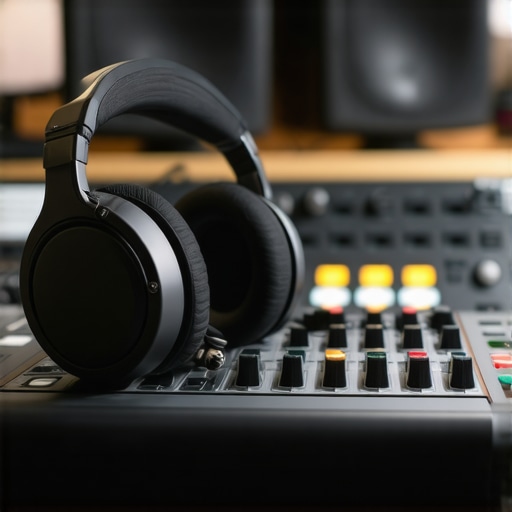
I still remember the moment when I hit “record” on my first home podcast, only to be met with muffled voices and distracting background noise. I thought I had everything set up perfectly—until I listened back and realized my audio was far from professional. It was a lightbulb moment that made me realize the importance of having the right equipment. If you’re tired of your audio sounding amateurish or inconsistent, you’re not alone. Many creators face the same struggle, and the good news is, there’s a solution that can elevate your podcast to new heights.
Why Your Equipment Matters More Than You Think
High-quality sound isn’t just a luxury; it’s a necessity if you want your podcast to stand out. Listeners are increasingly discerning, and they can tell when audio quality drops. Investing in the right studio headphones and an audio interface makes all the difference—delivering clarity, warmth, and professionalism that keeps your audience engaged. During my early days, I made a critical mistake: I overlooked the importance of proper monitoring. I thought a cheap pair of headphones would suffice, but quickly learned that subpar gear leads to poor editing decisions and inconsistent sound. It’s a mistake I see many beginners make, and it’s entirely avoidable.
Is Overpaying for Equipment Actually Worth It?
It’s a fair question. You might wonder if splurging on top-tier gear is necessary, especially when there are cheaper options. Trust me, I’ve tested plenty of budget gear that sounded terrible once I started editing my recordings. The truth is, quality gear isn’t just about bragging rights; it’s about accuracy. A good audio interface paired with the right headphones will reveal every nuance in your voice, making your edits cleaner and your final product more professional. According to a recent survey, creators who invest in quality audio gear report a noticeable increase in listener retention and engagement. So, if you’re serious about your craft, it’s a worthwhile investment.
Have you faced this problem—struggling to get your voice to sound right despite good content? If so, stay tuned. In this guide, I’ll walk you through the best options for studio headphones and audio interfaces for podcasting in 2024, plus practical tips to set everything up for crystal-clear sound that impresses every listener.
Choose the Right Headphones to Hear Every Detail
Start with selecting headphones that give you an accurate, flat response—think of them as your audio microscope. During my first setup, I experimented with budget headphones, but they colored the sound, making it hard to identify issues. I switched to a pair of studio headphones from the best playlist, and instantly noticed the difference. They revealed subtle background noises and voice nuances that were previously hidden, allowing me to make precise edits and produce a cleaner final product.
Set Up Your Headphones Correctly
Plug your headphones into your audio interface and ensure they are recognized by your system. Use the software’s calibration tools to flatten the response curve—this is like tuning a musical instrument for perfect pitch. Remember, avoid cheap earbuds or gaming headsets; they often boost bass unnaturally, leading to misjudged edits. Properly calibrated studio headphones are your best allies for professional-sounding podcasts.
Upgrade Your Audio Interface for Clarity
An audio interface acts as the bridge between your microphone and computer, converting analog signals into digital data. Think of it as the translator that ensures your voice is captured with fidelity. During my early days, I used a basic interface that introduced unwanted noise and distortion. Switching to a high-quality option from the top picks made a world of difference. It provided clean, low-latency audio, which is crucial for monitoring your voice in real-time without distractions.
Properly Connect and Configure Your Audio Interface
Connect your microphone to the interface using balanced XLR or TRS cables—this reduces interference. Then, connect the interface to your computer via USB or Thunderbolt, depending on your device. Install the latest drivers from the manufacturer’s website to ensure stability. Open your DAW (Digital Audio Workstation) and select the interface as your input/output device. Adjust gain levels carefully: too high, and you risk clipping; too low, and your recordings will sound weak. Use the software to set your levels and test recordings, aiming for a clear, distortion-free signal.
Sync Headphones and Interface for Optimal Sound
Once connected, perform a quick test: speak into the microphone and listen through your headphones. If the sound is distorted or noisy, revisit your gain settings and check your cables. Use the interface’s direct monitoring feature to hear your voice in real-time without latency—this is like having a live sound check before recording. Regularly update your drivers and firmware to prevent bugs, and consider room acoustics to avoid echo and background noise, which can undermine your audio quality.
Fine-tune Your Setup for Consistent Results
Every environment is different. Use acoustic panels or foam to dampen echoes, and consider a dedicated recording space free from distractions. Experiment with your headphone volume and interface gain until you find a sweet spot—your voice should sound natural, not muffled or overly bright. Periodically revisit your setup, as equipment ages and room conditions change. The goal is a seamless, professional sound that captures your voice accurately, making your podcast stand out in 2024.
Many podcasters fall prey to misconceptions that can hinder their audio quality and professional growth. As someone who has spent years refining my setup and helping others optimize theirs, I can tell you that the most pervasive myths often lead creators astray. Let’s dig deeper into what most people get wrong about podcast equipment and how to avoid these pitfalls to elevate your sound.
Myth: More Expensive Gear Guarantees Better Sound
It’s a common belief that splurging on top-tier microphones, interfaces, and headphones will automatically produce professional-quality audio. While high-quality gear certainly helps, it isn’t a magic bullet. The real key lies in understanding how to properly set up and calibrate your equipment. For instance, even the best microphone can sound terrible if not positioned correctly or if your room acoustics are poor. Many creators overlook the importance of room treatment and proper gain staging, which can significantly impact your audio clarity. Experts emphasize that mastering the fundamentals and understanding your gear’s capabilities is far more crucial than just buying the most expensive equipment. To learn more about optimizing your setup, check out our audio interface setup guide.
Beware the Trap of Underestimating Room Acoustics
One of the hidden nuances many overlook is the environment where you record. A common mistake is assuming that good gear can compensate for a noisy, echo-filled room. In reality, even with a premium microphone, untreated spaces cause reverberations and background noise that degrade audio quality. This is why investing in acoustic panels or foam can make a substantial difference. Professional studios spend as much time on room treatment as they do on selecting equipment. If your goal is crystal-clear sound, don’t fall into the trap of thinking gear alone will solve acoustic issues—it’s a combination of both. For advanced tips on creating a professional environment, see our voiceover setup guide.
Are High-End Microphones Truly Necessary?
This is a nuanced topic. Many believe that only expensive microphones can produce quality voice recordings. However, studies and industry insights reveal that mid-tier microphones, when paired with proper technique and environment, can deliver results indistinguishable from high-end models for most listeners. The focus should be on selecting a microphone suited for speech and ensuring it’s correctly focused on your mouth. Additionally, using the right studio headphones and monitoring your recordings meticulously are more impactful than obsessing over microphone cost. Remember, a well-placed, properly configured microphone can outperform a costly one in a noisy or untreated room. Want to see the best options? Check out our DAW setup tips.
Have you ever fallen into this trap? Let me know in the comments. Avoiding these misconceptions can save you time and money while ensuring your podcast sounds professional. Focus on mastering setup, environment, and technique, and your audio will naturally improve.
Maintaining your podcast equipment over time is crucial to ensuring consistent, professional sound quality. Even the best gear can underperform if not properly cared for, leading to unexpected issues like static, distortion, or complete failure during critical recording sessions. As someone who has been in the trenches, I recommend establishing a routine to keep your setup running smoothly and avoid costly repairs or replacements down the line.
How do I maintain my audio gear for longevity?
First, always keep your equipment clean. Dust and debris can accumulate in ports and on connectors, impairing signal quality. Use a soft, lint-free cloth to wipe down your studio headphones and gently blow out dust from your microphone’s grille. For cables and connectors, inspect regularly for signs of wear or corrosion. Replacing worn cables promptly prevents signal loss and noise issues.
Second, store your gear in a controlled environment. Avoid exposure to extreme temperatures, humidity, or direct sunlight, all of which can degrade electronic components. Investing in a dedicated shelf or cabinet with proper ventilation can extend your equipment’s lifespan significantly.
Third, keep your firmware and drivers up-to-date. Manufacturers often release updates that fix bugs, improve compatibility, and enhance performance. For example, regularly check your digital audio workstation software and audio interface drivers to ensure you’re running the latest versions, which can prevent many common issues.
Lastly, perform routine testing. Periodically record short clips to check for anomalies. This proactive approach helps catch problems early, saving you time and money. If you notice a decline in sound quality, troubleshoot immediately—sometimes it’s as simple as tightening a loose connection or cleaning a port.
Tools I recommend for long-term maintenance
Invest in a few essential tools: a small compressor or canned air for cleaning ports, a multimeter for testing cables and connections, and a dedicated storage case to keep your gear organized and protected. Additionally, consider using a dehumidifier in your recording space to prevent moisture buildup, especially in humid climates.
In the future, I believe the trend will lean towards smarter, self-monitoring equipment that can notify you of issues before they affect your recordings. Companies are already developing interfaces with built-in diagnostics and maintenance alerts, making it easier for creators to keep their setups in optimal condition without guesswork.
One advanced tip I urge you to try today: set up a regular calibration schedule for your audio interface and headphones. This simple step can help maintain consistent sound quality over months and years, ensuring your audience always hears your best. Regular calibration, combined with routine cleaning and updates, keeps your gear performing reliably—so you can focus on creating great content without technical hiccups.
Mastering your podcast’s audio quality isn’t just about having the right content; it’s about investing in the gear that captures your voice with clarity and professionalism. From choosing the perfect headphones to maintaining your equipment, every detail counts. Remember, your listeners deserve the best, and that starts with your setup. Keep refining your technique and gear, and watch your podcast stand out in 2024.
Lessons Learned from My Equipment Journey
- The importance of calibration: I once skipped calibrating my headphones regularly, which led to misjudged edits. Now, I calibrate monthly, ensuring my sound remains consistent and accurate.
- Room acoustics matter more than gear: No matter how expensive your microphone, untreated rooms introduce echoes. Investing in acoustic panels transformed my recordings and saved hours of post-production.
- Quality over quantity: I used to believe only top-tier gear made a difference, but I realized that proper setup and technique are equally vital. Mid-range gear, used correctly, can produce professional results.
- Regular maintenance prevents surprises: Cleaning connectors and updating firmware has saved me from unexpected noise issues during critical recordings.
- Listening environment shapes your sound: Using accurate studio headphones revealed subtle flaws I couldn’t hear with consumer-grade earbuds, making my edits much cleaner.
My Go-To Resources for Podcast Equipment
- Best Studio Headphones: I trust the studio headphones buying guide for their balanced sound profile, essential for accurate monitoring.
- Top Audio Interfaces: The best audio interface picks have consistently delivered clean, low-latency sound, which is critical for real-time monitoring.
- Setup Tips and Tutorials: The setup guides provide step-by-step instructions that helped me avoid common mistakes.
- Room Treatment Advice: Articles on creating a professional environment are invaluable for improving sound quality without expensive equipment.
Ignite Your Podcasting Passion Today
Now is the perfect time to take your podcast sound to the next level. With the right equipment, proper setup, and ongoing maintenance, you can produce a professional-quality show that captivates your audience. Don’t let technical issues hold you back—invest in your craft and start hearing the difference today. Remember, every great podcast begins with a solid foundation, and your audio setup is the cornerstone of your success.
What’s the biggest challenge you face with your podcast equipment? Share your experience below, and let’s grow together!