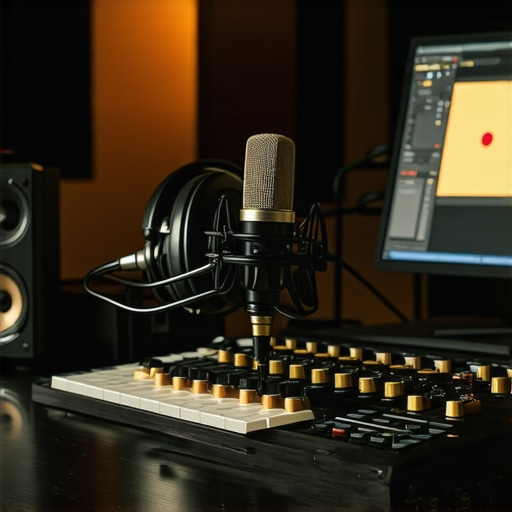
My Journey into the World of DAW Software for Voiceovers and Podcasts
As someone who has been passionate about voiceover work and podcasting for years, I remember the overwhelming feeling when I first started exploring digital audio workstations (DAWs). Back then, I struggled with finding the right software that balanced user-friendliness, powerful features, and affordability. Today, I want to share my insights into the best DAW software for voiceover and podcast editing in 2024—tools that have genuinely transformed my workflow and boosted my audio quality.
Why Choosing the Right DAW Matters More Than You Think
In my experience, the choice of DAW can make or break your audio projects. A good DAW provides intuitive editing, noise reduction, and seamless integration with plugins. For voiceovers and podcasts, clarity and ease of use are crucial. Over time, I’ve tested various options, from industry giants to emerging platforms, and I’ve found that the best software should suit your specific needs while offering room to grow.
My Top Picks for 2024 — The Cream of the Crop
1. Adobe Audition: The Professional’s Choice
Adobe Audition has been my go-to for professional voiceover editing. Its noise reduction tools, multitrack editing, and user-friendly interface allow me to produce clean, broadcast-quality audio. The integration with Adobe Creative Cloud makes it easy to incorporate audio into larger projects. Plus, the updates in 2024 have made the workflow even smoother. If you’re serious about quality, I highly recommend giving it a try.
2. Reaper: The Budget-Friendly Powerhouse
Reaper surprised me with its incredible flexibility and affordability. Despite its modest price, it offers advanced features like customizable interfaces, extensive plugin support, and reliable stability. I’ve used Reaper for editing podcast episodes, and its automation capabilities help streamline repetitive tasks. For those seeking a professional-grade DAW without breaking the bank, Reaper is a fantastic choice.
3. Logic Pro X: Mac Users’ Favorite
If you’re a Mac user, Logic Pro X remains my top recommendation. Its intuitive design, vast library of sounds, and powerful editing tools make it ideal for voiceover artists and podcasters. In 2024, Apple added features that enhance workflow efficiency, such as improved MIDI editing and virtual instruments. It’s a comprehensive platform that’s worth exploring.
What Should You Consider When Picking Your DAW?
Personally, I look for software that balances features with ease of use. Do you need extensive plugin support? Is real-time editing crucial for your projects? Do you prefer Windows or Mac? Also, consider the learning curve—some DAWs are more beginner-friendly than others. For me, trial versions are essential before making a commitment.
Curious about optimizing your voiceover setup?
Make sure your environment is soundproofed and your microphone quality is top-notch. For tips on creating a professional sound environment, check out this guide.
If you want to improve your workflow further, I recommend exploring podcast editing hacks that can save you hours in post-production.
Remember, the best DAW for you depends on your specific needs and comfort level. Feel free to share your experiences or ask questions in the comments—I’d love to hear what works best for your voiceover or podcast projects!
Unlocking Advanced Features in Your Chosen DAW for Superior Sound
Once you’ve selected your ideal DAW, the next step is mastering its advanced features to elevate your audio quality. For instance, Adobe Audition offers sophisticated noise reduction algorithms that, when properly utilized, can significantly enhance vocal clarity. Reaper’s automation lanes allow precise control over volume, pan, and effects, providing a dynamic and polished final product. Logic Pro X’s virtual instruments and MIDI capabilities open new creative avenues for background music and sound design, enriching your podcast or voiceover projects.
How Can Deep Workflow Customization Transform Your Editing Process?
Customizing your workflow within your DAW can lead to remarkable efficiency gains. Reaper, for example, permits extensive customization through scripting and macros, enabling you to automate repetitive tasks and streamline your editing process. Adobe Audition’s workspace customization allows you to tailor the interface to your specific needs, reducing clutter and improving focus. This flexibility not only saves time but also minimizes errors, ensuring your audio editing remains consistent and professional.
Moreover, integrating your DAW with external plugins and hardware—such as audio interfaces and professional microphones—can dramatically improve sound quality. For detailed guidance on setting up a professional environment, visit this setup guide. Ensuring your hardware complements your software setup is essential for achieving broadcast-ready audio.
What Are the Practical Implications of Staying Updated with DAW Software?
Keeping your DAW updated is crucial for both security and access to new features. Software developers frequently release updates that improve stability, introduce innovative tools, and enhance compatibility with plugins and hardware. For example, recent updates to Logic Pro X have integrated machine learning-based noise suppression, making post-production more efficient. Staying current with these advancements ensures your workflow remains competitive and your audio quality at its peak.
Additionally, engaging with online communities and tutorials can deepen your understanding of complex features. Platforms like YouTube, specialized forums, and official support pages are invaluable resources. Exploring new techniques—such as multi-band compression or spectral editing—can give your podcasts and voiceover recordings a more professional, immersive sound.
Are You Making the Most of Your DAW’s Potential?
Experimenting with different plugins, effects, and editing techniques is essential for developing your unique sound. For instance, utilizing spectral repair tools can help eliminate subtle background noises that traditional noise reduction might miss. Moreover, incorporating external plugins like iZotope RX or Waves suite can further refine your audio, providing industry-standard quality.
If you’re eager to learn more about refining your workflow and staying ahead in the audio production game, I recommend exploring podcast editing hacks that can save you valuable hours and improve your final output.
Feel free to share your experiences or ask questions in the comments—what advanced features or techniques have you found most effective in your editing journey? Your insights can help others elevate their audio projects to new heights!
Unlocking the Hidden Depths of Your DAW: A Personal Journey into Advanced Sound Design
When I first started exploring my DAW’s capabilities, I was content with basic editing—cutting, trimming, and some EQ adjustments. But as I gained experience, I realized that to truly elevate my voiceover and podcast projects, I needed to dive deeper into the software’s advanced features. This journey was both challenging and rewarding, revealing layers of creativity I hadn’t previously considered.
My Personal Breakthrough with Spectral Editing and Multi-Band Processing
One of the most transformative discoveries was spectral editing—an advanced feature available in tools like iZotope RX integrated into DAWs such as Adobe Audition. It allowed me to visualize audio frequencies and meticulously remove unwanted sounds, even those subtle hums or background noises that traditional noise reduction tools often miss. This technique, combined with multi-band processing, enabled me to craft a clean, professional sound with remarkable precision.
Implementing these techniques initially felt daunting. The learning curve was steep, but the payoff was worth it. My recordings became clearer, more immersive, and more engaging for listeners. For anyone serious about voiceover work or podcasting, mastering spectral editing can be a game-changer—allowing you to troubleshoot issues that seem impossible to fix with standard tools.
How Do You Balance Power and Simplicity in Your Workflow?
In my experience, the temptation to overcomplicate workflows with every new feature can lead to burnout or mistakes. The key, I’ve found, is to integrate advanced techniques gradually, ensuring they complement your existing process rather than overwhelm it. For example, I now reserve spectral repair for specific problematic segments, while routine editing remains straightforward. This approach keeps my workflow efficient without sacrificing quality.
Moreover, customizing your DAW’s interface to highlight your most-used tools can streamline your process. Reaper, for instance, allows extensive scripting and macros, which I use to automate repetitive tasks—saving me hours per project. Whether it’s batch processing or quick toggling of effects, these small tweaks cumulatively make a significant difference.
External Resources and Hardware: Amplifying Your Creative Potential
While software features are crucial, hardware also plays a vital role. Upgrading your audio interface, microphone, or studio monitors can unlock new levels of clarity and fidelity. For example, an external audio interface with high-quality preamps ensures your recordings are pristine from the start. Pairing this with a pair of studio headphones, like those recommended in the 2025 headphone guide, creates an environment where you can truly hear every nuance of your audio.
Furthermore, a well-optimized acoustic environment minimizes unwanted reflections and background noise, making advanced editing techniques more effective. I’ve found that investing in both good hardware and understanding how to leverage your DAW’s full potential results in a professional-grade production that stands out.
Am I Fully Utilizing My DAW’s Advanced Features?
It’s a question I often ask myself—are my editing skills and knowledge of my DAW’s capabilities truly maximized? I encourage you to explore tutorials, forums, and official documentation regularly. Platforms like podcast editing hacks provide insights into sophisticated workflows that can save you hours and improve your output quality. Sharing your experiences or questions in communities can also spark ideas you might not discover alone.
The learning journey never truly ends. As software developers introduce new tools and algorithms—like AI-powered noise suppression in the latest versions of Logic Pro X—staying updated ensures you remain at the forefront of audio production. For example, recent updates have incorporated machine learning techniques that automatically identify and reduce background noises, streamlining post-production significantly.
What Are Your Favorite Advanced Techniques to Elevate Voiceover and Podcast Quality?
Personally, I love experimenting with automation lanes—fine-tuning volume, effects, and panning over time for dynamic, engaging audio. I also regularly explore spectral repair and multi-band compression to refine my sound. If you’re curious about mastering these features, I recommend visiting this guide to optimize your setup and workflow.
Remember, the goal isn’t just technical mastery but creating a sound that resonates with your audience. Feel free to share your experiences or ask for advice—your insights could inspire others to push their audio projects further. After all, continuous learning is the heart of mastering your craft.
Unleashing Creative Sound Design with Layered Effects and Automation
As I delved deeper into my DAW’s capabilities, I discovered the transformative power of layered effects and automation. These tools enable me to craft immersive soundscapes and dynamic vocal presentations that captivate listeners. For instance, meticulously automating reverb parameters during a podcast intro can evoke a sense of space and professionalism that static effects simply can’t achieve. Similarly, stacking subtle modulation effects like chorus or flange, applied selectively through automation, adds richness and movement to voice recordings, making them stand out in a crowded audio landscape.
How Can Multiband Dynamics and Spectral Shaping Elevate Your Audio Quality?
Advanced processing techniques such as multiband compression and spectral shaping are game-changers. They allow precise control over different frequency ranges, ensuring clarity without sacrificing warmth or presence. I often employ multiband compressors to tame harsh sibilance while preserving vocal brightness, resulting in a polished, broadcast-ready sound. Spectral shaping tools, like those in iZotope RX, help me sculpt frequencies with surgical precision, eliminating residual noise or resonances that conventional EQs might overlook. These methods, when mastered, can significantly elevate the professionalism of your voiceover and podcast productions.
What are the best practices for integrating AI-powered tools into your editing workflow?
Incorporating AI-driven solutions, such as automated noise suppression or intelligent leveling, can drastically reduce post-production time. For example, recent advancements documented in Sound on Sound highlight how machine learning algorithms adapt to different recording environments, offering cleaner, more consistent results. To maximize these tools, I recommend training them with your specific audio samples, fine-tuning parameters, and combining them with traditional editing techniques for optimal results. Embracing AI doesn’t replace your creative judgment but amplifies it, enabling faster iterations and refined outputs.
Engaging with these sophisticated features requires a curious mindset and a willingness to experiment. I encourage you to share your experiences or questions about integrating advanced effects and AI tools—your insights might spark new ideas for the community and help you unlock your full creative potential in audio production.
How Do External Hardware and Studio Environment Optimization Complement Your DAW Mastery?
While software advancements are impressive, the importance of external hardware cannot be overstated. Upgrading to high-quality microphones, audio interfaces, and studio monitors directly impacts your ability to produce professional-grade recordings. For instance, a reputable audio interface with high-resolution preamps, like those recommended in the setup guide, ensures your recordings are captured with clarity and minimal noise. Pairing this with well-treated acoustic spaces enhances your ability to accurately monitor and edit audio, reducing the reliance on software corrections later.
Consistent calibration of your studio environment and hardware setup creates a stable foundation for advanced editing techniques, making spectral repairs or multiband processing more effective. Remember, mastering your DAW’s full potential is only as good as the environment you work in—investing in quality hardware and sound treatment yields dividends in final audio quality.
Are You Fully Capitalizing on Your DAW’s Hidden Features for Expert-Level Editing?
Many advanced features remain underutilized simply because users aren’t aware of their existence or potential. For example, Reaper’s scripting engine allows automation of complex workflows, while Logic Pro X’s environment window facilitates intricate signal routing for creative sound design. Exploring these hidden capabilities can unlock new creative avenues and streamline your process. I suggest dedicating time to official documentation and specialized tutorials, such as those found in the workflow hacks resource, to deepen your technical mastery.
Staying updated with software releases and actively participating in professional communities ensures you don’t miss out on innovative features like AI-enhanced editing or real-time processing enhancements. The continuous pursuit of knowledge and experimentation is what separates good audio projects from truly exceptional ones. I invite you to share your experiences with advanced techniques—your insights could inspire others to elevate their craft and push the boundaries of what’s possible in voiceover and podcast production.
Things I Wish I Knew Earlier (or You Might Find Surprising)
The Power of Customization
Early in my journey, I underestimated how much customizing your DAW workspace can boost efficiency. Personalizing your interface or creating macros in Reaper, for example, can turn hours of editing into minutes, freeing your creative energy for more nuanced work.
Hidden Features Are Gold
Many advanced features, like spectral editing or multi-band compression, are tucked away in menus or require some digging. Discovering these tools felt like unlocking secret levels in a game—suddenly, my editing quality soared, and tasks became much more manageable.
Hardware Matters More Than I Thought
Upgrading my microphone and audio interface significantly improved my recordings. Investing in quality hardware, along with optimizing my studio environment, created a solid foundation that software alone couldn’t compensate for.
Staying Updated Is Essential
Software updates often include powerful new tools or improvements. I make it a habit to follow my DAW’s latest releases because staying current means I benefit from innovations like AI-assisted noise reduction, which can save hours in post-production.
The Learning Never Stops
Exploring online tutorials, forums, and official documentation keeps me inspired and improves my skills. The more I learn, the more I realize how much potential my DAW holds—waiting to be unlocked with a bit of curiosity and experimentation.
Resources I’ve Come to Trust Over Time
iZotope RX
This audio repair suite is invaluable for spectral editing and noise reduction. I’ve used it extensively, and it’s helped me fix issues I thought were irreparable, elevating my audio quality to professional levels.
Reaper’s Community Forum
The official Reaper forums are full of passionate users sharing scripts, macros, and workflow tips. It’s a treasure trove for anyone looking to get the most out of their DAW and learn from real-world experiences.
Logic Pro X’s Official Tutorials
Apple’s own tutorials are comprehensive and well-structured. They helped me understand complex features like environment routing and advanced MIDI editing, broadening my creative horizons.
Sound On Sound Magazine
This publication offers in-depth articles on the latest audio technology and techniques. It’s a great resource for staying updated and inspired, especially when exploring new effects or tools.
Audio Engineering Society (AES) Resources
The AES website hosts a wealth of research papers, webinars, and standards that deepen my understanding of audio best practices and innovations, inspiring me to refine my craft continually.
Parting Thoughts from My Perspective
Mastering your DAW in 2024 is less about knowing every feature and more about understanding the core principles and gradually exploring new tools. My biggest takeaway is that customization, staying updated, and leveraging hidden features can significantly elevate your voiceover and podcast projects. Remember, your environment, both hardware and software, is your foundation—invest wisely and keep learning. If this resonated with you, I’d love to hear your thoughts or experiences. Feel free to share what tools or techniques have transformed your workflow and helped you achieve professional sound quality. Together, we can all push the boundaries of what’s possible in audio production!
http://Emily%20Johnson
I really appreciated the detailed breakdown of how spectral editing and multiband processing can transform the quality of voiceovers and podcasts. When I first started experimenting with DAWs, I often overlooked these advanced features, focusing mainly on basic editing. However, after exploring spectral repair tools like iZotope RX in Adobe Audition, I noticed a drastic improvement in cleaning subtle background noises that traditional noise reduction struggled with. What surprised me most was how much these techniques can actually simplify the post-production process once you grasp their potential. Has anyone found a particular workflow or sequence of steps that makes integrating spectral editing more intuitive? I’d love to hear about your experiences and tips for managing these powerful but complex features effectively—sometimes the learning curve can make it tempting to stick with the basics, but the results are absolutely worth it.
http://Adam%20Carter
Reading through this post really resonated with my journey into podcast production. I remember feeling overwhelmed at first trying to navigate plugins and advanced editing features, especially spectral editing. For me, the key was to start small—focusing on mastering one advanced feature at a time. I found that integrating spectral repair tools like iZotope RX into Adobe Audition, for instance, became more intuitive once I developed a consistent workflow, such as visualizing frequencies first, then carefully removing noise. Training myself to recognize common unwanted sounds beforehand saved me a lot of time during editing. Also, I learned that patience is crucial; rushing into complex editing can lead to mistakes or overprocessing. What about others? Have you developed specific routines or checklists that make using these sophisticated tools more manageable for daily projects? Sharing these strategies might help newcomers avoid some of the steepest parts of the learning curve.
http://Samantha%20Lee
Reading about your progression into spectral editing and multiband processing really hit home. When I first started exploring DAWs for my voiceover projects, I was a bit overwhelmed by these advanced features, but I’ve realized that patience and small steps really make a difference. I started experimenting with spectral repair tools, like iZotope RX, and it dramatically improved my ability to clean up subtle background noises that standard noise reduction missed. What helped me was creating a checklist to follow whenever I use spectral editing, which included first visualizing the spectra, identifying problem areas, and then carefully applying repair tools. It’s also crucial to mute or bypass effects during initial edits to compare before and after. Have you found any specific order or method that consistently works well for managing these complex features effectively? I’d love to hear how others are approaching this so I can refine my workflow further.