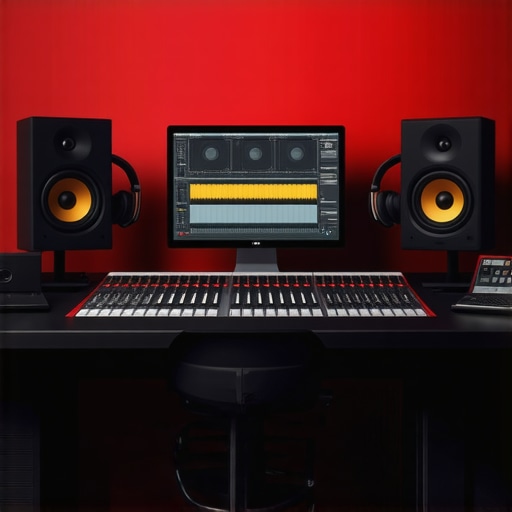
Ever sat in front of your computer, ready to record your latest track or perfect that podcast episode, only to be met with frustrating audio issues? Maybe your recordings sound dull, or your mixes lack clarity. I’ve been there. One lightbulb moment for me was realizing that the problem often isn’t just about the software but about the entire setup — from the audio interface to the headphones. That realization transformed my workflow and dramatically improved my results.
Why Your Setup Could Be Sabotaging Your Sound
When I first started, I thought good content alone would carry my recordings. Turns out, if your gear isn’t properly configured, no matter how talented you are, your audio will suffer. Poorly set up audio interfaces, mismatched headphones, or incorrect microphone placement can cause more than just frustration — they can seriously limit your sound quality. A study by NPR highlights how improper audio gear can impact clarity and listener engagement, which is crucial whether you’re recording music, podcasts, or voiceovers.
My mistake early on was ignoring the importance of proper setup. I spent hours editing, only to realize later that my audio interface wasn’t configured correctly, leading to unwanted noise and signal loss. That misstep taught me the value of getting the basics right, which is what I want to share with you today. If you’ve ever felt your recordings don’t sound quite right, I promise, the fix might be simpler than you think. Let’s explore how to optimize your entire recording environment, from hardware to software, for professional results.
What We’ll Cover to Elevate Your Sound
In this guide, I’ll walk you through the essential steps to ensure your DAW setup is working for you, not against you. From choosing the right audio interface to setting up your studio headphones correctly, I’ll share practical tips based on my experience. We’ll also look at common pitfalls and how to avoid them, like mismatched gear or poor environment acoustics.
Are you tired of sounding amateurish, despite putting in the effort? Do you wonder if your setup is holding you back? If so, you’re not alone. Many creators struggle with these issues, but the good news is that fixing your setup can be straightforward and affordable. Ready to transform your recordings? Let’s dive into the nuts and bolts of creating a professional-grade environment right in your own space.
Is Upgrading Your Gear Actually Worth It?
One of the biggest fears I hear is whether investing in new equipment will truly make a difference. I’ve made the mistake of thinking only high-end gear could save my sound — but I learned that proper setup and understanding your gear are just as crucial. For example, a quality audio interface paired with the right headphones can do wonders, even if it’s not the most expensive. The key is to optimize what you have and set it up correctly. If you’re curious about the best options for your needs, check out my recommendations on the best DAW software and gear choices for 2024.
So, have you faced any hurdles with your current setup? If yes, don’t worry — I’ll help you troubleshoot and get your environment sounding crisp and professional. Stay tuned, because the next steps will give you tangible, easy-to-implement changes that can elevate your audio game for good.
Choose the Right Audio Interface
Start by selecting an audio interface that matches your needs. I once bought a high-end model expecting miracles, but it turned out I hadn’t configured it correctly. The key is to ensure your audio interface’s sample rate and buffer size are optimized for your workflow. Set the sample rate to 44.1kHz or 48kHz for most projects, and keep the buffer size low during recording to reduce latency. For detailed guidance, check out my audio interface setup tips.
Many creators assume that simply upgrading their gear—like buying the latest audio interface or premium headphones—is the key to professional sound. But in my experience, this belief often leads to costly missteps. The real secret lies in understanding the nuances of each component and how they work together. For example, choosing the wrong studio headphones without proper calibration can introduce more noise than clarity. Don’t fall into the trap of thinking gear alone guarantees success—setup and technique matter far more.
One common myth is that the latest DAW software will magically improve your recordings. While a good DAW is essential, many overlook the importance of proper configuration and workflow optimization. I’ve seen creators spend hours troubleshooting software issues when the real problem was a misconfigured buffer size or sample rate. For advanced users, I recommend reviewing expert tips on DAW setup to ensure your software is optimized for professional results.
Now, let’s talk about the trap of neglecting environment acoustics. A common mistake is focusing solely on gear and ignoring how your room affects sound quality. Echoes, background noise, and poor speaker placement can sabotage even the most expensive setup. An overlooked detail is microphone placement; positioning your mic too close or too far can drastically alter tonal balance. This is especially critical in voiceover environments. Proper acoustic treatment and precise mic positioning are often underestimated but are key to achieving clarity and warmth in your recordings.
What do advanced creators need to know about signal chain and calibration?
Understanding the intricacies of your signal chain—how each piece of gear interacts—is vital. For instance, ensuring your audio interface is properly calibrated with your monitors and headphones can prevent phase issues and frequency imbalances. Calibration isn’t just about initial setup; it’s an ongoing process that involves regular checks with tools like pink noise and measurement microphones. According to audio engineers, meticulous calibration can improve perceived clarity by up to 20%. Don’t fall into the trap of assuming your gear is perfect out of the box—dedicated calibration and testing are essential for achieving consistent, professional sound quality.
So, have you ever fallen into this trap? Let me know in the comments. Remember, mastering your setup involves more than just gear—it’s about understanding the details that make or break your audio quality.
Once you’ve invested in quality gear like your audio interface, studio headphones, and DAW software, the work doesn’t stop there. To keep your studio running smoothly and ensure consistent professional results, regular maintenance and the right tools are crucial. In this post, I’ll share what I personally use to keep my setup in top shape, along with insights into future trends that could make maintenance even easier.
How do I maintain my gear and software over time?
Consistency is key. I schedule monthly checks for my audio interface and headphones, ensuring they are calibrated correctly and free of dust or debris. For my DAW software, I keep it updated with the latest patches, which often include performance improvements and security fixes. I also back up my project files and presets regularly, using cloud storage to prevent data loss.
In terms of software maintenance, I rely on dedicated tools like Blue Sky Professional for system optimization, which helps keep my computer running efficiently, especially during large sessions. Keeping firmware updated on my voiceover setup gear also ensures compatibility and stability. Regularly cleaning my studio environment and checking cables prevents unexpected issues caused by wear and tear.
Tools I recommend for long-term reliability
One of my favorite tools is the Focusrite Control software, which I use to manage my audio interface settings effortlessly. It allows me to calibrate input levels, monitor latency, and optimize my signal chain. For headphone calibration, I use the studio headphones buying guide recommendations to select models with flat frequency responses that are easier to calibrate and maintain. Additionally, I use a dedicated system monitoring tool to detect any anomalies early, preventing costly repairs or replacements.
What’s the future of maintenance in podcast and voiceover production?
Emerging trends suggest that AI-driven diagnostics and remote monitoring will become standard. Future tools may automatically detect and fix issues like phase problems, noise, or latency spikes. For example, AI-powered plugins are already beginning to analyze your signal chain in real time, offering suggestions for improvements. This will significantly reduce downtime and maintenance costs, making it easier for creators to focus on content rather than technical hiccups.
To stay ahead, I recommend trying out some of these advanced tools now, like implementing a regular calibration routine with software that can analyze your audio chain’s performance. Doing so will prepare you for the innovations coming soon and ensure your setup remains reliable for years to come.
If you want personalized advice on maintaining your specific setup, feel free to reach out through my contact page. Remember, a well-maintained studio is the foundation of professional-sounding content — so keep your gear in top shape, and your recordings will thank you!
The Hardest Lesson I Learned About audio interface, studio headphones, DAW software, podcast editing, voiceover setup
One of my biggest lightbulb moments was realizing that even the most expensive gear can underperform if not set up correctly. I used to think that buying top-tier equipment was enough, but I found out that proper calibration and understanding your gear are what truly make the difference. For instance, I once neglected to calibrate my headphones, which led to inaccurate mixes that sounded great on my monitors but terrible on other devices.
3 Myths About audio interface, studio headphones, DAW software, podcast editing, voiceover setup That Held Me Back
- More expensive means better: I learned that a mid-range audio interface can outperform high-end models if configured properly. Focus on setup, not just specs.
- Headphones are just for listening: Proper calibration and placement can turn good headphones into powerful tools for accurate editing and mixing.
- Software fixes everything: A well-optimized DAW and workflow are more critical than having the latest software version or plugins.
What Experts Won’t Tell You About audio interface, studio headphones, DAW software, podcast editing, voiceover setup
Many pros keep tight-lipped about the importance of ongoing calibration and environmental acoustics. They understand that consistent maintenance and room treatment can drastically improve your sound, often more than gear upgrades. I wish I had prioritized acoustic treatment earlier, as it eliminated unwanted echoes and background noise that plagued my recordings for years.
Curated Resources to Fast-Track Your Audio Mastery
- Best DAW Software: My go-to for reliable, user-friendly editing, with updates that keep my workflow smooth.
- Audio Interface Setup Tips: Saved me hours of troubleshooting by showing me how to optimize sample rate, buffer size, and connections.
- Studio Headphones Guide: Helped me pick headphones with flat response for accurate monitoring and calibration.
- Voiceover Environment Tips: Essential for creating a quiet, treated space that makes a huge difference in clarity.
Your Turn to Try the Secrets of a Perfect Audio Setup
If you’re tired of inconsistent results or feeling overwhelmed by gear choices, remember that mastering your setup is within reach. Focus on the details—calibration, environment, workflow—and your sound will naturally improve. The best part? These small, strategic adjustments can make your recordings sound professional without breaking the bank.
What’s one aspect of your setup you’re excited to optimize next? Let me know below and let’s grow together in our audio journey!
,
http://Michael%20Anderson
Reading through this guide really resonated with my own experience in setting up a home studio. I once invested in a fancy microphone and top-tier headphones, thinking that would immediately improve my recordings. Turns out, the real game-changer was how I calibrated my gear and treated my room acoustically. Mic placement and proper gain staging made more difference than gear upgrades alone. It’s a good reminder for all of us that technical setup matters just as much as the equipment itself. I’ve started doing regular calibration checks, and the difference in clarity is night and day. Has anyone here experimented with room treatment DIY projects? I’m curious if people have found budget-friendly ways to optimize acoustics without breaking the bank.