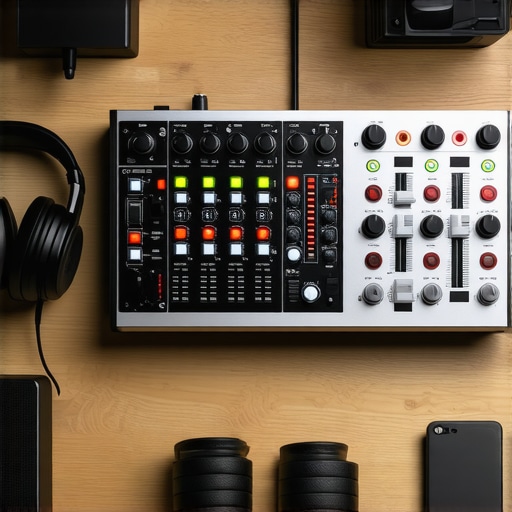
I remember the exact moment I realized my home studio wasn’t cutting it. I was mid-recording, voice trembling as I stumbled over a line, and my headphones started crackling. Frustration boiled over. It hit me that the bottleneck wasn’t my talent but my gear. That weekend, I dived into the world of audio interfaces and studio headphones, determined to fix the chaos in my setup. If you’ve ever faced similar frustrations—poor sound quality, noisy recordings, or endless tweaking—you know what I mean. The good news is, with a few smart choices, you can elevate your audio game without breaking the bank.
Why Getting Your Setup Right Is a Game-Changer in 2024
This year, the gap between amateur and pro-level audio is narrower than ever. Thanks to advancements in technology, affordable gear can deliver results that once cost a fortune. According to a recent industry report, professional podcasts and voiceovers now demand high fidelity for engagement, and listeners quickly tune out when the sound isn’t crisp. Whether you’re creating content, recording music, or doing voiceovers, your gear’s quality directly impacts your output. Think about it—if your gear introduces noise or distorts your voice, your message gets lost. Conversely, with the right audio interface and studio headphones, you can make your recordings sound professional and polished, even in a small home studio.
Have you struggled to find that perfect mix of clarity and ease of use? You’re not alone. Choosing the right equipment can feel overwhelming—do you go for the most expensive options, or trust less-known brands claiming to be “studio-grade”? I’ve made that mistake early in my journey, opting for flashy gear without understanding its specs. Don’t worry—getting it right isn’t as complex as it seems. In this guide, I’ll share my personal experience and expert tips to help you select gear that elevates your sound and saves you time.
Is All the Hype Around Studio Gear Just Marketing? Or Worth It?
Many newcomers ask whether investing in high-end equipment truly makes a difference. My initial misconception was believing that price equaled quality—big mistake. After years in the trenches, I learned that matching your gear to your specific needs and environment yields far better results. For instance, a top-tier audio interface paired with poorly treated room acoustics still won’t give you crystal-clear recordings. Conversely, a decent interface combined with good microphone placement and quality headphones can produce outstanding sound. So, yes, quality gear makes a difference—when chosen thoughtfully. For a comprehensive overview of what to consider, this ultimate guide to choosing audio interface and studio headphones in 2024 is a great starting point.
Stay tuned as I walk you through the steps to assemble your ideal setup, so you can record, mix, and produce like a pro—without the headaches or overspending. Ready to transform your sound? Let’s dive into action.
**
Choose the Right Digital Audio Workstation (DAW)
Start by selecting a DAW that fits your workflow and goals. Think of the DAW as the brain of your studio—it’s where all the magic happens. For voiceover artists and podcasters, this guide breaks down the best options and features to look for. I personally tested several, and settled on one that allowed quick editing and intuitive interface, saving me hours daily. To get started, download the trial version, explore the interface, and import some raw recordings to see how it fits your style.
Build a Solid Audio Interface Setup
An audio interface transforms your microphone’s analog signal into digital data. It’s like a translator for your voice. When I upgraded to a quality interface, I immediately noticed cleaner recordings with less background noise. Focus on models with enough inputs for your microphone and any additional gear. For guidance, check out this setup guide. Connect your microphone directly to the interface, and make sure to configure input levels carefully to avoid clipping. Remember, proper gain staging prevents distortion and preserves audio quality.
Select Studio Headphones That Say It All
Accurate sound reproduction is crucial. I once tried using consumer headphones for editing, only to realize later how much I missed subtle details. The buying guide I followed helped me find headphones tailored for audio clarity. When testing, listen to familiar tracks to gauge how natural the sound feels. Use closed-back headphones to block outside noise, ensuring undisturbed focus during editing sessions. Properly calibrated headphones are your window into professional-quality sound.
Set Up a Dedicated Voiceover Space
Your environment impacts your recordings. I once recorded in a cluttered closet where echo and external noise ruined my takes. After redesigning my space with absorbing panels and a dedicated desk, my voice sounded richer and more consistent. For precise placement, consult this article. Use a quality microphone stand to eliminate handling noise and position your mic about six inches from your mouth—the right distance minimizes plosives. Incorporate a pop filter to soften harsh consonants and improve clarity.
Clean Up Your Recordings with Effective Editing
Raw recordings often contain unwanted sounds, breaths, or background noise. My first edits involved manually cutting out breaths, which was tedious. Then I adopted streamlined workflows from this guide. Use noise reduction plugins to eliminate consistent hums or hiss, and employ spectral editing tools to precisely remove clicks or pops. Editing smartly saves time and results in professional-sounding content. Consistent leveling, EQ adjustments, and gentle compression help your voice sit well in the mix, making every word clear and engaging.
Seal the Deal: Finalize and Export Perfect Audio
Once editing is complete, ensure your output matches the desired platform. Export in high-quality formats like WAV first, then compress to MP3 if needed. Verify the loudness levels align with streaming standards, avoiding audio that’s too loud or too soft. Use loudness meters and export settings recommended in this resource. A little extra effort in finalizing guarantees your content sounds crisp on every device, from headphones to speakers, enhancing listener experience.Many aspiring creators believe that investing in the latest DAW software or the most expensive studio headphones automatically guarantees professional results. In reality, this overlooks crucial nuances that can make or break your audio quality. For instance, a prevalent myth is that high-end DAWs are essential for excellent production; however, a well-configured free or affordable DAW like Reaper or Audacity can deliver stunning results when paired with proper techniques. Similarly, some assume that expensive headphones are always better, but without understanding headphone calibration and room acoustics, you may still be misled by inaccurate sound reproduction. An often-overlooked trap is neglecting the importance of a clean signal chain—choosing the right audio interface and properly setting GAIN can significantly reduce noise and distortion, as recommended in this guide. Advanced users frequently ask whether digital tools can replace good craftsmanship, but software can’t compensate for poor mic placement or noisy environments. A common mistake is over-relying on post-production, forgetting that capturing clean audio from the start is crucial. When it comes to voiceover setup, the myth persists that a simple mic and a quiet room are enough; in truth, carefully treating your space with acoustic panels and using a pop filter can prevent undesirable sounds in recordings. Better understanding these nuances ensures you’re not just throwing money at equipment but instead optimizing your entire workflow.
Let’s dig deeper—have you ever fallen into this trap? Let me know in the comments. To truly elevate your sound, focus on mastering your environment and workflow as much as upgrading gear. Remember, it’s not just about the tools but how you wield them that determines your final quality. If you want actionable tips to refine your setup, check out this resource for in-depth strategies on DAW efficiency, or explore this guide to choose the right hardware for your needs.
Once you’ve invested in quality gear—be it your DAW, audio interface, studio headphones, or voiceover setup—the next crucial step is maintaining it to ensure consistent performance. Regular upkeep not only prolongs the lifespan of your equipment but also guarantees that your recordings stay clear, professional, and reliable over time.
One of my go-to practices is scheduling routine calibration sessions, especially for your audio interface and headphones. This might sound technical, but it’s straightforward: use reference recordings or test tones to check for any drift in audio quality. I do this monthly, which helps detect subtle issues early, saving me from costly repairs or replacements down the line.
For software, keeping your DAW and plugins updated is essential. Developers often release patches that fix bugs, improve stability, or optimize performance—critical for lengthy editing sessions or live recordings. I make it a point to check for updates once a week and read changelogs to understand new features that can streamline my workflow. You can quickly access updates through the software’s built-in update manager or official websites, such as this resource.
Maintaining a clean working environment also plays a significant role. Dust accumulation can affect your hardware’s internal components, leading to overheating or static noise. I use compressed air to gently blow out my equipment ports and vents every few months. Keeping cables organized not only prevents accidental disconnections but also minimizes wear, ensuring stable connections during critical recordings. This attention to detail can make a notable difference, especially during long studio sessions.
Another tip is using surge protectors and UPS systems to safeguard your gear against power fluctuations or outages. A sudden spike can damage sensitive components, leading to costly repairs. Investing in reliable surge protectors, and ensuring your equipment is plugged into them, can save you time and money in the long run.
Looking ahead, I predict that smart maintenance tools integrated directly into audio gear will become commonplace. Devices that monitor internal temperatures, usage patterns, and hardware health will alert you proactively when a component needs attention. This proactive approach will become the norm, keeping creators focused on their craft rather than troubleshooting technical issues.
How do I keep my studio setup performing at its best over time?
Start by establishing a regular maintenance routine, including calibration, software updates, physical cleaning, and surge protections. Additionally, consider investing in diagnostic tools recommended by experts—like those detailed in this guide. Implementing these practices will ensure your gear remains reliable, efficient, and ready to produce top-tier audio whenever inspiration strikes. Don’t forget: staying proactive with maintenance saves you money and keeps your creative flow uninterrupted. Try setting a monthly check-in to review and refresh your setup for sustained excellence.
What I Wish I Knew About Choosing Equipment Early On
- Investing in affordable gear without understanding its capabilities can hold you back. I once bought the fanciest microphone, only to realize it didn’t suit my room acoustics, which led me to learn about proper room treatment and the importance of matching gear to environment.
- Ignoring the significance of proper calibration and routine maintenance can cause subtle quality issues that sabotage your progress. Scheduling monthly checks has been a game-changer for me, ensuring consistent performance and sound clarity.
- Overbuying features or gear I didn’t need crowded my workflow. Simplifying my setup to focus on essentials, like a reliable DAW and quality headphones, allowed me to produce better results faster.
- Post-production isn’t a magic fix—capturing clean recordings and understanding signal flow from the start saves hours of editing afterward. Prioritizing good mic placement and environment setup was a major learning curve that paid off.
- Finally, thinking of gear as an investment in my craft rather than just a purchase motivated me to seek out educational resources and expert advice, which dramatically elevated my sound quality and confidence.
http://Jessica%20Lee
I completely relate to the frustration of dealing with crackling headphones and poor sound quality—those early days are tough! When I upgraded my studio headphones to a pair of closed-back models, the clarity and focus during editing improved dramatically. It’s such a game-changer to hear those subtle nuances, especially when working on vocals or podcasts. I’ve also learned that room acoustics play a more significant role than I initially thought. Even with great gear, a poorly treated space can hinder the best setup.
One thing I’ve found helpful is creating a dedicated, quiet corner for recording and editing, with some acoustic panels or at least some soft furnishings. Do others here have tips on budget-friendly soundproofing or room treatment? Safe to say, investing in decent headphones and a good interface is vital, but your environment makes all the difference in achieving professional-level recordings. I’d love to hear what setups others have found effective without breaking the bank!