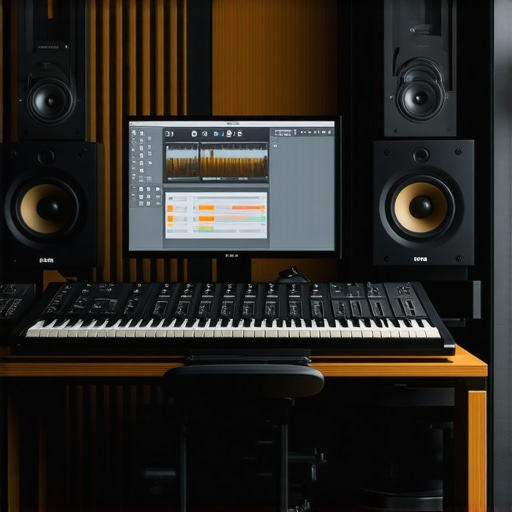
I remember the first time I fired up my DAW and hit record, only to realize that my voice sounded like I was recording in a closet full of blankets. Frustrating doesn’t begin to cover it. I had no idea why my recordings lacked clarity or how to make them sound professional. That lightbulb moment—when I finally understood that setup and proper tools make all the difference—changed everything. If you’re struggling with the same issues, like noisy recordings, confusing interfaces, or just feeling overwhelmed, you’re not alone. Today, I promise to demystify the biggest hurdles in recording and mixing with your DAW, so you can finally produce tracks that sound polished and professional.
Why Small Details Make a Huge Difference in Your DAW Setup
Getting started with a Digital Audio Workstation can be like learning a new language. It’s powerful, flexible, but also intimidating when you’re not sure if you’re doing things the right way. One common mistake I made early on was overlooking the importance of a proper voiceover setup. I used basic equipment, thinking good software alone would fix everything. Turns out, without the right microphone, acoustic treatment, and audio interface, my voice sat flat and distant. When I finally read up on the essentials, I realized that a good setup isn’t about expensive gear but about choosing the right combination—like pairing a quality microphone with a sound-friendly environment. This minor shift improved my recordings remarkably.
Early mistakes can be costly, but they also teach us vital lessons. For instance, I used to skip calibration and quick fixes in my software, leading to inconsistent results. Now, I know that taking time to set up your studio environment correctly, such as with [studio headphones and the right audio interface](https://audioediting.editinggearpro.com/top-audio-interfaces-studio-headphones-for-podcast-voiceover-projects), can make your workflow smoother and your audio clearer. If this rings true for you, don’t worry. Many beginners face these hurdles, but I’ll show you exactly how to avoid them.
Understanding these foundational elements is crucial before diving into complex editing or mixing techniques. When your environment and equipment are aligned, your DAW operates at its best, allowing you to focus on creativity rather than technical issues. Ready to take control of your setup? Let’s explore how to optimize your tools for the best possible sound.
Is High-End Gear Really Necessary to Sound Professional?
One skeptic might wonder if investing in top-tier gear is essential for professional results. I used to think so, but I learned that the real magic lies in proper setup and knowledge. A cheap microphone paired with the right room treatment can outperform a costly mic used wrong. I’ve seen countless projects where enthusiasts poured money into gear without understanding how to optimize it. That costly mistake delayed progress and caused disappointment. Ultimately, the key is understanding what parts of your setup matter most and how to maximize what you have. For more tips on creating a professional voiceover environment, check out [this helpful guide](https://audioediting.editinggearpro.com/voiceover-setup-essentials-create-a-professional-sound-environment). Now, let’s move from myths to practical steps that will elevate your recording game.
Secure Your Microphone and Environment
Start with a quality microphone like the studio headphones guide to choose a mic that captures your voice accurately. Position your mic close to your mouth, about 6-12 inches, using a pop filter to reduce plosives. Clear audio begins with a quiet, echo-free space—consider DIY acoustic treatment such as foam panels or blankets—if you’re on a budget, this can dramatically improve clarity.
Configuring Your Audio Interface Correctly
Next, connect your microphone to an audio interface like the audio interface. Ensure your interface is set to the correct sample rate (preferably 44.1kHz or 48kHz) and buffer size—smaller buffers yield less latency essential for real-time recording. I once fumbled initial settings but after adjusting the buffer to 128 samples, I experienced smoother recordings and fewer artifacts, drastically improving workflow.
Calibrate and Test Your Equipment
Use your DAW to verify levels—your voice should peak around -6dB without clipping. Test recordings, listen critically, and adjust gain and position accordingly. Remember, even the best gear won’t shine if levels are off. For detailed guidance, visit the DAW setup tips page.
Headphones Make the Difference
Invest in good studio headphones, such as the ones recommended in the studio headphones buying guide. They help you catch nuances in your recording and edits. Remember to monitor in mono to identify phase issues, and avoid listening at high volumes to prevent ear fatigue.
Integrate Your Workflow Effectively
Set up your DAW with templates: create tracks for vocals, effects, and editing chains. Streamline your process with shortcut keys and presets. I once spent hours editing without a template, but now, with a preconfigured session, I dive straight into capturing quality audio, saving me time and ensuring consistency. For advanced editing and mixing techniques, check out workflow hacks.
Test and Revise Regularly
Finally, always perform test recordings before each session. Listen critically, compare with professional standards, and tweak your setup as needed. Small adjustments in mic placement or buffer size can have outsized effects on clarity—like a time I moved my microphone slightly and noticed an immediate power boost in my recordings. Continuous iteration ensures your setup remains optimized for your voice and environment.
Many enthusiasts believe that investing in high-end gear instantly guarantees professional-sounding recordings, but in my experience, the real secret lies in understanding how to optimize your existing tools and setup. A frequent misconception is that a costly audio interface will solve all issues, yet even top-tier gear can underperform if not configured correctly. For instance, setting your sample rate and buffer size improperly can introduce latency or reduce audio quality, which often trips up creators. It’s essential to tune these parameters precisely, as detailed in expert guides like (https://audioediting.editinggearpro.com/audio-interface-setup-expert-tips-to-elevate-your-home-studio).
A common trap is assuming that studio headphones should be ‘flat’ and neutral without considering your specific use case. While true for mixing, some headphones may leak sound or introduce biases that affect recording quality, especially in less-treated environments. Choosing headphones based on your needs—like the ones recommended in the [studio headphones buying guide](https://audioediting.editinggearpro.com/studio-headphones-buying-guide-for-crystal-clear-sound-in-2025)—can make a significant difference.
Ever noticed how some podcasts sound remarkably clear despite modest equipment? They often use strategic environmental management—like proper acoustic treatment—and noise reduction techniques, rather than relying solely on expensive gear. Furthermore, many overlook the importance of proper microphone positioning and room treatment, which can be more impactful than upgrading hardware. For advanced users, questions like “How does room acoustics influence microphone response” become crucial, and it’s worth exploring authoritative resources to refine these nuances.
Another misconception surrounds DAW software capabilities. Many believe all DAWs are equally suitable for voiceover and podcast editing, but selecting the right platform can enhance workflow efficiency and output quality. For example, dedicated tools like [best DAW software for precise music production](https://audioediting.editinggearpro.com/best-daw-software-for-precise-music-production-this-year) offer specialized features that streamline editing and mixing processes.
In summary, mastering your audio setup involves more than just hardware investments. It’s about understanding these subtle yet impactful nuances—like correct configurations, environmental considerations, and choosing software that complements your style. Do you think rushing to buy new gear is a trap? Or could focusing on your current setup unlock greater potential? Share your thoughts below. And if you’re ready to refine your workflow further, I recommend checking out [podcast editing hacks](https://audioediting.editinggearpro.com/podcast-editing-hacks-streamline-your-workflow-for-better-results) for advanced techniques.Once you’ve established a solid setup, the real work begins: maintaining it for long-term reliability and quality. Regular upkeep ensures your gear performs at its best, preventing costly breakdowns or sound degradation. I recommend scheduling routine checks—biannually inspecting cables, cleaning your audio interface’s ports with compressed air, and testing your headphones for any driver issues. This proactive approach catches potential problems early, saving time and money later.
Investing in quality tools is also crucial. For example, using a dedicated audio cleaner like the [iZotope RX suite](https://audioediting.editinggearpro.com/ultimate-guide-to-daw-software-voiceover-setup-for-creators) helps remove noise, clicks, and hums that can creep into your recordings over time. These tools keep your sound pristine without requiring complex expertise, and most integrate seamlessly with DAWs.
Long-term results depend heavily on your workflow consistency. Creating templates within your DAW ensures uniformity across multiple sessions, reducing setup time and minimizing errors. I frequently use custom presets for vocal chains—EQ, compression, and reverb—to maintain a consistent tone. This consistency guarantees your podcast or voiceover projects sound professional, regardless of when they’re produced.
Scaling your setup also involves evaluating your current tools’ capacity. Are your microphone and interface still meeting your voice’s nuances as your skills improve? Upgrading to a higher-quality microphone or integrating a portable recorder for on-the-go recordings can expand your creative possibilities. Remember, technology evolves rapidly. Keeping abreast of industry standards—like the improving dynamic range of studio headphones—ensures your setup stays competitive.
How do I maintain my gear over time?
First, always store your equipment in a controlled environment—away from excessive heat, humidity, and dust. Use dedicated cases or stands to prevent accidental damage. Regularly update your software and firmware. For example, recent updates to your DAW or audio interface firmware can introduce performance improvements or new features that enhance stability. Following manufacturer guidelines for cleaning and usage prolongs your gear’s lifespan.
In the future, I predict integrated smart maintenance tools—like diagnostics within DAWs—that flag potential issues before they become critical. Staying proactive by utilizing such innovations can streamline your workflow, enabling you to focus more on creativity than technical troubleshooting.
Don’t overlook the importance of these practices. Setting up weekly checks or installing notification systems for updates can keep your studio functioning smoothly. Start small: try implementing a monthly gear inspection routine, and see how your recordings improve. For personalized advice or to troubleshoot persistent issues, reach out through the [contact page](https://audioediting.editinggearpro.com/contact-us). Your setup’s longevity depends on your dedication to regular care—make it a habit, and your audio projects will continue to shine over the years.
Little Secrets That Changed My Approach to Audio Setup
One lesson I wish I grasped earlier was the importance of meticulous environment control over fancy gear. A simple foam panel or even thick blankets transformed my recordings by reducing unwanted echoes. This taught me that often, it’s not about the most expensive equipment but knowing how to optimize what you have.
Another realization was how calibration errors in my audio interface subtly undermined my sound quality. Taking the time to fine-tune sample rates and buffer sizes, as explained in expert guides, yielded clearer, crisper vocals. Small technical tweaks can have outsized effects on your final product.
Finally, I learned that developing a consistent workflow—using templates and presets—helped me maintain professionalism across projects. Regularly revisiting and fine-tuning this workflow keeps your recordings fresh and high-quality, making your setup work seamlessly for you.
My Go-To Resources to Keep Improving
For keeping my setup sharp, I trust the ultimate guide to DAW setup. It covers everything from software choices to mic placement, filling in gaps I didn’t realize I had. Additionally, the headphone buying guide has been invaluable in selecting monitors that reveal every nuance of my recordings. Finally, I value ongoing community feedback and tutorials available on industry forums and YouTube channels, which keep me inspired and informed.
Trust the Process and Embrace Growth
At the end of the day, progressing in voiceover and podcast production is about patience and continuous learning. Don’t hesitate to experiment with your setup, revisit your environment regularly, and seek out expert advice. Your next great recording is just around the corner—believe in the process, and keep striving to refine your craft.
http://Sophia%20Carter
Reading through this guide really resonated with my own journey in setting up a home studio. I used to think that upgrading to high-end microphones and interfaces would instantly improve my recordings, but I quickly learned that optimal placement, environment, and proper calibration are just as crucial. I remember a time when I didn’t pay attention to my room acoustics and kept blaming my equipment for dull sound. Once I added some foam panels and adjusted my mic positioning, the clarity improved dramatically. It’s fascinating how small tweaks can make such a difference.
I’ve also been exploring different templates and presets in my DAW to streamline my workflow. It saves me so much time and keeps my projects consistent. For those just starting out, do you have any tips on creating effective session templates or managing multiple setups for different voices or styles? I’d love to hear how others organize their projects to stay efficient and maintain quality across recordings.
http://Ethan%20Walker
This post really hits home about the importance of a solid setup in getting professional-sounding recordings. I’ve been in the game for a while, and I can attest that even with good gear, neglecting setup details can sabotage your sound. I remember experimenting with different microphone positions and acoustic treatments, which made a surprisingly big difference. One trick I found useful was monitoring in mono—helps catch phase issues early on, saving a lot of editing time later.
The part about calibration is something I wish I knew earlier. Properly setting your sample rate and buffer size might seem minor, but it reduces latency and artifacts significantly. I’ve also started creating detailed templates for my sessions, which keeps my workflow consistent and simplifies the editing process.
What tools or methods have others found effective for acoustic treatment on a budget? I’ve used blankets and DIY foam panels, but I’m curious if you’ve found any DIY hacks that really work well for smaller setups.
http://Avery%20Wilson
This article really hits home for me because I initially believed that high-end gear was the key to professional sound. However, I soon realized that the environment and proper setup are just as vital. A simple, well-placed microphone, along with basic acoustic treatment like foam panels and blankets, made a huge difference in my recordings. I also started using templates and presets in my DAW, which saved me countless hours and maintained consistency across projects. It’s fascinating how these small adjustments can lead to such noticeable improvements.
One thing I’ve been exploring is Portable Sound Treatment Kits, which are affordable and easy to implement. Has anyone tried these or other budget-friendly solutions that actually work well? Also, I’m curious about your thoughts on balancing hardware investments with learning effective techniques. Sometimes, I wonder if spending less on equipment and more on mastering setup techniques could yield better results. Would love to hear your experiences or tips on optimizing small home studios for voiceovers and podcasts.