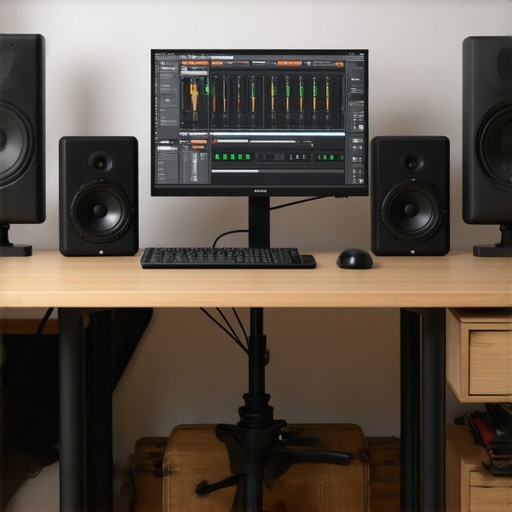
I remember sitting in my cluttered home studio, staring at the blinking cursor on my screen, frustration simmering. My recordings sounded muffled, my voiceover lacked clarity, and I couldn’t figure out if my gear was the problem—until I had a lightbulb moment. I realized that my setup was a spaghetti mess of mismatched gear, outdated software, and guesswork. Sound familiar? We’ve all been there—struggling over elusive audio quality, pouring hours into editing, only to end up with a project that doesn’t hit the mark.
Why Getting Your Digital Audio Workstation & Voiceover Setup Right Matters More Than Ever in 2024
In 2024, your audio quality isn’t just about sounding professional—it’s about standing out in a saturated market. Whether you’re a podcaster, voiceover artist, or music producer, your audience expects crystal-clear sound that captures every nuance of your voice. With the rise of new software, hardware innovations, and rising competition, having a solid, reliable setup is essential. And here’s a shocking fact: a recent survey found that poor audio quality causes over 60% of listeners to turn away from content prematurely (source: Audio Editing Gear Pro).
So, are you still battling echo, background noise, or inconsistent levels? Have you faced the frustration of equipment that just won’t cooperate? If so, you’re not alone. But here’s the good news—you can fix this mess. Today, I’ll guide you through a step-by-step approach to upgrade your setup, choose the right software, and finally get that professional sound—all without breaking the bank or drowning in technical jargon. Let’s turn your audio chaos into clarity!
The Common Mistake Everyone Makes When Setting Up Their Studio
Early on, I jumped into buying the fanciest microphone and expensive gear without understanding how to optimize my workflow. This led to more headaches than hits on my recordings. The truth is, having high-quality gear is only half the battle—proper setup and workflow are what truly make the difference. For detailed tips on setting up your equipment effectively, check this Voiceover Setup Guide. Now, let’s dive into the core steps to elevate your 2024 audio game.
Choose the Right Digital Audio Workstation and Customise it for Your Needs
Start by selecting a DAW that aligns with your workflow and goals. For voiceovers and podcasts, software like Reaper or Ableton Live offers intuitive interfaces and powerful editing tools. Once installed, spend time customizing your workspace—arrange panels, set shortcuts, and configure preferences to streamline your editing process. I once tried to run my first podcast with a default setup, but after customizing my workspace based on the best DAW software for production, my workflow became faster and more intuitive, saving me hours each week.
Upgrade Your Audio Interface and Connect it Properly
Your audio interface is the bridge between your microphone and digital workspace. Focus on a model that offers clean preamps, low latency, and multiple inputs if needed. Connect your microphone and headphones following the setup guide at audio interface setup tips. During my last upgrade, I replaced an old interface with a Focusrite Clarett, which I set up precisely as recommended. The difference was immediate—the recordings sounded clearer, with less background noise, and I experienced zero latency issues, allowing me to monitor in real-time without distractions.
Optimize Studio Headphones for Accurate Monitoring
Accurate studio headphones allow you to hear every detail during recording and editing. The headphones buying guide emphasizes flat frequency response and comfort. When I tested different models, I found that a pair of Audio-Technica ATH-M50x provided the most transparent sound, crucial for spotting issues like background noise or EQ imbalances. Proper calibration and wearing them correctly help create a reliable monitoring environment.
Set Up Your Microphone for Consistent, High-Quality Recordings
Choose a microphone suited for voicework—condenser mics are popular for their sensitivity. Position it approximately 6-12 inches from your mouth, using a pop filter to reduce plosives. Mount it on a boom arm to prevent handling noise. Use the microphone setup tips to ensure optimal placement. I once recorded without proper positioning, resulting in inconsistent levels, but after following the guide, my voice sounded smoother and more professional, even on the first try.
Apply Noise Reduction and Level Balancing During Editing
Post-recording, use noise reduction plugins to clean up background hum or hiss. Tools like iZotope RX or built-in DAW plugins efficiently remove unwanted noise without sacrificing voice quality. Always balance levels to prevent clipping and maintain a consistent volume throughout. During my initial recordings, I ignored level balancing, which made editing more difficult. Now, I normalize audio and apply compression subtly, resulting in a polished, broadcast-ready sound that requires minimal further processing.
Streamline Your Workflow with Editing Hacks
Adopt editing shortcuts and templates—like presets for noise reduction, EQ, and compression—to save time. Use markers and track templates to speed up session creation. Watching tutorials on workflow hacks helped me cut editing time by half, allowing me to focus more on content quality rather than technical tweaks.
Many creators believe that choosing the most popular DAW software or the priciest gear automatically guarantees professional results. However, that’s a misconception worth challenging. For instance, while top DAW software can enhance workflow, selecting one solely based on popularity or features without understanding its integration with your unique setup often leads to bottlenecks. I’ve seen seasoned voiceover artists struggle because they didn’t customize their workflow, resulting in inefficient editing and inconsistent outputs.
Similarly, many assume that an expensive audio interface will solve all their sound quality issues. But in reality, overlooking proper gain staging or not properly configuring buffer sizes can introduce latency, noise, and phase issues. For example, I once upgraded to a high-end interface but ignored calibrating it according to setup tips, leading to stubborn background hums. The takeaway? High-end gear is useless if not correctly integrated into your workflow.
Another common mistake involves studio headphones. Many believe that any pair with a flat frequency response will do. But, what most overlook is proper calibration and manufacturer-specific tonal biases. For instance, a pair like the Audio-Technica ATH-M50x might be perfect for some, but without proper calibration, your monitoring could still be misleading. This traps creators into making mixing decisions based on inaccurate sound perception. Digital audio experts recommend regularly checking your headphones against reference tracks and considering calibration profiles available through specialized guides like the headphone buying guide.
When it comes to voiceover setup, a prevalent myth is that a fancy microphone alone ensures quality recordings. In truth, mic positioning, acoustical treatment, and understanding proximity effects are what truly matter. For example, I used to record with a mic placed too far from my mouth, which caused inconsistent levels and poor clarity. Learning to optimize mic placement, combined with proper environment treatment, dramatically improved my sound quality — but many overlook these nuanced adjustments. Check out microphone setup tips to avoid this common pitfall.
The essential secret many overlook is that technical mistakes compound over time, creating a cascade of issues that are hard to fix later. For instance, poor level balancing during editing, combined with inadequate noise reduction, results in a muddy, unprofessional sound. This often happens when creators neglect basic steps like performing quality checks on each stage of their workflow, from recording to mixing.
Advanced creators often ask: “How can I tweak my setup for demanding projects without chaos?” The solution lies in understanding the subtle interactions between your gear, room acoustics, and software. Making small but deliberate adjustments—like customizing your DAW environment or calibrating your headphones—can elevate your sound from mediocre to exceptional. Remember, a nuanced approach is what separates hobbyists from professionals. Ever fallen into this trap? Let me know in the comments! The more you understand these hidden nuances, the better your audio will become.
Investing in top-tier equipment is only part of the equation; maintaining your gear and workflow over time is crucial for consistent professional results. Regularly updating your DAW software ensures you benefit from the latest features and security patches. I personally schedule monthly check-ins to update my software and review plugin compatibility, which prevents unexpected crashes or glitches that can derail a project. Additionally, routinely cleaning your audio interface’s connections and inspecting cables for wear extends its lifespan and maintains optimal signal quality, as recommended by audio hardware experts.
Lessons from the Trenches: What I Wish I Knew About Perfecting My Audio Workstation
One of the toughest lessons I learned was that no amount of high-end gear can compensate for a poorly optimized workflow. I spent months chasing the latest microphone or audio interface, only to realize that understanding the interaction between my software and hardware made the biggest difference. Sharing this insight might save you from reinventing the wheel.
Another revelation was the myth that expensive headphones automatically lead to better mixes. It turns out that calibration and familiarity with your headphones’ characteristics are what truly matter—something I ignored early on, costing me precious editing time and frustration.
The most profound lesson was realizing that mastering your DAW environment, customizing shortcuts, and creating templates can transform hours-long edits into streamlined processes. Over time, I saw my productivity skyrocket when I stopped defaulting to generic settings and started tailoring tools to my needs.
Discover My Toolkit That Elevates My Audio Game
- Reaper: Its flexibility and customization options made it my go-to DAW. I trust it because I can tailor it precisely to my workflow, avoiding unnecessary clutter.
- Focusrite Clarett audio interface
- Audio-Technica ATH-M50x headphones: Their flat response and comfort keep me grounded during long editing sessions.
- Microphone positioning tips: These guides helped me eliminate inconsistent levels and harsh plosives, elevating the quality of my recordings.
Your Next Step Marries Passion and Precision
Remember, your journey toward professional-sounding audio in 2024 is about more than just gear—it’s about understanding how each piece works harmoniously together. Dive into setting up your workflow with intention, calibrate your equipment regularly, and don’t shy away from experimenting with software configurations. Every small tweak brings you closer to the clarity and quality you deserve. What’s your next move to upgrade your voiceover setup or podcast workflow? Share your goals below—I’d love to hear about your progress and help you along the way.
http://Emily%20Carter
Reading this brought back memories of my early days setting up my home studio. I, too, started with high-end gear without paying enough attention to workflow and calibration. What really transformed my process was customizing my DAW environment and properly calibrating my headphones. It sounds simple, but those small adjustments made a huge difference in my audio clarity and editing speed. I especially agree with the point about mastering your workflow—using templates and shortcuts saves so much time and really helps focus more on the content rather than troubleshooting technical issues. Have others found particular customizations or tools that drastically improved their editing efficiency? I’d love to hear specific setups or plugins that others swear by for streamlining their process.
http://Michael%20Anderson
This post really hits home for me, especially the emphasis on workflow optimization. I used to believe that investing in high-end gear was the key to perfect recordings, but I quickly learned that even the best equipment can be underutilized or misconfigured without a proper setup. Regarding customizations, I swear by setting up macros in Reaper for tasks like noise reduction, leveling, and exporting. It saved me hours in editing long projects. Also, I’ve found that creating dedicated templates for different recording types helps keep my sessions organized and consistent. One thing I’d love to hear from others is, what specific shortcuts or plugins have you found most effective for speeding up your editing process without sacrificing quality? Sometimes, small tweaks make all the difference, and I’m always looking for new tips to improve efficiency.
http://Sarah%20Johnson
This article really resonates with my own journey in refining my home studio setup. I used to believe that simply investing in high-end gear would solve everything, but I quickly realized that workflow customization and environment optimization are just as crucial. One thing I found particularly helpful was creating session templates for different types of recordings, which streamlines my process and keeps things organized. I’m curious—what are some specific shortcuts or plugin presets that other creators have found game-changing for speeding up their editing without compromising quality? I’ve been experimenting with macro commands in Reaper lately, and they’ve drastically cut down my editing time. Would love to hear more suggestions from this community to keep improving!”,