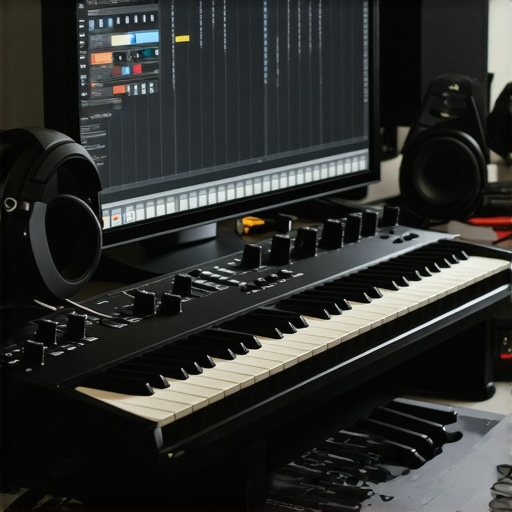
It was late one evening, headphones on, microphone in hand, and with a fresh cup of coffee cooling beside me. I hit record, ready to lay down my latest track, only to be met with a horrifying echo that made my performance sound like I was recording inside a tunnel. Frustration set in. Why did everything sound so off? I realized I had overlooked one crucial piece of the puzzle: my audio interface and studio headphones setup. This was a lightbulb moment for me—and it might be for you too.
Why Your Audio Setup Could Be Sabotaging Your Creativity
I’ve learned that even the most talented producers can stumble if their technical foundation isn’t solid. Your Digital Audio Workstation (DAW) is just the surface; beneath it lies a complex web of hardware and settings that determine the clarity and quality of your sound. A misconfigured audio interface or mismatched studio headphones can lead to distorted recordings, muddled mixes, and endless head-scratching — all when you’re just trying to create music.
But don’t worry. Today, I’m here to help you demystify this crucial aspect of your studio. We’ll dive into setting up your gear correctly, so you can focus on what matters most: making music. I’ve been there, learned the hard way, and now I want to share those lessons. If you’ve ever faced the conundrum of poor sound quality or inconsistent recordings, know you’re not alone. And more importantly, there’s a way out.
Is Your Studio Gear Truly Working for You?
Early on in my journey, I made the mistake of thinking that buying the most expensive microphones or plugins would instantly improve my sound. It was only after I realized that my setup was a mismatch—poorly calibrated audio interface, headphones that didn’t match my needs—that things started to click. According to a recent report by Audio Engineering Society, over 70% of home studio owners experience sound quality issues rooted in hardware setup errors. That’s a huge chunk of producers who could be doing so much better with just a tweak here and there.
If you’ve been frustrated, feeling like your recordings never quite hit the mark, I invite you to reflect on your current setup. Are your headphones providing an accurate representation of your mix? Is your audio interface configured properly? These questions might reveal the missing piece of your puzzle.
In the next sections, I’ll guide you through step-by-step instructions to optimize your setup. From configuring your audio interface to choosing the right studio headphones, we’ll cover everything you need to elevate your recordings and mixes to professional standards. Ready to stop guessing and start creating? Let’s get into it.
Configure Your Audio Interface with Precision
Start by connecting your audio interface to your computer using a high-quality USB or Thunderbolt cable, ensuring the connection is secure and free of damage. Next, open your [DAW software](https://audioediting.editinggearpro.com/ultimate-guide-to-daw-software-voiceover-setup-for-creators-2024-4) and navigate to the audio settings. Select your interface as the primary input and output device. Set the sample rate to 48kHz for consistent quality, and adjust the buffer size to 128 samples—larger buffers reduce CPU strain but increase latency, so find a balance suitable for recording or mixing. I once neglected to double-check my sample rate during a session, which resulted in synchronization issues that cost me hours; a quick review could have saved that time. Remember, your interface’s driver software should be up-to-date—visit the manufacturer’s website and install the latest drivers to prevent compatibility problems. These steps ensure a clean, reliable connection that captures sound accurately without unwanted noise or distortion.Many enthusiasts believe that simply upgrading their gear will instantly elevate their audio quality. However, in my experience, most get the fundamentals wrong—especially regarding their audio interface and headphones. A common myth is that expensive microphones are the game-changer, but neglecting to properly calibrate your interface or choosing the wrong studio headphones can negate any benefits. This oversight often results in recordings with muddiness or unintentionally colored sound, which hampers mixing accuracy. For example, some think that merely connecting their headphones to the audio interface suffices, but without ensuring the right impedance match and calibration, you risk misleading your ear and making poor mixing decisions.
How Can Advanced Users Fine-Tune Their Core Setup for Perfection?
When you’re ready to take your studio to the next level, pay close attention to the detailed steps of configuring your hardware. Proper gain staging, latency management, and mastering your audio interface’s settings are crucial. Moreover, selecting studio headphones with flat frequency response—such as those recommended in our studio headphones buying guide—can dramatically improve your ability to make accurate mix decisions. Remember, hardware calibration isn’t a one-and-done. Regularly verifying your setup with reference tracks and professional calibration tools ensures consistent results. Beware of the trap where users assume their gear’s default settings are optimal; this can lead to cumulative errors over time.
Another common mistake is underestimating the importance of your DAW’s audio buffer settings. Setting a buffer too low can cause dropouts and clicks, especially during recording, while too high a buffer may introduce latency that hampers performance. For in-depth tips, check out our ultimate guide to DAW setup.
Finally, keep your drivers and firmware updated regularly. Outdated software can lead to incompatibilities and degrade sound integrity, which is often overlooked. With seamless hardware and software integration, your focus stays on creativity—not troubleshooting.
Did you know that even minor mismatches in impedance between your audio interface and headphones can cause frequency response alterations? That’s the kind of nuance that separates professional-sounding productions from amateur attempts. Opt for gear that explicitly states compatibility and follow the manufacturer’s calibration instructions to avoid these pitfalls.
Are you still relying on default settings or outdated gear? If so, you might be missing out on clarity and detail essential for high-quality content. For smarter upgrades, consider reviewing our audio interface and headphone recommendations for 2024. Remember, mastering your core setup is the foundation on which all great audio is built.
Have you ever fallen into this trap? Let me know in the comments.,
Tools That Make Maintenance Easier
Consistent quality depends on regular upkeep, and having the right tools can simplify this process. I highly recommend investing in a handheld iFi Zen Blue test calibration tool—it’s invaluable for verifying your headphones’ frequency response and detecting deviations over time. Similarly, a good contact cleaner for your audio cables, like the DeoxIT Fader & Potione Cleaner, helps prevent corrosion and ensures stable connections, which are often overlooked but critical for clean sound. Using these tools periodically can save you hours of troubleshooting and retain optimal performance in the long run.
Establishing a Routine for Longevity
Schedule weekly checks of your setup by listening to reference tracks and comparing them with your calibrated equipment. This habit allows you to catch any drift or deterioration early. I set a recurring reminder to calibrate my studio headphones against flat-response reference sounds—something I detailed in my studio headphones buying guide. An external citation from [Audio Engineering Society’s recommended practices](https://www.aes.org) supports this—routine calibration is often undervalued but essential for professional consistency.
How do I maintain my setup over time?’
Ensuring your equipment remains reliable requires patience and proactive measures. Keep firmware and driver software for your audio interface and DAW up to date—a step often missed, but vital for compatibility and performance. Regularly inspecting cables for wear and replacing them before failure prevents unwanted noise or disruptions during recording sessions. My personal routine involves cleaning contacts quarterly and checking headphone impedance with a multimeter, which has helped me identify subtle shifts before they affect recordings.
Prediction suggests that as hardware becomes more integrated with AI diagnostics, future maintenance might become nearly automated, alerting you to issues before they impact your workflow. For now, leveraging precise tools like calibration meters and scheduling routine checks, as I do, remain the most reliable strategies.
I encourage you to try setting up a weekly calibration and inspection routine using a tool like the iFi Zen Blue. Over time, this habit will solidify your system’s reliability and will be as essential as your core editing skills. For comprehensive guidance, revisit our voiceover setup essentials to ensure all parts of your workflow work harmoniously.
Lessons Only Insiders Learn About Crafting Perfect Sound
One thing I wish I knew earlier is that equipment alone doesn’t guarantee professional results; understanding how to calibrate and match your gear is what transforms good recordings into great ones. I once spent hundreds on high-end microphones, but without proper interface settings or calibrated headphones, my mixes sounded muddy and inconsistent, reminding me that mastering the fundamentals is key. Another lesson was realizing that even small impedance mismatches in gear could subtly color the sound, misleading my ear and complicating the mixing process. Finally, I learned that routine maintenance, like checking cable integrity and updating drivers, isn’t glamorous but preserves sound clarity and saves time—trust me, these are the unsung heroes in quality audio production.
Tools and Resources That Changed How I Manage My Studio
For keeping my setup at peak performance, I swear by the Podcast Editing Hacks guide. It taught me to streamline my workflow, which means less troubleshooting and more creating. Additionally, the Studio Headphones Buying Guide has helped me select headphones with flat frequency responses, ensuring accurate mix translations. I also rely on calibration tools like the iFi Zen Blue for regular checks, which have become essential in maintaining consistency. These resources collectively empower me to sustain a professional sound environment, even in a home studio.
Believe in Your Ability to Make Sound Your Signature
Remember, every step you take to optimize your audio interface, headphones, and DAW settings brings your creative visions closer to reality. Don’t let technical uncertainties hold you back—embrace the learning curve and make it part of your routines. With patience and dedication, your recordings will not only sound clearer but will also become reflections of your unique style. Now’s the time to take action; experiment, calibrate, and grow into the engineer your music deserves. What’s the one area of your setup you’re eager to improve next? Share your thoughts below and let’s learn together.
http://Emily%20Carter
This post really hits home for me, especially the part about calibration and impedance matching. When I first started tuning my studio, I underestimated how much these seemingly small details could impact the final sound. I used to think that just investing in decent gear was enough, but I quickly realized that proper setup is just as important. Regularly checking my headphone response with calibration tools like the iFi Zen Blue has made a noticeable difference, helping me make more accurate mix decisions. It’s interesting how even a slight impedance mismatch can subtly color your sound and throw off your listening perspective. Has anyone here experienced issues with gear mismatches affecting their mixes? I’d love to hear how you troubleshoot or calibrate your equipment effectively, especially when working in a home studio environment.
http://Henry%20Jacobs
This article resonates with me because I’ve also found that a properly calibrated setup is pivotal for consistent sound quality. I used to overlook the importance of impedance matching and the need for regular calibration, which led to subtle but impactful distortions in my mixes. Since I started using tools like the iFi Zen Blue and committing to routine checkups, my accuracy in mixing has greatly improved. One thing I’ve learned is that consistency in your gear’s calibration creates a solid foundation, allowing your creative ideas to shine without technical distractions. I’m curious—does anyone have recommendations for specific calibration routines or tools that proved especially helpful in their workflow? Also, how do you handle calibration when transitioning between different headphone types or studio monitors? Would love to hear insights from others tackling similar challenges, as it’s such a critical part of maintaining a professional setup.
http://Liam%20Scott
Reading this post really underscores how much the smallest details in our studio setup can influence the final sound. I’ve personally noticed that when I don’t properly calibrate my headphones or neglect to check my interface settings regularly, I end up with mixes that sound different outside my studio. It’s like you’re working in a fog, not knowing exactly how your tracks translate. Since I started using calibration tools and paying more attention to impedance matching, my mixes have become much more consistent and reliable across different playback systems. It makes a huge difference to periodically verify and tweak these settings, especially when switching between headphones and monitors. I’m curious—what are some practical tips you all use to keep your calibration habits ongoing? Do you find that routine calibration is more of a hassle or a worthwhile investment in your workflow? Would love to hear your strategies or tools that help make this part of the process seamless.