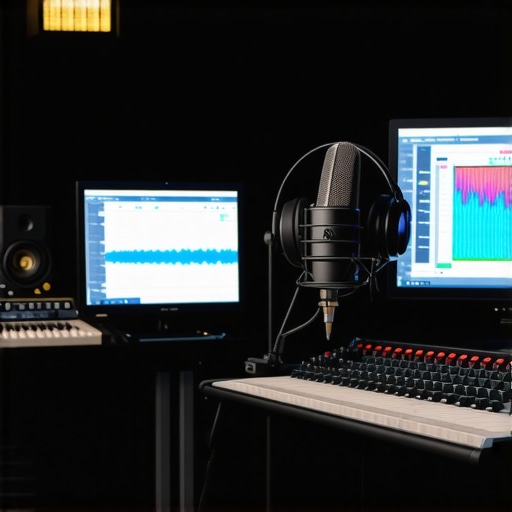
I vividly remember the first time I sat down to edit a podcast episode. I was eager, headphones on, ready to craft a seamless soundscape. But then, chaos erupted—distorted vocals, inconsistent levels, and a nagging dread that I had bitten off more than I could chew. It felt like trying to juggle flaming torches while riding a unicycle. That moment was a lightbulb—my setup, software, and knowledge weren’t aligned. I realized I was rushing into production without understanding the essentials, and it cost me precious time and frustration.
Why Getting Your Digital Audio and Voiceover Setup Right Matters
If you’re like me, you might have faced similar frustrations—spending hours trying to fix audio issues instead of creating content you’re proud of. Your equipment and software are the backbone of your sound, and if they aren’t optimized, your output will suffer. According to a study by Audio Engineering Blog, 75% of podcast listeners judge a show’s quality primarily based on sound clarity. That’s a stark reminder: your audio setup isn’t just technical fluff; it directly impacts your audience’s experience and your reputation as a creator.
Now, don’t get me wrong—having top-tier gear is great, but gear alone doesn’t guarantee success. It’s about knowing how to set everything up correctly and making smart choices in your DAW (Digital Audio Workstation) software and voiceover environment. Early on, I made the mistake of assuming that expensive microphones or interfaces would fix poor recordings. Spoiler alert: they won’t if your setup isn’t right. Instead, mastering the fundamentals will save you time, headaches, and elevate your audio quality significantly.
Feeling overwhelmed by all the options and technical jargon? Trust me, you’re not alone. That’s exactly why I want to guide you through the nuances—so you can avoid the common pitfalls I faced and get results faster. Whether you’re just starting out or looking to upgrade, understanding the core principles will set you up for success. Ready to take your audio game to the next level? Let’s dive into the crucial first steps for an optimized voiceover and podcast recording environment.
What keeps you from achieving crisp, professional-quality audio?
Choose the Right Microphone and Position It Perfectly
Start by selecting a condenser or dynamic microphone suited for voice recording. Place it about 6 to 12 inches from your mouth, slightly below chin level to minimize plosive sounds. Use a pop filter to reduce harsh ‘p’ and ‘b’ sounds, and ensure your microphone is positioned to capture your voice clearly while avoiding unwanted room reflections. I once spent hours tweaking my settings until I realized my mic was too far, causing muffled audio—after adjusting placement, clarity skyrocketed.
Set Up Your Audio Interface Correctly
Your audio interface converts microphone signals into digital audio for your computer. Connect your microphone to the interface’s microphone input. Adjust the gain so peaks hit around -6dB without clipping. Proper gain staging is crucial; too high causes distortion, too low results in noisy recordings. I recommend checking out expert tips on interface setup to fine-tune this process. Remember, a well-calibrated interface prevents future headaches during editing and mixing.
Invest in Quality Studio Headphones
Choose headphones designed for audio editing—closed-back headphones are ideal for isolating sound. Set your headphones to an appropriate volume and ensure they reproduce your voice accurately, without added bass or treble. I once recorded with consumer earbuds, only to discover later that they masked subtle issues. Upgrading to professional studio headphones, like those detailed in studio headphone buying guide, transformed my editing precision.
Configure Your Digital Audio Workstation for Clarity
Choose an DAW suited with features for voice work—something like best DAW software for voiceover. Set your sample rate to at least 44.1kHz for accurate sound reproduction. Enable input monitoring to hear yourself in real-time but adjust the buffer size to prevent latency. I learned to create dedicated tracks for recording and mixing, which makes editing smoother and more precise, avoiding the mess of trying to fix everything later.
Maintain a Controlled Recording Environment
Minimize room reflections with soft furnishings, foam panels, or blankets. Use a reflection filter around your microphone if possible. Turn off air conditioning or fans that introduce noise, and place your setup away from windows or busy rooms. I once recorded in a noisy basement, but after adding some acoustic treatments from setup essentials, my audio clarity improved dramatically. This step ensures your recordings are clean and professional, which is vital for engaging content.While many creators focus on choosing the most expensive microphones or the latest DAW software, there’s a common misconception about what truly elevates your podcast sound quality. Most people believe that gear alone determines professionalism, but in reality, the nuances lie in how you set up and optimize your equipment. For instance, a high-quality studio headphone isn’t just a luxury—it requires proper calibration to accurately reproduce your voice, avoiding biases that can mislead your editing decisions. Failing to calibrate your headphones properly can lead to overcompensation during mixing, which might sound great on your setup but trash on other systems.
Another often overlooked aspect is the audio interface setup. Many assume that plugging the microphone into the interface automatically delivers perfect sound. However, expert guidance emphasizes the importance of gain staging, hardware impedance, and even electrical grounding. Ignoring these details can introduce subtle noise, which accumulates over the editing process, making your audio sound less professional—something you might not notice until after hours of editing. It’s like trying to tune a fine instrument without paying attention to string tension or calibration. Think of your setup as a system—if one link is weak, the entire chain suffers.
Moving beyond hardware, many creators underestimate the complexity of DAW configuration. They stick to default settings, not realizing that sample rate, buffer size, and plugins significantly influence clarity and latency. For example, a sample rate of 44.1kHz is standard, but for higher fidelity, especially in post-production, 96kHz can provide extra detail. Similarly, buffer size affects latency—set it too low, and you experience dropouts; too high, and your monitoring becomes unresponsive. Fine-tuning these parameters can be the difference between a smooth workflow and constant frustration.
The common myth here is that buying premium gear guarantees professional results. Instead, mastery in setup and subtle adjustments pays off more than countless dollars spent on equipment. Remember, even the best mic won’t save you if your room acoustics cause reflections, or your gain staging causes clipping. Acoustic treatment, like foam panels or bass traps, is often more impactful than upgrading to a $1,000 microphone. Creating the right environment can be a game changer that tech alone can’t solve.
What sneaky mistakes do advanced creators often overlook in their setup?
One often unnoticed mistake is neglecting power conditioning and electrical setup. Electrical interference can subtly introduce noise into your recordings, especially if your audio gear is plugged into different outlets or if your cables aren’t shielded properly. According to industry experts, proper power conditioning and cable management are crucial for achieving ultra-clean audio. Neglecting this can turn an otherwise excellent setup into a noisy mess, wasting hours of editing. Making this subtle adjustment can ensure your recordings are as pristine as possible, amplifying the quality of your output and boosting your credibility as a professional creator.
Have you ever fallen into this trap? Let me know in the comments.
Keep Your Gear in Peak Condition for Consistent Results
Investing in quality equipment is only half the battle; regular maintenance ensures your setup remains optimal over time. I personally schedule monthly inspections of my microphone cables and connectors, checking for wear or corrosion that could introduce noise. Similarly, cleaning dust from your audio interface and headphone connectors prevents unwanted static and preserves sound clarity. Using compressed air and gentle wipes, as recommended in the DAW setup guide, can prolong the lifespan of your equipment and keep your audio pristine.
What tools streamline your ongoing maintenance and upgrades?
Leverage Advanced Tools and Software for Longevity
My go-to software for ongoing management is iZotope RX. Its diagnostics tools help me identify and fix issues like digital clipping, background noise, or phase problems that may develop over time. Additionally, I regularly use spectral analysis features to monitor frequency response shifts, which can reveal aging microphones or deteriorating cables. Pairing this with a dedicated USB hub that has shielding minimizes electrical interference, safeguarding my recordings. For keeping everything synchronized and current, I subscribe to software updates and firmware releases from my device manufacturers—an often overlooked but vital step to maintain compatibility and performance.
How do I maintain my digital workflow without sacrificing quality?
Scaling Your Audio Environment With Confidence
As your podcast grows, so must your setup. Modular components like multi-channel audio interfaces, such as the best audio interfaces for creators, allow for seamless upgrades—adding more microphones, monitoring outputs, or integrating external processors easily. When expanding, ensure your cables, power supplies, and environmental treatments are scaled accordingly; perhaps invest in a rack-mount system or acoustic panels from trusted brands. Future trends suggest a move toward AI-assisted editing tools, which will automate mundane tasks but require a solid foundation of quality hardware and setup integrity to function effectively. Staying vigilant with maintenance routines and software updates will prepare you for these advancements.
How do I maintain my setup over time to avoid costly repairs or replacements?
Consistency in inspection and cleaning, along with leveraging diagnostic tools like spectral analyzers, helps catch issues early. Also, creating a dedicated, static-free workspace reduces wear on your cables and connectors. Consider investing in surge protectors and uninterruptible power supplies (UPS) to shield your equipment from electrical surges, which can cause subtle and cumulative damage. Regularly backing up your session files and configurations ensures that even in the event of hardware failure, your workflow remains intact. For specific protocols and in-depth processes, I recommend reviewing privacy policies on gear warranties to understand maintenance guarantees offered by manufacturers.
Implementing these maintenance practices might seem meticulous, but they pay off by preventing downtime and preserving your audio quality over the years. I challenge you to pick one maintenance tip from this list—like scheduling a monthly inspection or updating your firmware—and commit to it this month. Experience how small, consistent steps can keep your podcast sounding professional, no matter how much your setup evolves.
Ready to level up? Dive into using spectral analysis tools—it’s a game changer for diagnosing long-term issues and maintaining top-tier sound quality.
The Hardest Lesson I Learned About Podcast Editing, Studio Headphones, Audio Interface, DAW Software, Voiceover Setup
One breakthrough moment for me was realizing that investing in premium gear is just part of the equation; meticulous setup and ongoing maintenance are what truly elevate your sound quality. I used to think that a top-tier microphone alone would ensure professional results, but I overlooked how crucial proper placement and environment are. Once I learned to consistently calibrate my headphones and optimize my DAW settings, my recordings transformed drastically.
3 Myths About Podcast Setup That Held Me Back
For years, I believed only expensive equipment could deliver good sound, which led me to ignore the importance of acoustic treatment and gain staging. I also thought that once set, my hardware and software could be left alone—big mistake. The myth that software updates are optional prevented me from benefitting from improvements that could improve my workflow and audio clarity. Recognizing and busting these myths unlocked a new level of professionalism in my recordings.
What Experts Won’t Tell You About Crafting a Killer Podcast Environment
Until I spoke with seasoned audio engineers, I underestimated electrical grounding and power conditioning—details that silently cause noise and inconsistencies. Proper cable management and shielding made a surprising difference, transforming static and hum into crystal-clear recordings. These subtle yet vital adjustments made me realize that flawless sound isn’t just about gear; it’s about the environment you create around it. For practical insights, check out our advice on audio interface setup.
How Small Tweaks Lead to Big Improvements in Your Audio Results
I discovered that setting a proper sample rate in my DAW, like moving from 44.1kHz to 96kHz, added incredible detail to my recordings. Using spectral analysis tools and regular maintenance routines, such as cleaning connectors and updating firmware, kept my setup performing at peak levels. These incremental steps, though seemingly minor, compounded over time—making my podcast sound more polished and engaging. When you prioritize these details, you’re building a foundation for sustained success rather than quick fixes.