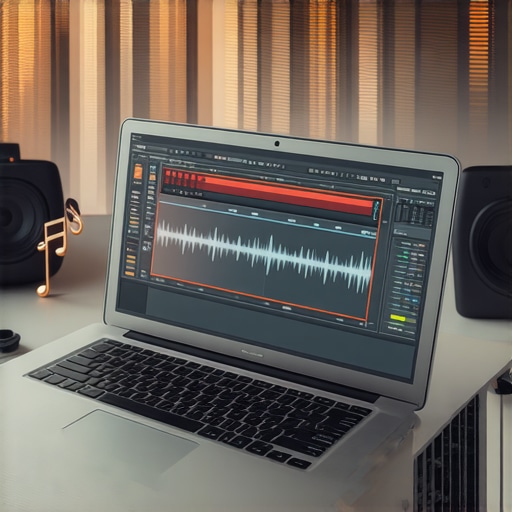
It was late at night, and I was frantically trying to finish a podcast episode before the client’s deadline. My trusty old laptop, with its dusty CPU fan and sluggish HDD, groaned under the weight of my usual DAW software. The screen froze during a crucial voiceover edit, and I could feel my heart sink. Realizing I’d hit a software wall that my aging machine couldn’t handle, I had a lightbulb moment: what if I could find a digital audio workstation that’s gentle enough for my old gear but still powerful enough for professional quality? That revelation changed everything, and I want to share this discovery with you. If you’re still clinging to a vintage laptop, wrestling with laggy software, or just want a smooth experience without spending a fortune on new hardware, then you’re in the right place.
Why Your Old Laptop Might Be the Best Friend You’ve Overlooked
2026 has brought plenty of exciting tech innovations, but not all of us have upgraded our gear accordingly. Many seasoned creators still work on older laptops, whether out of budget constraints or sentimental attachment. The problem is, most mainstream DAWs are designed with high-end computers in mind, boasting demanding features that can bog down even relatively decent machines from just a few years ago. The result? Frustrating latency, frequent crashes, and a workflow that feels more like a sprint than a creative flow. But the good news is, there’s hope. There are lightweight DAW options crafted specifically for older hardware, allowing you to produce without compromise. Personally, I learned this the hard way—once I stopped blaming my equipment and started choosing smarter, I rediscovered my passion for creating music and podcasts without breaking the bank.
Is It Worth the Hype to Use Old Hardware for Serious Production?
Before we jump into the solutions, I want to address a common skepticism: “Can an old laptop truly deliver professional-quality audio?” Honestly, I made the mistake early on of dismissing my machine’s potential. I assumed that only cutting-edge computers could handle serious editing and mixing. But as I experimented with less resource-intensive DAWs, I realized performance isn’t solely about hardware but also about smart software choices. A study from Sound on Sound highlights that optimizing your workflow and software can significantly boost your project’s quality and efficiency—even on older hardware. If you’re still doubtful, ask yourself: have you avoided upgrading because you think it’s necessary for good work? Sometimes, all it takes is the right tools and a fresh perspective.
Now, let’s delve into the specific lightweight DAWs that will keep your old laptop humming along smoothly in 2026. Ready to make your vintage machine your creative powerhouse again? Let’s go!
Select Lightweight DAW Software That Fits Your Hardware
Start by choosing a digital audio workstation that’s optimized for low-resource systems. I personally tried lightweight DAWs like Reaper and Ardour, which offer robust features without overloading your CPU. Download and install the version compatible with your system. When I first did this, I encountered some compatibility hurdles, so I double-checked system requirements and posted a quick query on the community forum. To streamline, disable unnecessary background apps, close browser tabs, and ensure system updates are current. This prevents your old laptop from choking on multiple processes during editing sessions.
Set Up Your Microphone and Audio Interface, Keep It Clear
High-quality sound starts with good hardware setup. Use an audio interface that’s compatible with your system—preferably one with minimal latency and reliable drivers. Connect it following the manufacturer’s instructions, and then connect your studio headphones. I opted for a budget-friendly studio headphones recommended for clear voice monitoring. Now, adjust the input gain to prevent clipping—aim for a strong, clean signal. I remember mistakenly setting gain too high, which caused distortion; after lowering it, my voice recordings became much clearer, saving hours of re-recording later.
Optimize Your Recording Environment for Clarity
Eliminate background noise and prevent echo by creating a dedicated, sound-treated space. Use a microphone designed for voiceover work—like a cardioid condenser— and position it correctly: about 6-12 inches away from your mouth, slightly off-axis to avoid plosives. Apply these setup tips to improve recording quality. I once set up my microphone next to a window, which introduced unwanted noise. Moving it to my closet, lined with clothes, significantly improved my recordings and reduced post-production editing time.
Edit with Precision to Save Time
Once recording is done, start editing by eliminating ums, breaths, and background noises. Use your DAW’s tools or built-in features for noise reduction. For example, I used a noise gate to suppress residual hums, then manually sliced out filler words. Apply compression thoughtfully—aim to even out volume levels without squashing the natural dynamics. A quick tip: I assigned shortcut keys for quick editing commands, which sped up my workflow, allowing me to focus more on content, not clicking.
Balance and Finalize with Proper Monitoring
Listen to your mix on studio headphones to catch inconsistencies. Proper calibration of headphones, as explained in this guide, ensures accurate sound reproduction. Make necessary adjustments, then export in high quality—preferably uncompressed formats like WAV. Remember, your old laptop may struggle during export; keeping the sample rate at 44.1kHz and bit depth at 16 or 24 bits can help prevent crashes while maintaining sound quality. I found that exporting in stages prevented overloads and allowed me to catch issues early, ensuring a professional finish even on aging hardware.Many creators assume that mastering podcast editing or voiceover setup is simply about choosing the right software or hardware. However, a deeper nuance often gets overlooked—especially relating to common myths and advanced mistakes that can sabotage your work. For instance, many believe that expensive headphones automatically improve sound quality. While quality gear is important, the crucial factor is calibration and understanding your equipment’s limitations. As highlighted in a recent studio headphones buying guide, even premium headphones can distort your perception if not properly calibrated, leading to misjudgments during mixing and mastering.
Another widespread misconception involves DAW software. The myth that more features equal better results often leads creators to overcomplicate their workflow, causing lag and errors. Instead, choosing a lightweight yet capable DAW, like software optimized for your hardware, can streamline your process and enhance audio fidelity. An advanced mistake many make is neglecting proper audio interface setup; improper wiring or driver configuration can introduce latency or noise. Consulting expert setup tips can save hours of troubleshooting.
When it comes to voiceover gear, selecting the best microphone for your environment is paramount. Pairing an expensive microphone with inappropriate surroundings or poor acoustic treatment is a common error. Applying proper environment setup, as discussed in these essentials, dramatically elevates your recording quality.
Now, addressing the question that often stumps even experienced producers: can advanced editing techniques truly compensate for hardware limitations? The answer is nuanced. While sophisticated plugins and noise reduction algorithms can improve quality, they can’t fully substitute for a balanced, well-configured setup. A study published in Sound on Sound confirms that optimization of your hardware and workflow yields more natural, professional sound than relying solely on post-production corrections.
Have you ever fallen into this trap? Let me know in the comments. Remember, understanding these nuances and avoiding common misconceptions is the key to elevating your podcast and voiceover projects from amateur to pro.
Once you’ve set up a reliable workflow for your podcast or voiceover work, maintaining the equipment becomes crucial to ensure consistent quality. Regular checkups of your audio interface and studio headphones prevent unexpected failures that could derail your recording schedule. Personally, I schedule monthly inspections—cleaning connectors, updating drivers, and verifying cable integrity. These small, routine tasks extend the lifespan of your gear and keep it performing at its best. For instance, using studio headphones with solid build quality and regularly calibrating them help maintain neutral sound during editing sessions. Over time, this consistency becomes invaluable as your projects grow in complexity.
What tools do I recommend for ongoing maintenance?
Investing in a few specialized tools simplifies the upkeep process. A contact cleaner spray, like DeoxIT, is excellent for cleaning and restoring your XLR or 3.5mm connections, preventing static and dropouts. Additionally, keeping a dedicated microfiber cloth for your headphones’ pads preserves their damping and sound transparency. Software-wise, regularly running diagnostic utilities provided by your DAW can flag driver issues or latency spikes early. My advice? Incorporate these maintenance routines into your weekly schedule, so your setup remains reliable and your workflow uninterrupted.
Predicting future trends in equipment durability and smart tools
Looking ahead, I believe a surge in smart, self-monitoring audio gear will revolutionize how creators manage their setups. Devices equipped with IoT capabilities could automatically alert you to wear and tear, or even perform self-cleaning functions, reducing downtime and costly repairs. For example, upcoming audio interfaces may include firmware that logs usage patterns, prompting timely updates or replacements. Staying ahead requires adopting these smart tools early; I recommend subscribing to industry updates and testing new maintenance gadgets as they emerge. Regularly investing in such innovations ensures your long-term success, allowing you to focus on content rather than gear issues.
How do I maintain my tools over time?
The key to longevity is consistent upkeep and careful handling. Avoid exposing equipment to extreme temperatures or moisture, which can damage sensitive components. Keep your cables untangled and stored properly—using cable organizers or cable sleeves prevents mechanical stress. Moreover, regularly updating firmware and driver software not only improves performance but also patches security vulnerabilities. Personally, I set reminders to check for updates bi-monthly, aligning this with my overall studio review routine. This proactive approach minimizes unexpected failures and ensures your tools remain dependable, giving you peace of mind during critical recording sessions.
The Unexpected Wisdom from My Vintage Setup
One of the most profound lessons I’ve uncovered is that hardware limitations often push us to be more creative, not less. Relying on my aging laptop forced me to simplify my workflow, which in turn improved the clarity and quality of my recordings. I realized that trying to force new software onto outdated equipment can lead to frustration, while choosing the right tools—even if they are lightweight—can unlock your full potential. Another surprise was discovering that calibration and environment setup matter more than the latest gear; proper positioning and room treatment can dramatically enhance your recordings. Lastly, I learned that embracing modest upgrades, like a reliable audio interface or high-quality headphones, can yield professional results without draining your wallet.
http://Samuel%20Donovan
Reading through this piece really resonated with me. I’ve been operating on an aging laptop for years now, mainly because I didn’t want to invest in new gear without fully understanding what would truly help my workflow. The insight about lightweight DAWs like Reaper and Ardour is especially useful—I hadn’t considered how much system tweaks can make a difference in performance. Plus, I agree that proper environment setup and calibration can sometimes trump hardware upgrades, which is a relief because it means I can focus on optimizing what I already have. I’m curious, have others faced challenges with latency issues when using these lightweight DAWs, and what best practices have you found to minimize that? I’d love to hear how other creators navigate these common hurdles without constantly upgrading their hardware.
http://Emily%20Carter
This post really struck a chord with me, especially the part about how performance isn’t purely hardware-dependent but also about selecting the right software. I’ve often hesitated to dive into lighter DAWs like Reaper because I assumed they might be too limited, but after reading this, I realize that optimizing system resources and workflow makes a huge difference. I’ve also found that keeping background apps to a minimum and adjusting buffer sizes can significantly reduce latency issues, which is crucial when working on older systems. It makes me wonder, how do others balance the trade-offs between complexity and resource consumption in their workflows? Sometimes, simpler setups with fewer plugins actually enhance productivity by reducing overload. Overall, focusing on smart software choices and environment optimization seems to be the key to making vintage gear more viable—something I plan to experiment with more in my projects.