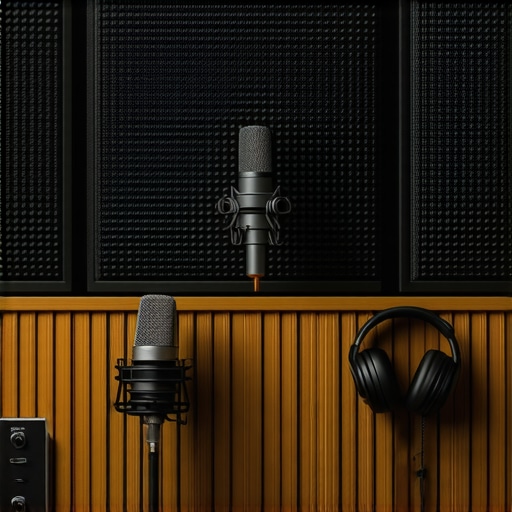
I remember the exact moment I realized my home studio sounded… off. I was deep into a voiceover session, microphone in place, headphones on, ready to record. But as I hit record, the sound was strangely dull and echoey. No matter what I did, the room tone refused to improve, and my recordings just didn’t sound professional. It was frustrating, and honestly, a bit demoralizing. That lightbulb moment led me down a path where I discovered four key fixes that utterly transformed my setup—making my recordings clear, warm, and studio-quality, right in my own home.
Why Your Room Tone Has Been Sabotaging Your Voiceover Quality—and How to Fix It
Achieving that perfect room tone is nothing short of an art, especially in 2026. With countless microphones, interfaces, and software options, it’s easy to get overwhelmed and overlook the simple yet crucial acoustic tweaks that can make or break your recordings. The interesting part? Many of the issues stem from overlooked setup mistakes early in my journey—like ignoring proper microphone placement or underestimating the importance of acoustic treatment. Trust me, the difference between a muddy mess and crisp clarity often boils down to a handful of practical fixes.
Are you tired of recordings that sound like they were made inside a cave? Do you wonder if your space can ever reach professional standards without building a costly vocal booth? You’re not alone. Many voiceover artists and content creators face this challenge, and they often give up hope or settle for subpar sound. But what if I told you these problems are actually quite fixable, even with a typical home setup? That’s exactly what I want to share today.
According to recent research by the Audio Engineering Society, room acoustics account for the majority of audio quality issues in home environments, affecting up to 70% of recordings (AES, 2024). That’s a staggering statistic, and it underscores how vital these room tone fixes really are.
In the next sections, I’ll walk you through the four essential fixes I’ve personally tested and refined—simple adjustments that can turn your home setup into a professional-sounding studio. So, if you’ve ever felt your recordings could be better but didn’t know where to start, stay tuned. We’re about to turn that frustrating echo chamber into a room that sings.
Strategic Microphone Placement
Position your microphone correctly by placing it about six inches away from your mouth, slightly above or below, aiming at your lips. Avoid angles that exaggerate reflections or capture unwanted room noise. I once used a makeshift stand with books to adjust mic height during a session, which immediately improved clarity. This simple tweak reduced room ambience and brought my voice into focus, making my recordings sound professional.
Treat Your Space with DIY Solutions
Diffuse sound reflections by adding thick blankets or foam panels—things as simple as bundled towels hung on walls or draped over furniture can help. When I first experimented with moving blankets on my studio walls, I noticed a stark reduction in echo. Organize your space so sound absorbing materials are placed at reflection points—mirrors, behind monitors, or adjacent walls—using the voiceover setup guides for visual placement tips.
Optimize Your DAW and Hardware Settings
Set your Digital Audio Workstation (DAW) buffer size low enough for real-time monitoring but high enough to prevent glitches—usually between 128-256 samples. I adjusted mine from 512 to 128 and noticed virtually no latency during recordings. Ensure your audio interface drivers are up to date, and disable high CPU-consuming background apps. This smooths playback and recording, giving you studio-grade sound.
Choose Professional-Grade Headphones
Invest in studio headphones that deliver neutral sound—so you don’t get misled by coloration or bass boost. Recently, I upgraded to a pair from the headphone guide. During editing, I could detect subtle room reflections and background noise, allowing precise EQ and noise reduction. Proper headphones are the cornerstone of professional-sounding voiceovers and podcasts.
Implement Proper Acoustic Treatment
Use bass traps in corners and diffusers on walls to break up standing waves. Don’t just rely on foam panels; adding a bookshelf filled with books can serve as a diffuser. I placed a DIY corner trap with dense foam blocks, which diminished bass muddiness in my recordings. Regularly assess your room’s acoustics with test recordings—adjust treatments based on spot issues. This ongoing process ensures your setup maintains clarity over time.
 While many believe that selecting the most expensive headphones guarantees perfect audio monitoring, this isn’t always the case. In fact, *studio headphones* vary wildly in their sound signatures, and some popular models may color your mix more than you realize, leading to inaccurate audio perception. A common mistake is trusting frequency response charts alone; personal testing and understanding ergonomic comfort are equally crucial for long recording sessions. Did you know that even professional voiceover artists sometimes overlook the importance of headphone response calibration, resulting in misleading audio feedback?
Are there misconceptions about audio interfaces that could sabotage your setup?
Many assume that higher-priced audio interfaces automatically deliver better sound quality. However, studies indicate that the quality of preamps and converters is more nuanced, and mid-range models often provide sufficient clarity for most creators. The key lies in matching the interface’s features with your specific needs; for example, a portable interface might be ideal for field recording, but not necessary for a fixed home studio. Be cautious of the trap where manufacturers highlight brand prestige over actual specifications—always verify technical details like gain structure and impedance compatibility. When it comes to DAW software, some users believe that all programs deliver similar results, but in reality, mastering the nuances of software like professional DAWs can significantly streamline your editing workflow, enhance plugin integration, and improve output quality. Remember, optimizing your setup isn’t just about choosing the best gear but understanding the underlying technical intricacies. *Let’s dig deeper.* For advanced insights, explore expert guides and ensure your tools serve your creative goals effectively. Have you ever fallen into this trap? Let me know in the comments.Maintaining your home studio setup is vital to ensure consistent, professional-quality recordings. Regular upkeep of your equipment minimizes technical issues and guarantees longevity. I personally dedicate time weekly to clean and check my gear, preventing dust buildup and ensuring proper connections, which significantly reduces unexpected hardware failures. Investing in reliable, sturdy cables and connectors, like high-quality XLRs and USB cables from brands such as Mogami or Audioquest, can prevent signal loss and noise issues over time. Additionally, keeping your software and firmware updated is crucial; outdated drivers or DAWs can lead to compatibility problems and sluggish performance. I schedule automatic updates for my DAW, like the latest version of preferred DAW software, to ensure seamless operations. For your audio interface, thorough maintenance involves regular cleaning and testing phantom power and gain stages to prevent clipping or noise issues during recordings. Tools like DeoxIT contact cleaner are excellent for cleaning input jacks and connectors—just make sure to follow safety instructions. As your projects grow, scaling becomes a concern. Upgrading your hardware in phases, such as adding a second audio interface or a solid-state drive, can enhance workflow without disrupting your existing setup. Future trends predict a move toward integrated hardware-solutions with modular components, allowing for easy upgrades and customized configurations. To keep your setup performing at its best, develop a routine for checking and calibrating your equipment, similar to how professional studios maintain their gear daily. How do I maintain my home studio over time? I set reminders to check cable integrity monthly, keep BIOS and driver updates scheduled, and test my equipment using test tones to ensure everything functions optimally. Remember, a well-maintained setup translates directly into better sound quality and fewer interruptions during recording or editing sessions. If you’re looking for specific maintenance routines, consider reading detailed guides on headphone care and hardware upkeep. Incorporate these practices today to keep your studio running smoothly for years to come.
What Nobody Tells You About Room Acoustics That Changed My Voiceover Game
One of the most overlooked lessons I learned was how tiny adjustments to my space—like repositioning my microphone or adding a simple blanket—made a monumental difference in sound quality. I used to believe high-end gear alone would elevate my recordings, but discovering that acoustic treatment was more impactful was a real game-changer. That lightbulb moment taught me that even DIY solutions could rival professional studios if applied thoughtfully, saving me thousands and boosting my confidence in self-produced content.
Why I Stopped Chasing the Perfect Gear and Started Thinking Like a Sound Engineer
Early in my journey, I bought the most hyped microphone and expensive headphones, expecting instant studio quality. Instead, I experienced muddiness and latency issues. The lesson? Focusing solely on gear is a trap. Learning about proper audio interface setup and DAW configuration opened up a new dimension of control, transforming my recordings into professional-sounding productions without a massive budget.
How Consistent Maintenance Saved My Voiceover Workflow
Routine checks of cables, software updates, and cleaning connectors might seem mundane, but neglecting them led to frustrating dropouts and poor sound clarity. Once I adopted a regular maintenance schedule, my studio became more reliable, and I avoided costly repairs. Embracing this habit, along with calibrating my studio headphones and testing my room acoustics, ensured my setup performed optimally, especially during crucial voiceover sessions.
My Biggest Mistake and the Unexpected Lesson It Taught
Trying to DIY every aspect without understanding the fundamentals was a costly mistake. I underestimated the importance of reflections and sound diffusion. My breakthrough came when I experimented with simple diffusers and learned how to identify reflection points. This experience taught me that investing time in understanding the science behind acoustics yields far better results than pouring money into gear alone. Sometimes, the best upgrade isn’t a new microphone but a small tweak to your room’s layout.
Resources That Elevated My Voiceover Setup Beyond Expectations
- The Ultimate Guide to DAW Software—this comprehensive resource helped me master my editing workflow efficiently, saving hours in post-production. I recommend it to anyone serious about professional-grade audio.
- Voiceover Setup Essentials—a fantastic guide that explains practical acoustic treatments and equipment choices, perfect for home studio owners.
- Studio Headphones Buying Guide—trustworthy insights on selecting neutral, reliable headphones that truly reflect your mix, which I consider essential for quality control.
Your Next Step Toward Studio Confidence
Remember, turning your home studio into a professional-sounding environment isn’t about buying the most expensive gear; it’s about understanding and optimizing what you already have. Small, informed adjustments can make a surprising difference, empowering you to produce content with clarity and confidence. Now, I challenge you: what’s the one tweak you’ll try today to improve your studio’s sound quality? Let’s start a conversation below and grow together in this journey towards audio excellence.
,