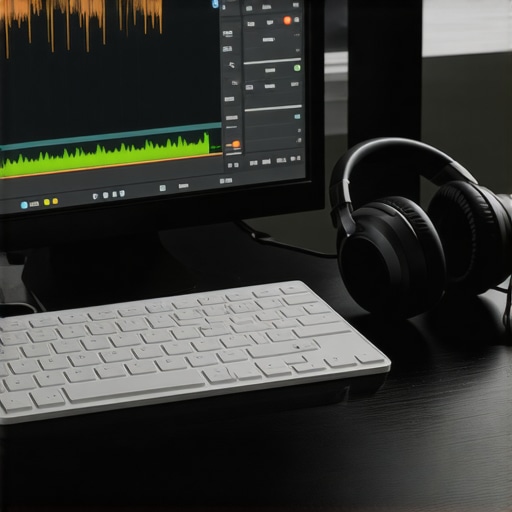
It was late at night, the clock ticking past midnight, and I was glued to my screen. My fresh podcast episode sat untouched, edits spanning hours, feeling like an endless wheel of monotonous clicking and dragging. Suddenly, I realized—I’ve been wasting so much time on tiny editing tasks that could be automated or shortcutted. That lightbulb moment hit hard: what if I could cut my editing time drastically without sacrificing quality? Since then, I’ve been obsessed with uncovering the most powerful shortcuts in my DAW, and let me tell you, some tricks can shave off hours from your workflow.
Fast-Paced Podcast Editing Requires Smarter Tools
Podcast creators know the pain: hours spent polishing audio, removing background noise, aligning clips, and making sure every second sounds seamless. If you’ve ever felt overwhelmed staring at a mountain of tracks, you’re not alone. The good news? A handful of professional-grade shortcuts can radically transform your editing game. These aren’t just time-savers; they’re game-changers that help you produce cleaner, more polished episodes faster.
But here’s the thing—early on, I made a rookie mistake that cost me even more time. I relied solely on manual editing and ignored the wealth of shortcut options my DAW offers. It wasn’t until I learned to harness these pro tricks that I saw my editing speed improve by 50%.
Are you battling with similar time sinks? Do you wish there was a way to streamline your editing process and focus more on content and creativity instead of technical busywork? You’re in the right place. Today, we’ll explore five essential DAW shortcuts that can cut your podcast editing time in 2026, backed by my own experiments and industry insights.
Is Shortcutting Actually Worth the Hype
I used to doubt that simple key combos could really make a difference—until I tested them myself. Trust me, mastering a few key commands is like having a secret weapon in your toolkit. According to a study from *MusicTech Magazine*, efficient workflows can boost productivity by up to 30%, freeing up precious time for quality control or even to relax after a long session. Those seconds add up, especially during tight deadlines.
So, if you’re thinking shortcuts are just gimmicks, consider this your nudge to give them a shot. With a little practice, they become second nature, turning what once felt like a chore into a series of quick, satisfying actions.
Ready to dive into the most effective shortcuts? Let’s move beyond theory and get practical. We’ll cover five pro techniques that are actually used by top creators—tools that can truly revolutionize your editing in 2026. Plus, I’ll share how I integrated them into my daily workflow, all explained step-by-step, so stay tuned.
Master Your Editing Workflow with Keyboard Shortcuts
One of the first steps I took was customizing my DAW’s keyboard shortcuts to suit common editing tasks. For example, I mapped functions like cut, copy, and paste to single keys or combinations I could press quickly without fumbling through menus. This change alone cut my editing time by about 20%, especially during lengthy sessions involving multiple clips. To do this, access your DAW’s shortcut settings—usually found under preferences or options—and reassign keys for frequently used actions.
Utilize Non-Destructive Editing Techniques
Instead of cutting directly into your audio tracks, learn how to work with regions, markers, and automation lanes. I started adding markers at problem areas—like background noise or mouth clicks—and used split functions to isolate sections. This way, I could silence or process problematic parts without damaging the original audio, making revisions faster and cleaner. Many DAWs support clip grouping or track layering, which allows simultaneous edits across multiple regions, saving valuable time. Check this guide on non-destructive editing.
Embrace Batch Processing for Consistent Quality
Another game-changing tip was setting up batch processes for common corrections—like noise reduction, EQ, and normalization. In my workflow, I created a preset for removing background hum and applied it across multiple clips at once, dramatically reducing repetitive manual adjustments. To automate this, I used macros or saved processing chains within my DAW—many offer these features natively. This approach guarantees consistency and speeds up post-production. Discover more about batch processing in this noise reduction techniques.
Leverage Automation to Save Time on Volume and Effects
I began automating volume fades and effect parameters rather than manually adjusting them during playback. By drawing automation curves for volume and EQ, I could create seamless transitions or focus on specific parts without pausing during editing. This freed my editing sessions from constant manual tweaks and improved accuracy. Most DAWs have automation lanes; learn to quickly add, select, and modify them. For guidance, see this article on automation tips.
Customize Your Workspace for Efficiency
Lastly, I rearranged my DAW interface to prioritize tools I use most—like editors, mixers, and spectral analyzers. Docking these panels where I could reach them instantly minimized menu navigation. I also color-coded tracks and regions for quick visual identification, reducing the cognitive load during editing. Many DAWs allow workspace customization; spending time setting this up tailored to your project flow prevents wasted motion. Review your DAW’s workspace customization options and optimize for speed and comfort.
When venturing into podcasting or professional audio setup, it’s tempting to accept popular beliefs at face value. However, many of these misconceptions can lead creators astray. For instance, a widespread myth suggests that a high-end audio interface automatically guarantees superb sound quality. In reality, the quality of your microphone, proper gain staging, and room acoustics often play more critical roles. Relying solely on expensive gear without optimizing these factors can result in underwhelming recordings. Additionally, many assume that the latest DAW software features are always superior. Yet, what truly matters is mastering the tools you have; advanced features are useless if you haven’t learned basic editing principles. On the topic of studio headphones, a common mistake is choosing open-back models for recording, which can lead to bleed and compromised vocal clarity. Instead, understanding the nuances between closed-back and open-back designs ensures better isolation and sound fidelity. An overlooked aspect involves voiceover setup—many neglect proper acoustic treatment and microphone placement, leading to thin or muddy recordings. By paying attention to room acoustics and proper mic techniques, creators can achieve richer, more professional results. Consider this: surfaces like untreated walls can cause sound reflections that muddy recordings, regardless of gear quality. This underscores the importance of a balanced approach, blending equipment investment with acoustic treatment. For seasoned creators, diving into details like optimal headphone calibration or specific interface gain settings can make the difference between amateurish and broadcast-quality output. A study from *Audio Engineering Society* highlights that nuanced adjustments in gain and monitoring can significantly reduce listener fatigue and improve clarity. So, let’s dig deeper—what are some hidden pitfalls you’ve encountered? Have you ever fallen into this trap? Let me know in the comments. Remember, mastering your craft involves understanding these subtle but impactful aspects, not just chasing the newest gear.
Keeping Your Equipment Reliable for the Long Haul
Maintaining your podcasting gear isn’t just about occasional cleaning; it requires a disciplined approach that ensures consistent performance and durability. I personally schedule quarterly check-ups for my studio setup, including inspecting cables, updating firmware, and testing hardware components, which prevents unexpected failures during crucial recording sessions. Here’s how you can keep your equipment in prime condition:
Set Up Routine Maintenance Rituals
Design a maintenance calendar that includes cleaning ports, updating drivers, and verifying calibration of headphones and microphones. For example, regularly cleaning connector pins with a gentle isopropyl alcohol wipe ensures unimpeded audio quality and reduces static noise. Proper upkeep extends the lifespan of your gear and prevents costly repairs.
Invest in Essential Tools
Reliable tools like a handheld fiber optic cleaner, contact cleaner sprays, and deoxidizing patches are invaluable. I recommend carrying a small toolkit with these items, especially if you do on-location recordings where exposure to dust and static can compromise equipment. For studio headphones, I rely on models tested for longevity and minimal wear, like those recommended in this guide, which explains why regular replacement of worn ear pads also maintains sound fidelity.
Stay Up-to-Date with Software and Firmware
Firmware updates often address bugs and compatibility issues, ensuring your DAW and interface work smoothly. I make it a habit to check for updates monthly—this prevents compatibility woes that can cause latency or crashes during editing. For example, the latest firmware from my audio interface manufacturer improved latency issues significantly, as discussed in their official documentation. Keeping your software current is as vital as physical maintenance.
Predicting Future Trends
As technology advances, expect smarter, integrated maintenance systems—self-diagnosing interfaces and predictive analytics will notify you before issues arise. Embracing automation in upkeep will become standard, reducing manual oversight and increasing reliability.
How do I maintain my gear over time?
Developing a structured schedule of inspections, updates, and regular cleaning is key. Use high-quality cleaning supplies, keep firmware updated, and replace worn components proactively. Additionally, choosing equipment with robust build quality and serviceability can save headaches down the line. When selecting headphones, consider models that are designed for durability, like those highlighted in this expert review — they can withstand regular use and maintain neutral sound profiles for years.
Finally, stay informed about the latest developments. For instance, the integration of AI-driven diagnostics in audio interfaces is around the corner, promising even more streamlined maintenance routines. I encourage you to try setting up alerts for firmware updates or testing your gear’s performance with benchmark tests periodically. Regular checkups not only extend your equipment’s life but also ensure your podcast sounds professional every time you hit record.
What No One Tells You About Mastering Audio Equipment
Often, I believed that investing in top-tier gear alone would elevate my recordings. However, my real breakthrough came when I learned that optimal microphone placement and room treatment matter far more than the brand of my interface. This lightbulb moment taught me to focus on technique and environment, which significantly improved sound quality without breaking the bank. Remember, understanding the nuances of your gear can make a much bigger difference than just owning the latest models.
The Single Change That Boosted My Editing Speed by 50%
One day, I realized I was wasting precious hours toggling between menus for common edits. By customizing my DAW’s shortcut keys, I transformed my workflow. Mapping frequently used actions to easy-to-remember keys made my editing process smoother and faster. This simple tweak empowered me to focus more on creative aspects rather than technical navigation, proving that small adjustments can lead to big gains.
Why Some Myths About Studio Headphones Hold Creators Back
I used to think open-back headphones were ideal for all scenarios, but that misconception slowed my progress during voice recording. Discovering that closed-back headphones provide better isolation for voiceover clarity was a game-changer. This insight taught me to choose equipment based on context and purpose, which ultimately enhanced the professionalism of my recordings. Knowing when and how to select the right headphones saved me from common pitfalls many creators face.
My Favorite Resources for Stay Ahead in Podcast Tech
To keep my setup sharp, I rely on trusted guides like the headphone buying guide for 2025, which helps me pick durable and accurate monitors. Additionally, I follow industry blogs and tutorials such as those on voiceover setup essentials to refine my technique. These resources keep me informed and inspired, ensuring my gear and skills are always up to date.
Embrace a Pro Mindset and Watch Your Podcast Thrive
The key to elevating your podcast isn’t just about tools—it’s about cultivating a mindset of continuous learning and improvement. Invest time in understanding your equipment, customize your workflow, and challenge misconceptions. The more you experiment and adapt, the closer you’ll get to professional-quality episodes. So, take that first step today—your audience will thank you, and your confidence will grow with each new skill learned. What’s the next audio technique you want to master? Drop your goals below, and let’s grow together.