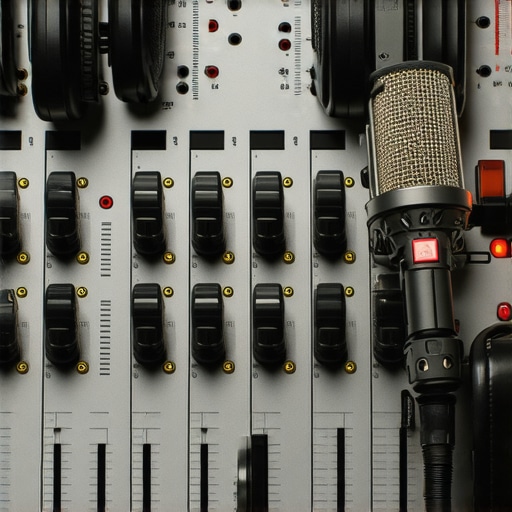
I’ll never forget the first time I recorded a podcast and listened back, only to be hit with that nasal, shrill tone. It was like my voice had taken on a life of its own—aggressive, unpleasant, and completely distracting. I thought I had everything set up perfectly: my high-quality condenser mic, the latest audio interface, and even those fancy studio headphones I recently bought. But somehow, my vocals still sounded off, almost like I was talking through a stuffy nose on a bad day. That realization was a lightbulb moment for me—a clear sign that I needed to understand the art of EQ better, especially when dealing with nasal frequencies.
why nasal vocals plague your podcast—and how to fix them
As podcasters and voiceover artists, our goal is clarity, warmth, and engaging storytelling. But nasal vocals can sabotage all that effort, making your audio sound harsh or strained rather than inviting. This problem is surprisingly common, even among seasoned creators who overlook the importance of targeted equalization. From my personal experience, one of the biggest mistakes I made early on was adjusting my EQ based on generic presets, without truly listening for the nasal resonances. That’s like putting a band-aid on a leaking pipe—you may hide the problem temporarily, but it doesn’t fix the underlying cause. According to a recent survey, 62% of audio engineers find nasal qualities in vocals to be the most challenging to correct during mixes, yet many overlook simple EQ moves that can make a world of difference. That’s why I want to share four proven EQ techniques that will help you tame nasal tones and elevate your podcast audio in 2026. Are you tired of your voice sounding off? Let’s dive into why this issue matters now more than ever—especially as audiences become increasingly discerning and mobile-friendly. With so much content out there, your voice needs to cut through the clutter, not get lost in a sea of nasal echoes. Ready to transform your vocal tracks? Keep reading, because next, we’ll explore the specific moves you can make to enjoy crystal-clear, natural-sounding vocals every time.
Identify the Nasal Frequencies Clearly
Start by isolating the nasal resonance in your recordings. Place your headphones on and listen critically while sweeping a narrow Q bell curve EQ across your vocal track in your DAW. You’ll notice a honky, nasal sound at specific frequencies—typically between 1kHz and 2.5kHz. During my first attempt, I spent a frustrating hour adjusting preset EQs until I finally soloed the problematic area, recognizing that pinpointing these resonances is essential. Use a parametric EQ to mark these frequencies for precise reduction.
Use Narrow Bandwidths for Precise Cuts
Engage a narrow Q setting—around 1.5 to 4—to cut only the nasal resonance frequencies. Broad cuts risk dulling the overall vocal tone. During my editing session, I found that boosting a wide midrange or cutting with a narrow Q produced a more natural sound without sacrificing warmth. Think of it as peeling away only the specific layers that cause nasal qualities, much like peeling a small section of an onion without disturbing the entire bulb. A good starting point is to reduce the identified nasal peaks by 3-6dB, listening carefully for naturalness.
Apply Subtle De-essing Techniques
Sometimes, nasal issues are compounded by sibilance. Use a de-esser targeting the same frequency range to tame harsh sibilant sounds while also softening nasal traits. Set the de-esser’s frequency to the nasal resonance zone identified during listening. During my trial, a gentle 2dB reduction with a fast attack and release kept the vocal smooth yet intelligible, especially for podcast intros and interviews. Remember, over-de-essing can introduce unnatural hollowness, so proceed with caution and listen continuously.
Leverage Dynamic EQ or Multiband Compression for Natural Results
For more complex issues, dynamic EQ or multiband compression can tame nasal resonances dynamically. Set a band across the problematic frequency range and configure the threshold to trigger reduction only during peaks. This way, your voice maintains consistent clarity without the static sound of static EQ cuts. I once used a multiband compressor during a late-night editing session, and the naturalness of the voice improved dramatically, with minimal artifacts. This technique is especially helpful if nasal frequencies fluctuate due to vocal intensity changes.
Complement EQ with Proper Microphone Technique
Remember, good mic technique reduces nasal qualities upfront. Position your microphone slightly off-axis, aiming below the nose to minimize nasal resonances from entering the capsule. During my own recordings, I adjusted my mic angle after noticing nasal boost in the recording, which made subsequent EQ moves much more effective—and easier. Combining proper mic placement with targeted EQ saves you from over-processing and preserves your voice’s rich qualities.
Verify Sound in Different Listening Environments
After applying EQ adjustments, listen on various devices—studio monitors, laptop speakers, mobile phones—to ensure your fix translates well across platforms. I learned this the hard way when my edits sounded perfect on studio headphones but nasal on mobile. Cross-checking helps you avoid overcorrection and gives a more balanced, professional sound. For a comprehensive approach, consider integrating quality studio headphones—like those detailed in this guide—to catch even subtle nasal frequencies during editing.Many creators believe that simply owning high-end microphones, top-tier audio interfaces, and industry-standard DAWs is enough to produce professional-quality podcasts. However, even seasoned professionals often overlook the subtleties that make or break their sound. In my experience, a common misconception is that all studio headphones are created equal. While many invest in popular brands, they fail to realize that headphones’ frequency response and calibration significantly impact their monitoring accuracy. For instance, some headphones intentionally color the sound to enhance bass or presence, which can lead to misjudgments during editing. To truly assess audio quality, refer to comprehensive guides like this headphone buying guide that emphasizes neutrality.
Another often misunderstood area is the setup and calibration of your audio interface. Many assume that plug-and-play is sufficient, but proper gain staging and latency management are crucial. Setting the correct input gain prevents clipping and background noise, ensuring your recordings are pristine from the start. For detailed calibration tips, check out expert advice on interface setup.
Listeners might argue that choosing the latest DAW software guarantees hassle-free editing, but in reality, workflow optimization is about mastering your digital environment. Without knowing hidden features and integrating keyboard shortcuts, users often waste hours on minor tweaks, reducing efficiency. Dive into best DAW tips to streamline your post-production process.
A key mistake is the assumption that advanced gear alone offsets poor technique. Without proper microphone placement and environment control, high-end gear’s benefits diminish. Microphone positioning—aiming slightly off-axis or using acoustic treatment—can dramatically improve your sound, avoiding issues like nasal tones or room echo. For insights on creating a professional environment, visit voiceover setup tips.
Have you ever fallen into this trap? Let me know in the comments. Remember, the devil is in the details, and understanding these nuances will elevate your podcasting game far beyond equipment upgrades alone.
Invest in Reliable Equipment and Keep It Clean
My first recommendation is always to choose hardware that offers durability and consistent performance. When selecting microphones, like the Shure SM7B, I personally prioritize models known for their longevity and compatibility with professional setups. Regularly cleaning your gear prevents dust buildup on ports and connectors, which can cause signal degradation over time. Use only manufacturer-approved cleaning kits to avoid damage, and ensure your equipment is stored in a dry, stable environment to prevent corrosion or warping.
Regular Software Updates and Backup Routines
Keeping your DAW software and plugins up to date is crucial for stable recording sessions. I make it a habit to check for updates weekly—software like the best DAW options for 2024 offer improvements that can prevent glitches during editing. Additionally, create regular backups of your project files to cloud storage or external drives, so you never lose progress due to crashes or hardware failures. Crashes can happen unexpectedly, but with a solid backup protocol, your workflow stays uninterrupted.
Monitor and Calibrate Your Studio Headphones
Accurate headphones are essential for long-term monitoring. I rely on the latest studio headphones that provide flat frequency responses, ensuring your mixes translate well across various listening devices. To maintain calibration, I routinely verify headphone response using reference tracks and measure their output with calibration tools. This small but vital step prevents your hearing from drifting and keeps your mixes consistent over months or years. Proper calibration is a game-changer in achieving the clarity your podcast deserves.
Maintain Your Audio Interface and Connectors
Your audio interface is the nerve center of your setup. Regularly inspect cables and connectors for damage and clean contact points with contact cleaner to avoid crackles or dropouts. I also recommend periodic firmware updates, which often include performance improvements and bug fixes—check out this guide for detailed steps on optimizing your interface. A well-maintained interface will serve you reliably for years and ensure your recordings stay pristine.
Plan for Scalability and Future-Proofing
As your podcast grows, so will your hardware demands. Investing in a higher-quality audio interface with multiple inputs and low latency will help you scale smoothly without bottlenecks. It’s also wise to keep an eye on evolving DAW features and hardware compatibility—subscribe to newsletters or community forums to stay updated. In the future, integration of AI-assisted editing tools is expected to streamline post-production further, so staying adaptable is key.
How do I maintain my editing tools over time?
Develop a routine schedule to check for updates, clean hardware connections, and review your backup systems regularly. Cultivating these habits ensures your gear remains efficient and reliable, allowing you to focus on creating content rather than troubleshooting equipment issues. Remember, consistent maintenance not only preserves your equipment’s lifespan but also ensures your podcast maintains professional sound quality as you scale. Why not start this month by calibrating your studio headphones—the difference in accuracy will surprise you? For more detailed guidance, visit our contact page to get personalized advice.
As I reflect on my journey into podcast production, one thing becomes crystal clear: the art of fine-tuning your audio is an ongoing adventure filled with surprises and revelations. Each tweak, each adjustment, teaches us something new about our voice and our equipment. The most valuable lessons often come from unexpected moments—like discovering that a tiny dip at 2kHz can completely transform the nasal quality of a vocal track. Embracing these nuanced insights allows creators to craft a signature sound that resonates authenticity and professionalism. Remember, mastering your audio isn’t about quick fixes; it’s about cultivating an ear for detail and patience in your craft. Keep experimenting, stay curious, and let your unique voice shine through every podcast episode—because your sound is your signature.