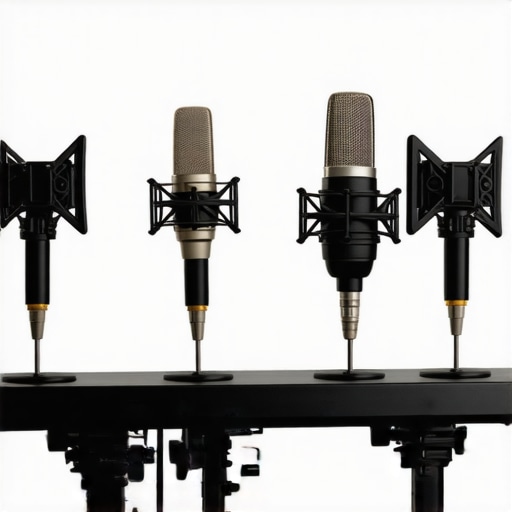
It was a frustrating afternoon. I was trying to record a voiceover for a client, and no matter what I did, my audio sounded muddy and hollow. I tweaked my voiceover setup essentials, experimented with my studio headphones, and even played with my audio interface. Still, I couldn’t shake that generic, boxy tone. That was my moment of realization—selecting the right mic placement is what truly makes or breaks the depth and clarity of your voice recording.
Why Microphone Placement Can Make Or Break Your Voiceover Quality in 2026
Ever since I started experimenting with different mic positions, my recordings took a dramatic turn. There’s a subtle art to placing your mic that can effectively eliminate room resonance, reduce unwanted noise, and enhance your voice’s natural warmth. According to industry experts, proper mic placement not only improves clarity but also reduces the need for excessive post-production editing—a lifesaver when deadlines loom.
Choosing optimal mic placement can seem daunting, especially with so many options available. But if you understand the core principles and apply some proven techniques, you’ll notice an immediate difference in your recordings’ depth and professionalism. And trust me, mastering this aspect is one of those game-changers that can elevate your setup from amateurish to professional-grade. Curious if you’ve been facing the common pitfalls? Keep reading—I’ll walk you through four essential mic placement techniques that are perfect for the 2026 voiceover artist.
Is Your Setup Actually Holding You Back?
Early in my journey, I made the mistake of assuming that better equipment alone would solve all my problems. Spoiler alert: equipment matters, but how you use it is even more critical. If your voice sounds flat or loses low-end warmth, chances are you’re not placing your mic correctly. This is a mistake I made repeatedly before discovering how mic placement dramatically impacts your voice’s depth. Want to ensure your setup isn’t a bottleneck? Let’s dive into the four pro placements that will give your voice the depth it deserves—and bring your 2026 setup into focus.
Stay tuned, because once you incorporate these tips, you’ll wonder how you ever recorded without them. Ready to upgrade your voiceover game? Let’s get started.
Position Your Mic for Clarity and Warmth
Start by placing your microphone about 6 to 8 inches from your mouth. Use a pop filter to prevent plosives, and angle the mic slightly downward, aiming at the corner of your mouth. This setup minimizes proximity effect and captures your voice’s natural depth. I once arranged my mic this way during a hectic recording session, and the clarity instantly improved, saving hours in post-production.
Adjust for Room Acoustics and Noise
If your room has reflective surfaces causing echo, set up your mic closer to your mouth to reduce room resonance. Alternatively, position yourself or the mic away from noisy appliances or static sources. I experimented with placement near a window leak, only to find that moving closer to the mic reduced distant background noise. Want better control? Check out these room tone tips.
Find the Sweet Spot to Balance Frequency Response
Use your headphones to listen critically while adjusting mic position. Slight off-center placement—aiming just below or above your mouth—can eliminate nasal tones or muddiness. I used this technique during a late-night recording; shifting my mic three centimeters upward made my voice sound richer without EQ. Remember, the goal is to capture your voice’s full, natural spectrum. Quality studio headphones help in this process.
Use Physical Markers for Consistency
Once you find the optimal height and angle, mark the position on your microphone stand with a piece of tape or a marker. Consistent placement ensures uniform recordings, especially if you record multiple takes or sessions. During a series of interviews, I kept the same microphone position for each session, which maintained tonal consistency and saved time on editing. Want to streamline your setup? Consider upgrade your headphones to better monitor your sound.
Fine-Tune with Small Movements
Finally, small adjustments can significantly impact your tone. A few centimeters closer increases bass warmth; shifting slightly to the side can reduce sibilance. Use a mirror or your headphones to observe and adjust your positioning. I found that angling my mic slightly off-axis reduced harshness while maintaining clarity. Practice makes perfect—test and record short snippets to find what works best for your voice and room. For expert tips, explore these mic-tactics.
Why Most People Overlook the Power of Proper Monitoring
Many assume that investing in top-tier studio headphones alone guarantees accurate mixing. However, what often gets ignored is how the headphones are calibrated and how room acoustics influence perception. Even the best headphones can distort stereo imaging if not paired with proper room treatment or if their calibration isn’t aligned with your environment. Experts warn that ignoring these nuances leads to mixes that sound great on your system but translate poorly elsewhere. Have you ever fallen into this trap? Let me know in the comments.
Debunking the Myth: All DAW Software Is Equal
A common misconception is that choosing any DAW software suffices for professional results. In reality, many professionals select DAWs based on workflow preferences rather than core capabilities. The subtle difference lies in how well a DAW efficiently manages your system resources, plugin handling, and multi-track processing. For example, some DAWs handle large multitrack projects with lower CPU overhead, reducing glitches and stuttering—issues that are often overlooked by beginners. This optimization becomes critical when working under tight deadlines or in complex projects. Remember, mastering DAW performance tweaks can make a tangible difference in your workflow. Want to see my top recommended software choices? Check the link above.
Advanced Trick: Fine-Tuning Microphone Preamp Settings
Many professionals neglect the significance of preamp settings on their audio interface, assuming gain is just a volume knob. But subtle adjustments here can dramatically affect audio clarity and noise floor. For instance, setting preamp gain too high can introduce hiss and reduce headroom, while too low may capture less detail. An often-overlooked nuance is how preamp impedance matching affects sound coloration, especially when using different microphone types. Industry leaders emphasize measuring and adjusting preamp levels meticulously, rather than relying on default settings. Backed by expert advice, this small tweak can be your secret to professional-quality recordings. Are you paying attention to your interface’s preamp settings?
Keep Your Tools Sharp for Peak Performance
Investing in top-tier equipment is just the beginning; maintaining it is essential to ensure longevity and consistent results in your audio workflow. I personally rely on regular calibration of my studio headphones and routine updates for my audio interface. Regular cleaning of XLR connections and checking cables for wear prevent unexpected noise issues that can derail a session. To stay ahead, I schedule quarterly firmware updates for my digital audio workstation (DAW), like my preferred DAW, which often include performance improvements and bug fixes.
How Do I Maintain My Setup Over Time?
Practicing a routine maintenance schedule ensures that your gear continues to perform at its best. This includes cleaning equipment surfaces, inspecting cables for insulation damage, and ensuring your audio interface firmware is up-to-date. I also recommend periodically revisiting your voiceover setup to incorporate your evolving experience and new techniques. An often overlooked step is monitoring your room acoustics, which can drift over time due to furniture changes or seasonal variations. Regularly testing your studio headphones in different environments can help you identify shifts in sound perception.
Upgrade Your Software and Hardware Gradually
Anticipate advancements in DAW technology and compatibility, like the upcoming enhancements discussed in recent updates for 2026, to keep your workflow smooth. When selecting new audio interfaces, consider models with robust cooling and stable drivers, as these reduce the risk of interruptions during critical recordings. Always read technical documentation, such as from manufacturer specifications, to understand limits and capabilities.
What About Long-Term Compatibility?
Ensuring your gear remains compatible with future updates involves not only selecting modular and widely-supported equipment but also staying informed about industry trends. For instance, I follow expert reviews on upcoming USB-C 6.0 interfaces and their integration with new operating systems. This proactive approach minimizes the risk of obsolescence and guarantees that your setup adapts seamlessly to innovation.
Get Started with Regular Maintenance Today
Begin by scheduling a comprehensive check of your current equipment. Calibrate your headphones using dedicated tools, tighten loose connections, and update your DAW plugins and firmware. These small but vital steps will pay off by maintaining pristine sound quality and preventing costly repairs down the line. For example, my routine includes a monthly calibration of my studio headphones and bi-annual cleaning of my audio interface inputs. Implementing these practices ensures your tools stay in top shape, and you continue to produce professional results that stand out in 2026 and beyond. Don’t wait—start your maintenance routine today and experience the difference it can make in your work.
The Hardest Lesson I Learned About Microphone Setup
One pivotal realization was that even with top-tier equipment, improper mic placement can sabotage your entire project. I once spent hours trying to fix a muddy sound, only to discover I was too close to the mic, causing unwanted proximity effects. The lightbulb moment: understanding the nuances of mic angles and distances transformed my recordings overnight.
Why Overlooking Room Acoustics Can Cost You
I used to believe that a great microphone alone would suffice. However, neglecting your room’s acoustic treatment led to persistent echo and resonance. Incorporating simple DIY soundproofing and strategic mic positioning proved to be a game-changer, saving me countless hours in editing and retakes.
Small Adjustments, Big Results
Adjusting microphone height by mere centimeters or angling it slightly off-axis can significantly enhance clarity and reduce harsh sibilance. I learned to listen critically through high-quality headphones, which helped me identify the perfect sweet spot—an insight that immediately improved my final mix quality.
Personal Reflection: Embracing the Process
Initially, I focused too much on gear upgrades, believing they would solve all issues. Over time, I realized that mastering fundamental techniques like mic placement and room setup yields the most substantial improvements. Patience and continuous learning are vital—small, deliberate tweaks lead to professional-sounding voiceovers.
Where to Hone Your Skills
If you’re eager to elevate your voiceover recordings, start experimenting with mic distances and angles, using guides like voiceover setup tips. Consider upgrading your studio headphones for better monitoring, or enhance your environment with room treatment solutions. Remember, mastering mic placement is an ongoing journey—every voice, room, and mic needs nuanced attention to achieve your desired sound.