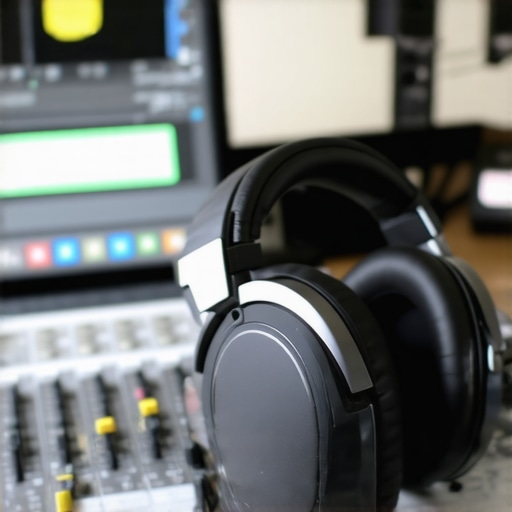
Ever spent hours editing a podcast only to realize it sounds flat, muddy, or just plain off when played on other devices? I know that frustrating moment all too well. I once thought a decent pair of headphones and basic software would do the trick. Turns out, I was missing out on the magic of high-quality gear and the right setup. That lightbulb moment changed everything for me—and I bet it can for you too.
Why Your Gear Can Make or Break Your Podcast Quality
When I first started, I underestimated the importance of studio headphones and professional DAW software. I was convinced that any headset and free editing tools would suffice. But I kept struggling with inconsistent sound, background noise, and editing headaches. It wasn’t until I invested in the right studio headphones and learned to use powerful DAW software that everything changed. Suddenly, my recordings sounded professional, clear, and engaging. That’s the kind of transformation I want to help you achieve.
Is All Podcast Software Created Equal?
Absolutely not. Early on, I made the mistake of thinking that any free editing program would deliver studio-quality sound. I didn’t realize that the best DAW software for podcasting offers precise editing tools, noise reduction, and integration with top-tier audio interfaces and headphones. Skimping on software can lead to hours of frustration and subpar sound. If you’ve ever wondered whether your current tools are holding you back, I promise that with the right setup, you’ll hear the difference immediately.
In this post, I’ll share the exact gear, software, and techniques I use—and that I recommend—to elevate your podcast game in 2024. Whether you’re just starting out or looking to refine your sound, I’ve got practical tips that will make a real impact. Ready to step up your audio quality and finally produce podcasts that sound as good as they deserve? Let’s dive in!
Choose Your Headphones Wisely
Investing in quality studio headphones is the first step. Think of headphones as the window to your sound world—if you’re using cheap earbuds, you’re blind to what really matters. I recommend starting with models highlighted in the buying guide. When I upgraded from generic headphones to a pair of studio-grade ones, I immediately noticed a clearer, more detailed sound. I could pick up nuances I never heard before, which made editing much more precise.
Set Up Your Audio Interface Properly
Your audio interface acts as the bridge between your microphone and computer. Proper setup ensures your recordings are clear and free of noise. Follow expert tips in the audio interface setup article for optimal results. I once spent hours trying to fix a hum in my recordings until I realized my interface needed better grounding and proper gain staging. Once corrected, my voice sounded warmer and more professional, without background hiss.
Pick the Right DAW Software
The digital audio workstation (DAW) is your editing hub. Not all DAWs are built equally—some offer advanced noise reduction, automation, and intuitive interfaces that save time. I personally switched to top-rated DAWs in 2024, and the difference was night and day. I used to spend hours wrestling with clunky interfaces, but now I can focus on editing instead of fighting software bugs. A good DAW streamlines your editing process and helps you produce a polished final product.
Master Your Workflow
Even with great gear and software, your workflow matters. Streamline your editing process by following proven hacks from the workflow guide. For example, I created custom keyboard shortcuts, which cut my editing time in half. Also, breaking down tasks into small steps helps prevent mistakes and keeps your project organized from start to finish.
Test and Tweak Regularly
Sound is subjective, so continuously test your setup on different devices—smartphones, laptops, and speakers—to ensure your podcast sounds consistent everywhere. I once recorded a batch of episodes, only to find out they sounded muddy on my phone. After some adjustments, such as improving room acoustics and using proper monitoring, my sound became clear across all devices. Remember, your goal is clarity, warmth, and consistency.
Incorporate these steps into your routine, and you’ll see a tangible upgrade in your podcast quality. Don’t forget, a good setup is an ongoing process—keep learning, testing, and refining your gear and software for best results.
Many podcasters fall into traps by believing oversimplified advice or overlooking subtle but impactful details. Let’s dig deeper into what most people get wrong about podcast gear and software, and how these misconceptions can hinder your audio quality.
Myth: More Expensive Gear Always Means Better Sound
It’s tempting to assume that investing in high-end microphones, interfaces, or headphones guarantees professional results. However, the truth is that the *right* gear depends on your specific environment and workflow. For example, a $500 microphone might excel in a treated studio but can pick up too much background noise in a noisy room. Conversely, a budget dynamic mic, combined with proper acoustic treatment, can produce surprisingly clean recordings. According to audio engineer Dave Rat, “Understanding your environment and choosing gear suited to it is far more critical than just going for the most expensive options” (source).
Beware the Noise Floor Trap
Many underestimate the importance of noise floor—the ambient noise level in your recordings. Using cheap equipment or neglecting proper setup can result in a high noise floor, which manifests as hissing or humming in your audio. This often leads creators to crank up gain, which amplifies unwanted noise instead of clarity. Advanced users often focus on optimizing gain staging and acoustic treatment to reduce noise floor, a nuance overlooked by beginners. Remember, a low noise floor enhances clarity and makes post-production easier. Regularly test your setup on different devices to catch these issues early (see setup tips).
Why Your Editing Software Might Be Holding You Back
It’s common to stick with free or default editing tools, thinking they’re sufficient. But many underestimate how powerful and nuanced professional DAWs are. Advanced features like spectral editing, multi-band noise reduction, and automation can make the difference between amateur-sounding podcasts and polished productions. Moreover, the workflow efficiency gained from intuitive interfaces and customizable shortcuts can save hours. As I learned, switching to a professional DAW like top-rated DAWs in 2024 transformed my editing speed and quality. Don’t let software limitations be your silent bottleneck.
How Can Advanced Podcasters Avoid These Pitfalls?
For the more experienced, the key is in fine-tuning every aspect—proper gain staging, acoustic treatment, and mastering a workflow that minimizes repetitive tasks. Regularly testing your output on various devices, from smartphones to high-end speakers, reveals hidden issues. Additionally, investing in quality studio headphones and understanding their role in accurate monitoring is crucial (more on headphones). Remember, the goal is not just good gear but knowing how to leverage it effectively. If you want to explore these nuances further, check out my comprehensive guide on DAW setup for creators.
Have you ever fallen into this trap? Let me know in the comments, and share your experiences. The devil is in the details, and understanding these hidden nuances can elevate your podcast to professional standards.
Maintaining your podcast setup over time is essential to ensure consistent, professional sound quality. Just like any other equipment, your gear requires regular checks, cleaning, and updates to stay in optimal condition. In this section, I’ll share the specific tools and methods I personally use to keep my podcast equipment performing at its best, along with insights into where this trend is heading in the future.
How do I keep my podcast tools working smoothly for years?
First, invest in a high-quality audio interface and studio headphones. These are the backbone of your setup, and regular maintenance—such as checking cables for wear and cleaning connectors with contact cleaner—prevents unexpected failures. I personally use DeoxIT contact cleaner, which I’ve found to restore and preserve connector performance effectively.
Next, keep your microphones clean. Microphone capsules are sensitive and can accumulate dust or saliva residue, which affects sound quality. I recommend using a soft brush and a microfiber cloth, along with a specialized cleaning spray like Isopropyl alcohol diluted to 70%. Regularly inspecting and cleaning your mics ensures they remain crisp and clear.
For software, routine updates are key. Software developers frequently release patches that fix bugs and improve stability. I set a monthly reminder to check for updates on my DAW and plugins, ensuring compatibility and optimal features. Additionally, backing up your sessions regularly prevents data loss—use cloud storage or external drives for redundancy.
To extend the lifespan of your gear, consider environmental factors. Keep your studio in a cool, dry place, away from direct sunlight, and use dehumidifiers if necessary. Dust filters on vents and regular vacuuming of your workspace reduce airborne particles that can settle on equipment and cause damage over time.
What’s the future of maintaining podcast gear?
Looking ahead, I believe advancements in smart monitoring tools and IoT-connected devices will simplify maintenance even further. Imagine a smart audio interface that detects component wear or temperature fluctuations and alerts you proactively. Similarly, AI-powered diagnostics could analyze your recordings for equipment issues, suggesting specific fixes before they become serious problems. Staying ahead of these trends will ensure your podcast setup remains reliable and professional for years to come.
Start implementing these maintenance routines today, and don’t forget to try out a professional contact cleaner or set a software update schedule. Regular upkeep not only prolongs your gear’s life but also guarantees that every episode sounds as polished as your vision deserves. For more detailed tips on optimizing your setup, check out the comprehensive guide on DAW and equipment maintenance.
The Hardest Lesson I Learned About Podcast Gear and Software
One of my biggest realizations was that chasing the most expensive equipment doesn’t automatically lead to professional sound. I spent thousands on high-end microphones and interfaces, only to find my recordings still muddy. The truth? Knowing your environment and choosing gear that suits your space is far more impactful. For example, a budget dynamic mic paired with acoustic treatment can outperform a costly condenser mic in a noisy room.
How I Discovered the Noise Floor Can Destroy Your Sound
It took me a while to understand that a high noise floor makes editing a nightmare. I used cheap gear and cranked up gain, which amplified background hums and hiss. Then I learned about proper gain staging and acoustic treatment—small tweaks that made my audio crisp and clear. Regularly testing on different devices revealed hidden issues I never noticed before, saving me hours of post-production frustration.
The Secret Power of Workflow Overhaul
Switching my editing process from disorganized to streamlined transformed my efficiency. Creating custom shortcuts and breaking tasks into smaller steps helped me avoid mistakes and save time. This lesson taught me that even with top gear, a messy workflow can sabotage your sound quality. Investing in a consistent process is as crucial as your equipment.
My Curated Arsenal for Podcast Success
- Studio Headphones: The buying guide helped me select headphones that reveal every detail in my recordings, ensuring accurate editing.
- DAW Software: Upgrading to top-rated DAWs in 2024 has revolutionized my workflow with powerful noise reduction and automation features.
- Acoustic Treatment: Proper room treatment, including bass traps and diffusers, drastically reduces unwanted echoes and background noise, making my recordings sound professional.
- Consultation Resources: The ultimate guide on DAW setup and voiceover setup tips have helped me refine my environment and process.
Embrace Your Podcasting Journey
Remember, mastery in podcasting isn’t about instant perfection but continuous learning. Every new piece of gear, every workflow tweak, and every test brings you closer to a polished, professional sound. Don’t be afraid to experiment and refine—your unique voice deserves to be heard clearly and confidently. So, what’s the one gear or workflow change you’re excited to try next? Let me know below!”},
http://Emily%20Ross
Reading through this post really highlights something I’ve noticed in my own podcasting journey: the importance of fine-tuning both gear and workflow together. I used to think upgrading my microphone alone would make a huge difference, but I realized that even high-end gear can fall flat without proper setup and environment. The point about noise floors really struck a chord — I struggled with hiss until I invested in acoustic treatment and learned gain staging. It’s remarkable how subtle changes can transform the overall quality. I’ve also started experimenting with my DAW’s automation features to add more professional dynamics and clarity. How do others here balance investing in new gear versus optimizing their existing setup? I’d love to hear some tips on what kind of upgrades have brought the biggest bang for the buck.
http://Michael%20Johnson
This post really hits home, especially the emphasis on gear quality and workflow. I remember initially thinking that just buying a premium mic would instantly improve my podcast sound. However, I quickly learned that acoustic treatment, proper gain staging, and a reliable DAW are just as crucial. I found that investing in a good pair of studio headphones and learning to use their detailed sound profile dramatically improved my editing precision. One challenge I faced was balancing hardware upgrades with software efficiency—sometimes, optimizing your workflow can save just as much time and frustration as hardware upgrades. Personally, I started creating custom keyboard shortcuts in my DAW, which cut my editing time in half. For those still debating whether to upgrade, I’d ask: what DIY solutions or workflow hacks have helped others maximize their existing setup? The path to professional-quality audio is clearly layered, and balancing equipment with technique has made all the difference for me.
http://Daniel%20Lopez
This is such a comprehensive overview of podcast gear and workflow optimization. I completely agree that investing in decent headphones and good software can make a huge difference. I’ve noticed that in my own setup, switching from regular earbuds to a pair of closed-back studio headphones really improved my ability to catch those subtle background noises and inconsistencies during editing. As for software, I’ve been experimenting with different DAWs, and I find that the more advanced noise reduction and spectral editing features help me save significant time in post-production. What’s been your experience with different DAWs in terms of usability versus functionality? I’d also love to hear if anyone has any tips for maintaining equipment over the long term—my microphone and interface are crucial, and I want to ensure they stay in top shape for years to come.