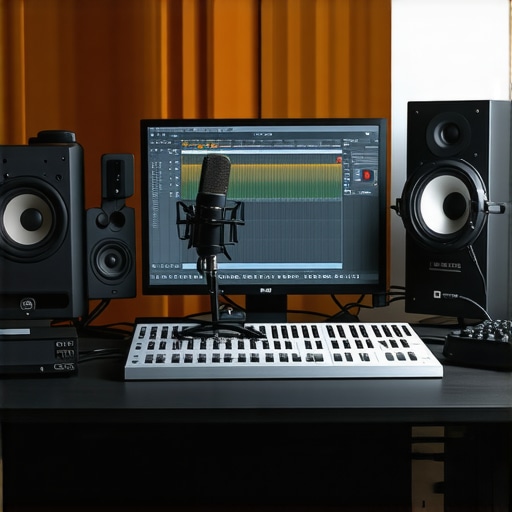
I remember the moment clearly. I was recording my first few podcasts, eager but frustrated. Every time I hit ‘record,’ the audio sounded muddy, distant, and just plain unprofessional. It was like shouting into a canyon and hoping someone would hear me clearly. That lightbulb moment hit me hard: I was missing out on the right tools and setup. Since then, I’ve spent countless hours testing, tweaking, and learning what truly makes a podcast sound professional in 2024.
Why Your Podcast Audio Might Be Falling Flat
If you’ve ever felt embarrassed to share your episodes because of poor audio quality, you’re not alone. The truth is, listeners are more discerning than ever. They expect crisp, clear sound, especially with the array of high-quality podcasts out there. The good news? Achieving that professional sound isn’t out of reach. It’s all about choosing the right DAW software and setting up your voiceover environment properly.
Have You Faced This Problem When Recording?
Before you dismiss this as too complicated or expensive, I want to share that I made the mistake early on of neglecting quality audio interfaces and decent microphones. That mistake cost me valuable time and potential listeners. It’s a common pitfall, but one you can avoid by making informed decisions. Want to know what worked for me? Keep reading, and I’ll guide you step-by-step.
Ready to ditch the audio nightmares and start sounding like a pro? Let’s dive into the essentials of top DAW software and voiceover setup tips that will elevate your podcast game in 2024.
Choose Your DAW Software with Precision
Picking the right Digital Audio Workstation (DAW) is the foundation of professional-sounding podcasts. I remember initially trying free software that was clunky and limited. It was frustrating, but once I switched to a more capable DAW like Reaper or Adobe Audition, the quality of my edits skyrocketed. Look for features like multi-track editing, noise reduction, and compatibility with plugins. Test a few options—many offer free trials—before committing. This decision impacts your workflow efficiency and final sound quality.
Set Up Your Voiceover Environment Effectively
Your recording space matters more than you think. I once recorded in a small, echoey closet, which made my voice sound hollow and harsh. After consulting the voiceover setup guide, I invested in acoustic treatment: foam panels, bass traps, and diffusers. Position your microphone away from reflective surfaces, and use a pop filter to soften plosive sounds. A well-optimized environment minimizes background noise and echo, ensuring your voice comes through clean and professional.
Connect Your Equipment Properly
Connecting your microphone, audio interface, and headphones correctly is crucial. I once faced latency issues because I skipped configuring my audio interface properly. Follow the manufacturer’s setup instructions carefully, ensuring your interface is selected as the default input/output device in your DAW. Use high-quality studio headphones for monitoring. Proper setup prevents issues like distortion or latency that can ruin your recordings.
Optimize Your Microphone Placement
Microphone placement can make or break your sound. I once recorded with the mic too close, causing plosives and muffled audio. After experimenting, I found the sweet spot about 6-12 inches from my mouth, angled slightly to avoid direct airflow. Use a shock mount to reduce vibrations and a pop filter to eliminate sibilance. Proper placement ensures your voice is captured clearly, with minimal background noise and distortion.
Refine Your Sound with Editing and Processing
Even with a good setup, some noise or inconsistencies may remain. I recommend leveraging editing hacks like noise gates, equalization, and compression to polish your audio. These tools can remove hums, balance frequencies, and ensure your voice sits well in the mix. Remember, subtle adjustments often produce the most natural sound, so avoid over-processing.
Test and Iterate for the Best Results
Finally, always listen critically with your studio headphones and make iterative adjustments. I recorded several test episodes, tweaking mic placement, settings, and processing until I achieved a balanced, clear sound. This process takes time, but it’s worth the effort for professional-quality audio that keeps listeners engaged.
Many aspiring podcasters believe that investing in high-end microphones or the latest DAW software alone guarantees professional sound. However, this is a misconception that can lead you into costly mistakes. Let’s dig deeper into some nuances most people overlook when setting up their podcast audio environment in 2024.
Why Microphone Quality Isn’t the Only Factor
While having a good microphone is essential, many overlook the importance of proper audio interface setup and environment acoustics. A common myth is that a costly mic will compensate for poor room acoustics or suboptimal interface settings. In reality, even the best microphone can produce mediocre results if the signal chain isn’t optimized. Many beginners fall into the trap of neglecting soundproofing their space or properly configuring their equipment, which dramatically affects audio clarity.
Don’t Over-Process Your Audio
Another widespread misconception is that more editing equals better sound. Over-processing with aggressive noise reduction, EQ, or compression can introduce artifacts and make your voice sound unnatural. Instead, aim for subtle enhancements that preserve the natural tone of your voice. This nuanced approach often escapes beginners who think that heavy-handed editing is the only way to fix poor recordings. Remember, the goal is clarity, not distortion. For advanced editing tips that balance quality and efficiency, check out these editing hacks.
How Can Advanced Setup Improve Your Podcast?
For those looking to elevate their podcast quality further, understanding the role of proper microphone placement and monitoring is vital. Small adjustments, such as positioning the mic at the right distance and angle, can drastically reduce plosives and sibilance. Additionally, using high-quality studio headphones allows you to catch issues in real-time, preventing costly re-records. Many creators underestimate how much these fine-tuned details contribute to a polished, professional sound.
Have you ever fallen into this trap? Let me know in the comments.
Maintaining your podcast setup over time is essential to ensure consistent, high-quality recordings. Just like any investment, your equipment needs regular check-ups, updates, and mindful handling to keep it performing at its best. I’ve learned this the hard way—skipping routine maintenance can lead to unexpected failures or degraded audio quality, which no amount of fancy gear can fix after the fact.
How do I maintain my podcast tools for longevity?
Start with a dedicated cleaning routine. Microphones and audio interfaces accumulate dust and fingerprints, which can affect sound quality. Use a soft, lint-free cloth to wipe down your gear weekly. For your microphone, avoid harsh chemicals—simply dampen the cloth slightly with water or a gentle electronics cleaner. For your audio interface and other hardware, ensure vents are free of dust, which can cause overheating and reduce lifespan.
Next, keep your software up to date. Regularly check for updates for your DAW software and plugins. Updates often include security patches, bug fixes, and performance improvements that help your workflow stay smooth and secure. I schedule a monthly review to verify everything is current, preventing compatibility issues down the line.
Protect your gear physically. Invest in sturdy racks or cases for your hardware, and store cables properly to avoid damage. Remember, a tangled, bent cable can cause intermittent noise or complete failure of your audio signal. Use cable ties or velcro straps, and keep your gear in a cool, dry place—humidity and heat accelerate wear and corrosion.
Monitor your equipment’s performance periodically. Run test recordings every few weeks to catch any subtle degradation early. If you notice a drop in sound clarity or increased background noise, it might be time to replace a component or seek professional cleaning. This proactive approach saves you from costly repairs or replacements later.
Tools I recommend for ongoing maintenance
In my setup, I swear by a few key tools. A dedicated microfiber cloth keeps my gear spotless without scratching surfaces. For cleaning contacts and connectors, I use a contact cleaner spray specifically designed for electronics—it’s a game-changer for preventing connection issues. When it comes to software, I rely on regular backups and update checklists to stay current.
Looking ahead, I predict that smart maintenance tools—like IoT-enabled sensors that monitor your gear’s environment—will become more common. These devices can alert you to temperature spikes, humidity, or dust buildup before they cause damage, making maintenance even more effortless.
Don’t overlook the importance of routine care. A little effort now ensures your investment continues to pay off, providing crisp, professional sound for countless episodes to come. Try setting a monthly maintenance schedule, and incorporate these tools into your routine. Your future self will thank you!
Reflecting on my early days, I remember the frustration of recording episodes with muddy, distant audio that failed to capture the professionalism I aimed for. That epiphany led me to discover the nuanced world of audio setup, where every choice—from DAW software to microphone placement—makes a difference. In 2024, the right knowledge can transform your podcast from amateurish to broadcast-quality, and I want to share those insider lessons with you.
The Hardest Lesson I Learned About Podcast Audio
- Don’t underestimate the power of environment: I once recorded in a room with hard surfaces, resulting in echo and poor clarity. Acoustic treatment was a game-changer, turning my space into a professional-sounding studio.
- Microphone quality isn’t everything: A high-end mic won’t save you if your setup is flawed. Proper placement, shock mounts, and pop filters are equally crucial for great sound.
- Over-processing can harm your audio: Subtle EQ and compression enhance clarity without sounding artificial. Overdoing it can introduce artifacts, so moderation is key.
- Regular maintenance saves costs: Cleaning gear, updating software, and monitoring equipment performance prevent unexpected issues and ensure consistent quality.
My Essential Toolkit for Podcast Perfection
- Reaper: I trust it for its versatility and affordability. Its multi-track editing and noise reduction plugins streamline my workflow.
- Adobe Audition: Offers professional-grade features that make editing and mastering straightforward, which I rely on for polished episodes.
- Acoustic treatment materials: Foam panels, bass traps, and diffusers are non-negotiable for a clean recording environment.
- Studio headphones: High-quality headphones like those recommended in the 2025 guide help me catch issues in real-time, saving time and re-records.
Embrace Your Audio Journey
Now, it’s your turn to elevate your podcast game. Remember, mastering professional audio isn’t about expensive gear alone but about smart setup, ongoing maintenance, and subtle editing finesse. Your voice deserves to be heard clearly and confidently—so take action today and start applying these insider tips. The future of your podcast’s sound quality is in your hands.
What’s one audio improvement you’re excited to try in your next recording? Drop your thoughts below—I’d love to hear your plans!
http://Samantha%20Lee
Reading this post really hit home for me. I remember starting out with an echoey room, which made my early episodes sound terrible even though I had a decent mic. Investing in acoustic treatment and learning about proper microphone placement made a huge difference for me. What I appreciate most is the emphasis on ongoing maintenance—it’s easy to overlook, but keeping equipment clean and software updated ensures consistent quality. I’ve noticed that even small tweaks, like adjusting mic distance or using better headphones for monitoring, can drastically improve clarity and reduce the need for heavy editing later. I’d love to hear from others: what’s the most surprising or effective tip you’ve learned that improved your sound without big gear upgrades? For me, it was learning how critical environment setup is—something I didn’t realize until I experienced the difference firsthand.
http://James%20Morgan
This post hits the mark for anyone serious about podcasting. I completely agree that environment setup and proper mic placement are often overlooked but critical factors. I remember initially recording in a room with lots of reflective surfaces, which made my voice sound echoey and unprofessional. Investing in some acoustic panels and experimenting with mic angles transformed my sound quality in ways I didn’t expect. One tip I’d add that’s helped me is using a dynamic microphone; it does a better job at rejecting background noise, which is a major plus if your space isn’t perfectly soundproof. Also, I’ve found that consistent maintenance—like regular software updates and cable checks—prevents many common issues. Has anyone used soundproof curtains or portable booths? They’re a neat solution for those with limited space but want professional-grade sound. Overall, it’s clear that achieving a crisp podcast isn’t just about gear but about a holistic approach to setup and upkeep.
http://Michael%20Thompson
This post really resonated with me, especially the emphasis on environment setup and ongoing maintenance. I’ve learned the hard way that neglecting these aspects can lead to hours of re-recording or heavy editing, which takes away from the creative flow. I started with a decent microphone but recorded in a room with lots of echoes, and it was a nightmare to fix later. Swapping out my space for acoustic panels and a portable booth drastically improved my sound quality. I also found that consistent software updates and cleaning my gear—especially the connectors and microphones—prevent subtle issues from turning into big problems. It’s fascinating how small adjustments, like mic angle and placement, can make such a huge difference. One thing I’m curious about is how others manage soundproofing in small or shared spaces. Have you guys tried any innovative DIY solutions or portable treatments? Would love to hear your tips on making limited space sound more studio-like.