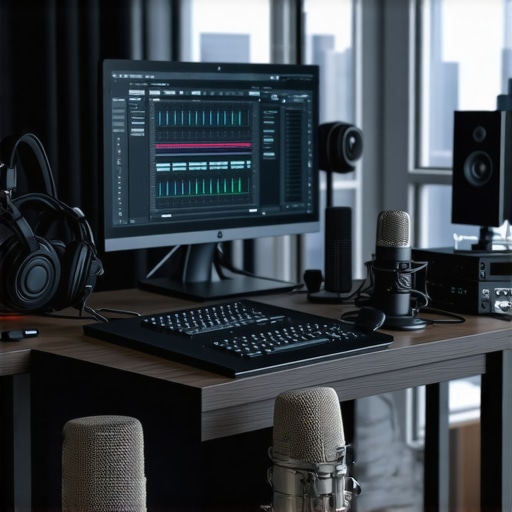
Ever recorded a voiceover, only to listen back and cringe at the muddiness or background noise? I’ve been there—staring at my recordings, thinking, “Why does this sound so off?” It’s a frustrating cycle that many creators face. But here’s the thing: with the right Top DAW Software and a smart voiceover setup, you can transform your audio from amateurish to professional. And trust me, it’s easier than you think once you know what to focus on.
Why Your Voice Recordings Need More Than Just a Good Microphone
The truth is, a high-quality microphone alone won’t guarantee pristine sound. Without proper software and an optimized setup, even the best mic can produce muddy results. Over the years, I’ve learned that the secret lies in a combination of powerful DAW software, a well-configured audio interface, and the right headphones to monitor every nuance. It’s a bit like cooking—great ingredients matter, but the way you prepare and combine them makes all the difference. In 2024, the landscape of DAW software has never been better for creators aiming for that professional edge.
Have You Faced This Problem Before?
Maybe you’ve spent hours trying to get your voice to sound right, only to be disappointed when you listen to the final cut. Or perhaps you’ve been unsure about how to set up your studio gear efficiently. I get it—early on, I made the mistake of ignoring the importance of proper audio interface configuration, which led to inconsistent recordings and extra editing time. But once I nailed down my setup, the clarity and quality of my recordings skyrocketed.
So, if you’re tired of sounding like you’re recording in a closet, stick around. I’ll walk you through the essential steps to set up your best DAW for voiceovers and create a crisp, professional sound that stands out. From choosing the right software to fine-tuning your hardware, this is your blueprint for success in 2024.
Choose the Right Digital Audio Workstation
Start with a reliable DAW that offers precision editing and user-friendly features. In 2024, top DAW software like Reaper, Adobe Audition, or Cubase provide extensive tools tailored for voiceovers. Install and familiarize yourself with basic functions such as track layering, noise reduction, and equalization. I remember spending an entire afternoon testing different DAWs, but once I settled on one and learned its shortcuts, editing became seamless and much faster.
Set Up Your Audio Interface Correctly
An audio interface converts your microphone signal into a digital format for your DAW. Proper setup is crucial. Follow expert tips for configuring your audio interface to ensure clean, noise-free recordings. I once ignored proper grounding and experienced constant hums; fixing this involved just a few adjustments, which significantly improved my audio clarity.
Select Quality Studio Headphones
Monitoring your audio with studio headphones designed for accuracy helps you catch every nuance. I swapped my consumer headphones for a pair recommended in the buying guide and immediately noticed my edits became more precise, especially in balancing background noise and vocal presence.
Optimize Your Voiceover Environment
Soundproof your space by treating reflective surfaces and adding bass traps. Use setup essentials to create an environment where your voice sounds natural and clear. I once recorded in a small closet with blankets, and while it helped, investing in proper acoustic treatment made a huge difference in the warmth and clarity of my recordings.
Record with Precision and Consistency
Use a pop filter and microphone stand to maintain consistent distance from your mic. Record multiple takes and listen critically. When I first started, I recorded in a rush, leading to inconsistent volume levels. Now, I take a moment to set my mic distance and monitor levels before each session, which saves editing time later.
Refine Your Audio with Editing Hacks
Leverage editing hacks to streamline your workflow. Use noise reduction and equalization tools to remove background hums and enhance vocal clarity. I recall spending hours manually editing, but once I adopted some quick presets, my workflow sped up, and my final product sounded more professional.
Remember, achieving professional-grade voiceovers isn’t about expensive gear alone; it’s about smart setup and efficient editing. Focus on each step, and your recordings will stand out in 2024 and beyond.
Many creators believe that simply investing in a high-end audio interface or a premium studio headphones guarantees professional results. But in my experience, this is a misconception that can lead to costly mistakes. The truth is, many overlook the critical nuances like proper audio interface setup and acoustic treatment, which are often more impactful than gear alone. For example, a common trap is believing that any microphone can be turned into a professional-grade recording device with just software tweaks. However, without understanding the best DAW settings and proper environment, even the most expensive mic can produce muddled audio. Moreover, many underestimate the importance of consistent mic techniques and environment control, which are essential for high-quality podcast editing.
What Advanced Audio Creators Know That You Don’t
Let’s dig deeper. A common myth is that software alone can fix all audio issues. While editing hacks and plugins are powerful, they are no substitute for a well-optimized setup. For example, many believe that noise reduction can salvage a poorly recorded track. But excessive noise reduction can introduce artifacts and make your voice sound unnatural. The real secret is controlling noise at the source—by soundproofing your room and using proper mic techniques—before hitting record. Additionally, advanced users understand that DAW customization and proper gain staging are like seasoning—tiny adjustments that make a significant difference in clarity and warmth.
Beware of the Trap: Over-Editing and the False Promise of Perfect Sound
One of the biggest pitfalls is falling into the trap of over-editing. Relying too heavily on plugins for noise removal, EQ, and compression can strip away the natural character of your voice, making it sound sterile or artificial. Remember, the goal is clarity, not perfection. Achieving that balance requires experience and critical listening. Also, many underestimate the importance of monitoring with the right headphones—without it, you might be chasing ghost signals or making adjustments based on inaccurate feedback. The key is to combine technical knowledge with a critical ear, avoiding common mistakes that diminish the authenticity of your recordings.
How Do Experts Fine-Tune Their Setup for Maximum Clarity?
Experts pay attention to details like proper DAW configurations and acoustic treatment that many overlook. Simple fixes, such as placing bass traps or using diffusers, can dramatically reduce room reflections that muddy your sound. It’s also vital to understand that high-quality hardware paired with proper technique beats expensive gear used poorly. For instance, a well-placed microphone stand and pop filter combination can prevent many common issues like plosives or inconsistent mic distance. And, of course, regular calibration and maintaining your equipment prevent many avoidable problems that compromise quality—something I’ve learned the hard way after years of trial and error.
Have you ever fallen into this trap? Let me know in the comments. Remember, mastering your setup is a continuous process that evolves with your skills. For comprehensive tips, check out my contact page.
Maintaining your audio setup over time is crucial to ensure consistent, professional-quality recordings. From your voiceover environment to your DAW, every component needs regular care and fine-tuning. One of my favorite strategies is to schedule routine checks of your audio interface connections and settings. Clean connectors and verify proper gain staging to prevent gradual degradation of sound quality. Keep your studio headphones clean and replace ear pads periodically—this maintains comfort and prevents sound distortion. Regularly updating your DAW software ensures you have access to the latest features and security patches. I recommend setting a monthly reminder to run software updates and back up your projects to cloud storage, safeguarding against data loss. Additionally, acoustic treatment should be inspected periodically; dust and debris can accumulate on bass traps or diffusers, reducing their effectiveness. Keep a clean, organized workspace to avoid accidental damage or misplacement of vital gear. With these simple yet effective routines, your setup remains reliable and ready for your next big project.
What’s the Best Way to Keep Your Equipment Running Smoothly Over the Years?
Adopting a proactive maintenance routine is key. For instance, I personally create a checklist every quarter to clean and calibrate my gear. This includes checking cable integrity, cleaning connectors with contact cleaner, and verifying headphone calibration. Moreover, staying informed about updates from your DAW and hardware manufacturers can prevent compatibility issues down the line. As technology advances, incorporating new tools like workflow hacks can also help keep your process efficient and your sound pristine. In the future, I believe more creators will leverage automated maintenance tools integrated into their DAW or hardware, making upkeep even easier. To get started, try setting a recurring reminder to perform a full system check every three months—your future self will thank you for the investment in your craft.
The Hardest Lesson I Learned About Audio Setup
One of the biggest revelations for me was realizing that even the most expensive gear can fall flat if not configured properly. I spent months chasing better microphones and interfaces, only to find my recordings still muddy. The breakthrough came when I focused on gain staging and acoustic treatment—simple tweaks that transformed my sound. This taught me that mastering your setup is less about spending and more about understanding the details that make a difference.
My Go-To Tools That Elevate My Recordings
When it comes to creating professional voiceovers, I rely heavily on Reaper for its flexibility, a high-quality audio interface that minimizes noise, and studio headphones for accurate monitoring. These tools, combined with acoustic panels, have been game-changers for my studio. They help me catch every nuance and deliver crisp, professional voiceovers consistently.
Believe in Continuous Improvement and Routine Checks
Keeping your setup in top shape is an ongoing process. I set quarterly reminders to clean connectors, update software, and recalibrate my equipment. Small habits like inspecting cables and maintaining acoustic treatments prevent issues before they arise. This proactive approach ensures my recordings stay clear and professional, saving me time and stress in the long run. Remember, mastering your voiceover environment is a journey, not a one-time fix.
Ready to Take Your Voiceovers to the Next Level in 2024
Investing in the right setup and routine maintenance can unlock your full potential as a voiceover artist. With the proper tools and techniques, your recordings will stand out for their clarity and warmth. Now’s the perfect time to refine your environment and workflow—your future clients and listeners will thank you. Keep experimenting, learning, and never settle for less than great sound.
http://Emily%20Carter
I really resonated with this post as someone who’s been trying to steadily improve my voiceover quality. Investing in good DAW software like Reaper has definitely streamlined my workflow, and I can’t overstate how much proper acoustic treatment has helped eliminate echo and background noise. I used to think that a good microphone was enough, but I learned the hard way that environmental control and proper gain staging make all the difference. I’m curious, how do others here approach balancing the use of plugins versus getting your room and mic technique right from the start? For me, focusing on source control first has saved tons of editing time and preserved my voice’s natural warmth. Would love to hear how others prioritize these aspects to achieve that professional sound.
http://Jamie%20Anderson
Reading through this post really hit home for me because I’ve been experimenting with my own voiceover setup and I agree wholeheartedly that getting the environment right makes all the difference. I’ve found that no matter how good your microphone or DAW is, if your room isn’t treated acoustically, you’ll struggle with muddiness and background noise. I’ve started adding foam panels and diffusers, which has noticeably improved my recordings. Also, I’ve been trying to balance GAIN staging and plugin use—I think it’s tempting to rely heavily on plugins to fix issues, but I’ve learned that proper recording technique minimizes the need for extensive editing later. In your experience, do you find that advanced DAW features like compression and EQ are better used during recording or mainly in post-production? I’d love to hear how others are navigating the balance between source control and post-processing for a professional finish.
http://Benjamin%20Lee
This post hits so many key points that I’ve experienced firsthand. Getting the right DAW setup and acoustic environment made a huge difference for my recordings. I used to rely heavily on plugins like noise reduction and EQ to fix issues after recording, but I’ve found that investing time in room treatment and proper mic technique during the session is far more effective. It’s like tuning an instrument before playing—once everything is aligned, the editing process becomes much smoother, and the sound feels more natural. One thing I’ve been curious about is how others balance between room treatment and hardware upgrades. Have you found that certain treatments or gear consistently deliver better results? I’d love to hear some practical tips on choosing the most impactful investments for a home studio.”,
http://Samantha%20Brooks
This post really hits the nail on the head about the importance of setup and environment for professional voice recordings. I’ve personally experienced how upgrading my acoustic treatment and properly calibrating my audio interface brought a noticeable difference in clarity, even before touching my DAW settings. It’s easy to get caught up in investing in high-end gear, but I’ve found that mastering technique and room treatment often have a bigger impact on sound quality. Regarding plugins, I tend to use noise reduction and EQ during the editing process rather than during recording. That way, I can listen critically and adjust without the constraints of real-time processing, which sometimes leads to over-processing. How have others found balancing real-time processing versus post-production adjustments? Also, has anyone experimented with different room treatments to see which provides the best results for vocal clarity? Would love to hear some tips from the community.
http://Liam%20Foster
This post really resonated with my experience, especially the part about how crucial proper DAW setup and acoustic treatment are. I spent months investing in various microphones and hardware upgrades, but I found that the biggest improvements came when I prioritized room acoustics and gain staging. It’s fascinating how much the environment influences the final sound—sometimes even more than the gear itself. One thing I’ve started doing is recording in a small, carpeted room with DIY diffusers, which has dramatically reduced echo and made my voice sound more natural. I’m curious, how do others handle balancing between hardware upgrades and acoustic treatments? Have some treatments proven to be more cost-effective or impactful than others in your experience? I’m always looking for practical tips to optimize my space further without breaking the bank.