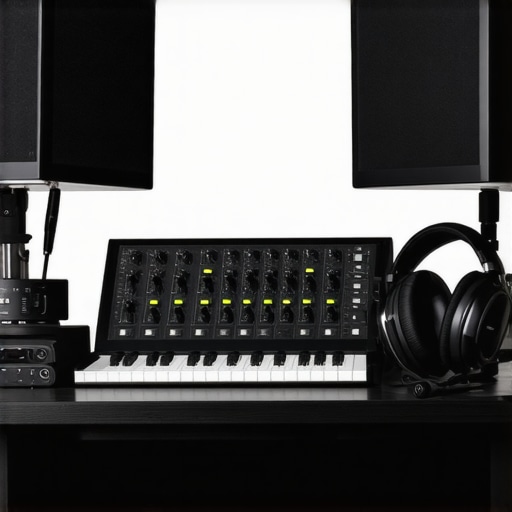
I remember staring at my microphone with frustration, my headphones on, yet still feeling like I was underwater. Every word sounded muddy, and my editing sessions felt endless. It was a lightbulb moment when I realized that my equipment was holding me back—not just my talent or my D.A.W., but the very gear meant to bring my voice to life.
In 2024, achieving crystal-clear podcast audio isn’t just about having a good microphone; it’s about pairing the right audio interface and studio headphones that truly reveal the nuances of your voice. If you’ve ever wrestled with muffled sound or spent hours tweaking settings that never quite get there, you’re not alone. But here’s the good news: the right setup can transform your recordings from average to elite with just a few strategic choices. Today, I’m going to walk you through how to pick equipment that elevates your sound and makes your editing sessions smoother.
Why Your Gear Matters More Than Ever in 2024
Think about it. Listeners are more discerning than ever. They expect professional-quality audio — crisp, clear, and immersive. According to a 2023 study by Edison Research, nearly 70% of podcast listeners cite sound quality as a key reason for their continued engagement. That’s a huge chunk of your audience that judges your content not just by your message but by how good it sounds. If your audio isn’t crisp, you risk losing listeners before they even hear your story. This means investing in the right equipment isn’t vanity; it’s a necessity.
Early on, I made the classic mistake of believing that any cheap headset could do the job, and I overlooked the importance of a quality audio interface. Turns out, connecting my microphone directly to my computer without a proper interface caused a lot of unwanted noise—a problem I didn’t realize was fixable at first. That initial mistake made me miss the full richness of my voice and hampered my editing process. It’s why I now emphasize the significance of choosing gear built for clarity and reliability. You can find detailed guidance on selecting the best gear for podcasting in our comprehensive buying guide for studio headphones and audio interfaces.
Have you faced similar frustrations? If so, don’t worry. The good news is, with a clear understanding of what to look for, you can avoid these pitfalls and set yourself up for success. Next, we’ll dive into the specific features that make or break your studio setup—so you can sound professional right from your home or on the go.
Select Your Studio Headphones Carefully
Choosing the right studio headphones is like finding your perfect pair of running shoes—they need to fit well and support you during the long haul. Look for closed-back headphones to prevent audio bleed and ensure focused listening. When I upgraded to the studio headphones buying guide for crystal-clear sound in 2025, I noticed immediate clarity and detail in my recordings, making editing much faster.
Prioritize Flat Frequency Response
Flat response means your headphones don’t boost or cut certain frequencies—think of them as a true mirror of your audio. This neutrality is essential for mixing and editing because it reveals issues rather than masking them. Test headphones with diverse audio samples before committing. I once used headphones with a boosted bass response, and my mixes sounded boomy on other systems. Switching to flat-response headphones helped me make more accurate edits and sound professional everywhere.
Set Up Your Microphone Correctly
Don’t just plug and pray. Position your microphone about six inches from your mouth, slightly off-axis to reduce plosive sounds and sibilance. Use a pop filter to minimize unwanted bursts, which can cause distortion. I remember spending hours trying to fix harshness in my voice, only to realize I hadn’t positioned the mic properly. Following voiceover setup essentials transformed my recordings overnight.
Control Your Acoustic Environment
Room treatment is your friend. Hard surfaces bounce sound, causing echoes, while soft materials absorb excess reverberations. Use foam panels, blankets, or even bookshelves strategically. I once recorded in a bare room, producing echo-heavy audio. Applying simple DIY treatments made my voice instantly clearer, reducing editing time and improving listener experience. For detailed environment setups, check environment optimization tips.
Configure Your Audio Interface Properly
An audio interface is like the backbone of your setup. It converts your analog microphone signals into digital audio, so quality matters. Connect your mic via XLR for the best signal integrity. Adjust gain settings carefully—too high, and you’ll introduce noise; too low, and your recording will be faint. I’ve experimented with different interfaces, and the expert tips helped me optimize my setup for clean, professional sound without expensive equipment.
Balance Your Monitoring System
Use your studio headphones as a reference point. Regularly check your recordings on different devices, like earbuds or car speakers, to ensure consistency. I once relied solely on my studio cans and was surprised when my audio sounded dull outdoors—balancing with other devices revealed issues I didn’t hear in the studio. This cross-checking prevents surprises after publish and maintains quality across platforms.
Improve Your DAW Workflow
Efficient editing makes a tangible difference. Customize your shortcuts, utilize templates, and explore dedicated plugins that streamline noise reduction and EQ adjustments. I found that mastering digital audio workstation shortcuts cut my editing time in half. Watching tutorials and practicing regularly sharpened my skills, leading to more polished episodes with less frustration.
Leverage Presets and Templates
Create presets for common tasks like noise suppression, leveling, and EQ. Once set up, these save time and ensure consistency across episodes. I once spent ages on manual adjustments, but after creating templates, my workflow became smoother and I could focus more on content quality rather than technical minutiae.
Many podcasters believe that investing in high-end gear automatically guarantees professional sound, but the reality is far more nuanced. A common myth is that expensive headphones are always better; in fact, many assume that any large, branded headset will do, overlooking the importance of a flat frequency response for accurate monitoring. This oversight can lead to mixes that sound great in the studio but fall flat on other devices, ultimately hurting listener experience. Additionally, there’s a misconception that simply connecting your microphone directly to your computer suffices, yet many overlook the critical role of a properly configured audio interface—improper gain settings or poor-quality interfaces can introduce noise or clipping, sabotaging your recordings.
Advanced podcasters know that the setup process involves delicate balancing and precise calibration. For instance, while many think DAW software alone is enough for flawless editing, effective use of plugins like noise suppressors and EQ presets can drastically improve sound clarity, but only if correctly configured. An often-underrated nuance is the need for room acoustics; untreated spaces can cause echo and reverb, compromising audio quality despite top-tier equipment. Research by Dr. Floyd Toole highlights that room acoustics influence perceived sound quality more than raw gear quality, making proper treatment essential.
Have you ever fallen into this trap? Let me know in the comments. Remember, optimizing your gear is only part of the equation—understanding how to leverage these tools is what truly elevates your podcasting game. For an in-depth strategy, check out our podcast editing hacks to streamline your workflow and enhance your audio quality.Maintaining your podcasting or voiceover setup over time requires more than just high-quality gear; it involves consistent care, strategic upgrades, and a solid workflow. One of the most reliable ways to keep your studio functioning at peak performance is by investing in tools that streamline maintenance and enhance your editing process. For example, I swear by using professional DAW software equipped with automation features that automatically clear out unwanted noise and optimize your audio in real-time, saving hours in post-production.
Beyond software, hardware maintenance is crucial. An audio interface needs regular firmware updates, and your studio headphones should be inspected for wear and tear periodically. I personally set reminders every three months to clean and calibrate my equipment, ensuring consistent sound quality.
Integrating workflow tools like keyboard shortcuts and templates within your DAW accelerates editing and minimizes errors. Another tip I highly recommend is using dedicated plugins for noise suppression, such as iZotope RX, which are regularly updated and maintained by their developers to adapt to new audio challenges. Keeping your plugins current ensures that noise reduction remains effective and that your audio stays clear over the long term.
How do I maintain my setup without adding complexity?
One approach is to document your setup process—every calibration, plugin setting, and workflow tweak—so you can replicate or troubleshoot quickly. This habit not only helps in maintaining consistency but also makes future scaling or troubleshooting straightforward. As the industry predicts an increasing role for AI-driven tools, exploring automation plugins that adapt in real-time could become the next big thing—so stay tuned and be ready to embrace these tools as they mature.
In fact, choosing tools that offer long-term support and regular updates is key to avoiding obsolescence. For instance, I’ve shifted towards DAWs and plugins with active developer communities, which ensure continuous improvements and bug fixes. Making this a habit keeps your setup resilient against technological changes and prevents costly replacements down the line. Start by trying one advanced workflow plugin—like an AI noise reducer—and see how it transforms your editing efficiency. For more insights on optimizing your setup, visit our workflow optimization guide. Remember, the key to long-term success is regular upkeep and staying informed about new tools that can enhance your process.
What I Wish I Knew About Studio Headphones Before Starting
One of the biggest lightbulb moments for me was realizing that not all headphones are created equal. I used to believe that big, flashy brands guaranteed accuracy, but I quickly learned the importance of flat frequency response for truly hearing my voice the way listeners would. Investing in quality studio headphones changed my entire editing process, making mixes sound professional across all devices.
How My Voiceover Setup Taught Me the Value of Room Treatment
Recording in an untreated space was a rookie mistake that haunted my early recordings. Echoes and reverb masked my voice’s clarity, making Post-Production more cumbersome. When I finally added simple DIY acoustic treatments, I noticed a dramatic improvement in sound quality and editing efficiency. Proper environment setup isn’t just optional; it’s essential for authentic sound.
The Surprising Role of Gain Settings in Professional Audio
Adjusting gain might seem trivial, but I learned that even a slight mismatch could introduce noise or cause clipping. Fine-tuning gain on my audio interface allowed me to capture pristine audio, reducing post-production corrections. It taught me that patience at this stage pays off in a polished final product.
Seeking Out Tools That Support Long-Term Growth
Initially, I chose gear and software based on price rather than support and future updates. Over time, I realized that investing in versatile DAW plugins and interfaces with active developer communities creates a resilient setup. Staying current with updates ensures my workflow remains efficient and my sound stays fresh—something I recommend to all creators.
Curated Resources That Elevated My Podcasting Game
For anyone looking to upgrade their podcast quality, I highly recommend exploring top DAW software—it transformed my editing speed and output. The studio headphones buying guide helped me select the perfect pair that reveals every subtlety in my voice. Additionally, audio interface setup tips refined my recording clarity, making post-production smoother and more enjoyable.
Embrace Your Power to Perfect Your Sound
Remember, your podcasting journey is a continuous process of learning and refining. Each piece of gear and technique you adopt brings you closer to that professional quality you’re striving for. Don’t shy away from experimenting and seeking out new tools—your voice deserves it. Keep pushing, keep refining, and most importantly, enjoy creating content that truly resonates. Curious how others are optimizing their setups? Share your experiences below and let’s grow together!