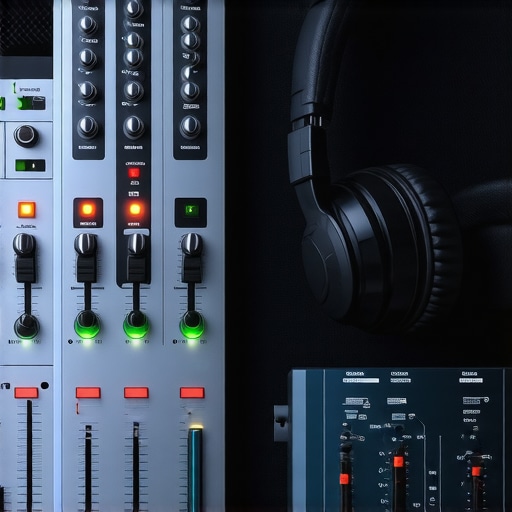
I remember the exact moment I realized I was wasting my money on gear that didn’t deliver what I needed. I was in my tiny home studio, headphones on, trying to finalize a podcast episode. The sound was muddy, inconsistent, and I couldn’t tell if it was me or the equipment. Frustration set in. It hit me—what I needed was not just any gear, but the right tools that could truly capture my voice and music with clarity and detail. That lightbulb moment led me down a rabbit hole of research and trial-and-error, and today I want to share what I’ve learned so you don’t make the same costly mistake.
Why Your Setup Matters More Than Ever
In 2024, the quality of your audio setup can make or break your reputation, whether you’re podcasting, producing music, or doing voiceovers. With remote work and online content reaching new heights, listeners have become more discerning. They expect crisp, clear sound—nothing less. But here’s the catch: choosing the right audio interface and studio headphones isn’t just about top-of-the-line gear. It’s about pairing equipment that matches your specific needs, budget, and space.
Early in my journey, I made a critical mistake—thinking that expensive gear automatically meant professional results. Nope. I bought a high-end microphone without considering my audio interface’s quality, which led to more noise and less clarity. It was only after I upgraded my interface and headphones that my recordings started sounding professional. That’s why I want to help you navigate this maze with confidence, so you can avoid costly missteps and get straight to the clean, professional sound you’re after.
Is All That Gear Really Necessary? My Take on the Hype
Many newcomers worry that they’ll need every shiny gadget on the market. I was there too—overwhelmed and skeptical. But here’s the truth: you don’t need the most expensive gear to achieve studio-quality sound. You need the right gear for your workflow. For example, a solid audio interface that pairs well with your recording environment and reliable studio headphones will make a bigger difference than a flashy premium microphone. Trust me, I’ve learned the hard way that quality is about synergy, not just price tags.
If you’ve ever felt lost staring at a sea of gear options, you’re not alone. That’s exactly why I’ve compiled this guide—so you can cut through the noise and make informed decisions that elevate your recordings. Ready to dive into the practical steps? Let’s get started and turn your home studio into a professional-sounding space that truly reflects your talent.
},
Choose the Right Audio Interface
Start by selecting an audio interface that matches your needs. Think of it as the bridge between your microphone and your computer. I once grabbed a budget model, thinking all interfaces are the same—big mistake. It resulted in noisy recordings and frustration. After reading this guide, I upgraded to a model with better preamps, and my sound improved instantly. Make sure it has enough inputs for your microphone and headphones, and check compatibility with your computer. Follow the setup tips in these expert tips to optimize your connection and gain structure.
Many enthusiasts believe that simply buying the latest gear guarantees professional results. However, this is a misconception rooted in the idea that equipment alone makes the sound. In reality, mastering the nuances of your setup—like proper gain staging, room acoustics, and software configuration—can have a far greater impact than just upgrading hardware. For example, even a high-end microphone won’t shine if your audio interface’s preamps are noisy or if you don’t optimize your DAW software settings.
One trap to avoid is assuming that more expensive gear always equals better sound. This fallacy can lead to unnecessary expenses and frustration. Instead, focus on understanding the specific features you need—such as studio headphones with flat response for accurate monitoring or audio interfaces with sufficient inputs for your workflow.
Does Your Microphone Matter More Than Your Software?
While a quality microphone is important, neglecting your DAW setup and editing techniques can undermine your entire project. Advanced users know that editing, equalization, and noise reduction in your software often make a bigger difference than just the hardware. For example, proper podcast editing hacks can transform mediocre recordings into professional-sounding episodes.
Another common myth is that high-end audio interfaces are always the best choice. However, compatibility, driver stability, and your specific needs should guide your selection. Sometimes, a mid-range interface with excellent drivers and clean preamps can outperform more expensive models that are overkill for your setup.
Remember, the secret to great audio isn’t just gear—it’s in how you set up, calibrate, and use it. Don’t fall into the trap of thinking that having the latest equipment is enough. Instead, focus on mastering the nuances of your workflow and understanding the intricacies of your tools. This approach will lead to consistent, high-quality results that stand out.
Have you ever fallen into this trap? Let me know in the comments.
Once you’ve set up your ideal audio environment, the real challenge begins: keeping it running smoothly over time. Regular maintenance ensures your audio interface, studio headphones, and DAW software continue to deliver top-tier results. A simple monthly check of your connections, drivers, and software updates can prevent many common issues. For instance, regularly updating your audio drivers from the manufacturer’s website ensures compatibility and stability, especially with new OS updates, as recommended in the official setup tips.
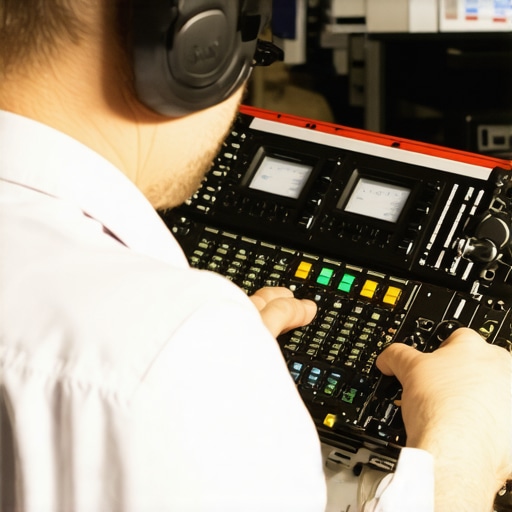
Investing in good tools is only part of the equation. Developing a routine for calibration and testing your setup can extend its lifespan and maintain audio clarity. For example, periodically testing your studio headphones with reference tracks helps catch drift or calibration issues early. Additionally, using software like your DAW to run test recordings and frequency checks can reveal if your equipment needs servicing or replacing.
In the future, I predict that automation tools will become even more integral in maintaining consistent quality. Features like automatic gain adjustment and real-time calibration will help keep your recordings clean and professional without constant manual intervention. But for now, a disciplined approach—checking connections, updating firmware, and calibrating your equipment regularly—will save you headaches and costly repairs.
How do I maintain my setup over time? I schedule a monthly audit, including cleaning connectors, reviewing software updates, and testing audio quality. This proactive approach catches problems early and ensures my recordings stay crisp and professional. Remember, your gear is an investment—treat it with care, and it will reward you with long-term reliability and top-notch sound quality.
Don’t forget to bookmark this routine, and try setting reminders for your maintenance checks. Keep your setup in tip-top shape, and your content will always sound its best. For more detailed tips on optimizing your workflow, explore our top podcast editing tools and voiceover setup guides.
The Hardest Lesson I Learned About audio interface, studio headphones, DAW software, podcast editing, voiceover setup
One of my biggest realizations was that investing in premium gear without understanding how to optimize it often led to wasted money and subpar sound. I once bought a high-end microphone, only to struggle with noise and clarity until I learned the importance of pairing it with a quality audio interface and proper gain staging. That lesson taught me that gear is only part of the story; mastering setup and workflow makes all the difference.
What I Wish I Knew About Equipment Before Starting Out
Early on, I believed that more expensive gear automatically meant better sound. It’s tempting, but the truth is, understanding your specific needs and how your tools work together is crucial. For example, my studio headphones with flat response helped me catch nuances I never noticed before. Trusting the process of learning your setup over chasing shiny new gear has been a game-changer.
Why Professional Results Come Down to Workflow, Not Just Equipment
Many newcomers focus solely on gear, but the real magic happens in how you use your tools. Mastering your DAW software, editing techniques, and room acoustics can elevate your recordings far beyond what hardware alone can achieve. For instance, simple noise reduction and EQ tweaks can make a mediocre microphone sound professional—something I learned through trial and error.
Curated Resources for Elevating Your Home Studio
- Top Podcast Editing Tools: A collection of software and hardware tips I personally use and trust to streamline workflow and ensure clarity. Check out the top podcast editing tools.
- Best Studio Headphones: My go-to brands and models that deliver accurate monitoring, critical for mixing and editing. Discover more in the studio headphones buying guide.
- DAW Software Guides: The software I rely on for editing and mixing, along with tips on workflow optimization. Find detailed advice in the DAW software setup guides.
- Voiceover Setup Insights: From microphone placement to software calibration, these tips helped me craft professional voice recordings. Read more in the voiceover setup guide.
Your Next Step to Better Sound Starts Now
Achieving studio-quality sound at home isn’t about chasing the latest gear; it’s about understanding your tools, developing a routine, and continuously learning. Your home studio can sound professional in 2024 if you focus on the essentials, master your workflow, and use trusted resources. Remember, every great audio engineer started with small steps—your turn is next. Keep experimenting, stay curious, and your sound will speak volumes.
What’s been your biggest challenge in setting up your home studio? Share your story below—I’d love to hear it!