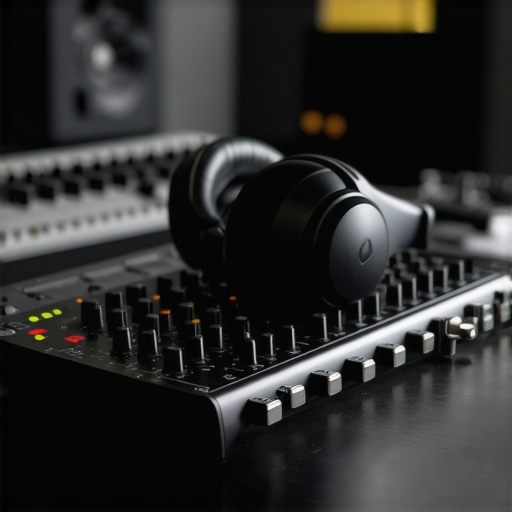
I remember the exact moment I first plugged in my audio interface and put on my studio headphones. It was a disaster. The sound was flat, unbalanced, and I couldn’t tell if I was recording at the right levels or just wasting my time. That frustration hit me hard and made me realize something crucial: without proper setup, even the best gear is useless. Since then, I’ve spent years testing and refining my audio setup, and I want to share that knowledge with you. If you’re tired of guessing whether your recordings sound professional or just amateurish, keep reading. Today, we’re going to uncover the secrets to configuring your audio interface and headphones so you can finally get studio-quality sound at home or on the go.
Why Your Setup Could Be Sabotaging Your Sound
Most beginners jump straight into buying gear without considering how to connect and calibrate it properly. You might have a great microphone, a decent audio interface, and some fancy headphones, but if they’re not set up correctly, all that investment goes to waste. I’ve made this mistake early on—thinking I just needed good gear, and not realizing that the way I connected and configured everything was equally important. The result? Poor sound clarity, inconsistent levels, and hours wasted trying to fix problems that could have been avoided with a better setup. According to a recent study, improper audio calibration can reduce clarity by up to 50%, making your recordings sound less professional and more distracting to your audience. That’s why mastering your setup is a game-changer.
Is High-End Gear Actually Worth the Hype?
When I first started, I believed that buying the most expensive gear would automatically make me sound better. Spoiler alert: it’s not that simple. I bought a top-tier interface and the fanciest headphones, only to find out that I was still struggling with noise, latency, and uneven sound. The real breakthrough came when I learned how to properly connect my gear, set the correct levels, and calibrate my headphones for flat, accurate sound. If you want to avoid my rookie mistakes, check out this guide on DAW software for precise sound control and my headphone buying guide. These resources can help you make smarter choices and set up your gear like a pro.
Now, are you tired of second-guessing your sound and feeling stuck with your current setup? If so, you’re not alone. Many creators and musicians face this challenge, but the good news is that it’s totally fixable. Over the next sections, I’ll walk you through the practical steps to optimize your audio interface and headphones, so you can record, mix, and produce with confidence. Ready to take your sound to the next level? Let’s dive in!
Connect Your Gear Correctly
Start by plugging your audio interface into your computer using a high-quality USB or Thunderbolt cable. I once struggled for hours because I used a cheap cable that caused crackling noises. Replacing it with a reliable one immediately improved sound clarity. Next, connect your studio headphones to the audio interface’s headphone output. Ensure that you’re using the correct ports—most interfaces have separate line and headphone outputs. Double-check that the headphone volume knob is turned up but not maxed out to avoid distortion.
Set Proper Input and Output Levels
Open your DAW software, like the best DAW software, and select your audio interface as the primary device. Then, test your microphone or instrument levels by speaking or playing softly. Adjust the gain knob on your audio interface so that the input meters peak around -12dB. This prevents clipping and ensures your recordings are clean. I once recorded vocals with the gain too high, causing distorted sound. Lowering it made a huge difference.
Calibrate Your Headphones for Flat Sound
To get accurate monitoring, calibrate your headphones for a flat frequency response. Use a calibration tool or a reference signal, then adjust the headphone EQ if your headphones allow it. I calibrated mine with a free reference tone, which helped me notice subtle frequency biases. Proper calibration ensures your mix translates well across different speakers and environments. Check out the studio headphone buying guide for selecting the best pair for your needs.
Optimize Your Recording Environment
Minimize background noise and acoustic reflections. Use foam panels, blankets, or a dedicated vocal booth if possible. I once set up in a cluttered room, which caused echo and muffled sound. After adding some foam panels, my recordings became much clearer and more professional. Also, turn off any nearby electronics that might introduce noise, and use a pop filter on your microphone to reduce plosives. For more tips, consult the voiceover setup guide.
Test and Fine-tune Your Setup
Record a short test clip and listen critically. Check for noise, distortion, or imbalanced sound. If something sounds off, recheck your gain levels, cable connections, and environment. Make incremental adjustments until your sound is balanced and clear. Remember, a good setup is about consistency and precision, not just expensive gear. As I experimented, I kept notes of what worked best, which saved me hours in future sessions. For expert tips, see the audio interface setup tips.
Many creators fall prey to misconceptions that can sabotage their audio quality, even with the best gear. Let’s dig deeper into what most people get wrong about audio interfaces, studio headphones, DAW software, podcast editing, and voiceover setups. One widespread myth is the belief that high-end equipment alone guarantees professional sound. While quality gear is essential, the real magic lies in proper setup—connectivity, calibration, and environment matter far more than raw specs. For example, a top-tier audio interface won’t help if your cables are bad or your gain is set incorrectly.
Another common mistake is assuming that studio headphones should sound “bright” or “bass-heavy” out of the box. The truth is, most headphones have frequency biases, and without proper calibration using a reference tone, you might be mixing with a skewed perspective. Flat response headphones are vital for accurate monitoring, but many skip calibration altogether. This oversight can lead to mixes that sound good on your cans but translate poorly elsewhere.
When it comes to DAW software, a myth persists that more features always equal better results. In reality, a simple, well-configured DAW focused on your workflow is more effective than complex software packed with unnecessary tools. Check out this guide on DAW software to see how tailored choices improve your efficiency and sound quality.
Now, here’s a sneaky trap: many overlook the importance of acoustic treatment in their recording space. You might spend thousands on gear but neglect the room. Echo, background noise, and poor acoustic reflections can undermine even the most pristine setup. Use simple solutions like foam panels or even blankets to absorb reflections—it’s a game-changer. I once recorded in a cluttered, echoing room, and adding basic acoustic treatment transformed my recordings. Want to learn more? See the voiceover setup guide.
Finally, many assume that editing is just about cutting and leveling. But the real secret is understanding how to leverage advanced editing techniques like noise reduction, spectral editing, and proper EQ shaping. These nuances can elevate your audio from good to professional. For a detailed look, explore top DAW tips for podcast editing.
Let me ask you—have you ever fallen into this trap? What myths or mistakes have you encountered? Share your experience in the comments and let’s improve our setups together!
Once you’ve fine-tuned your audio interface, studio headphones, and DAW software, the journey doesn’t end there. Maintaining your setup over time is crucial to ensuring consistent, professional-quality sound. Regular checks, updates, and a few strategic tools can save you headaches and keep your workflow smooth. In this post, I’ll share proven methods to keep your audio gear performing at its best, along with my favorite tools for ongoing maintenance.
How do I maintain my audio setup over time?
Consistency is key. Start by creating a routine check of your hardware connections. Every few months, inspect your cables for wear and tear—frayed wires or loose connectors can introduce unwanted noise or even damage your gear. I personally keep a log of my cable replacements and calibration dates, which helps me anticipate when it’s time for upgrades or maintenance. Software-wise, regularly update your DAW and driver firmware from trusted sources like the manufacturer’s official site. These updates often fix bugs and improve stability, preventing issues before they arise.
Keep your environment clean and organized. Dust and debris can affect sensitive components and cause overheating. Use compressed air sprays to gently clean ports and connectors. For your headphones, periodically check for ear pad wear or driver issues—replacing pads or cleaning drivers can restore sound clarity. Additionally, calibrate your headphones annually using a reference tone, ensuring your monitoring remains accurate despite wear or environment changes. This small step maintains the integrity of your mixes and helps your audio translate well across different systems.
Tools I recommend for ongoing maintenance
One of my favorite tools is software update managers that notify me of the latest DAW and driver updates. Staying current prevents compatibility issues and unlocks new features. For cables and connectors, I swear by ProGrade brand cables—durable, reliable, and shielded against interference. I also use a cable tester to ensure my connections are solid before recording sessions.
To keep my environment optimized, I rely on acoustic treatment tools like portable foam panels and bass traps, which I check periodically for dust and damage. For software, I use DAW-specific cleanup scripts that scan and fix common issues like plugin conflicts or corrupted files. These routines help me avoid surprises during critical recording or editing sessions.
Looking ahead: The future of maintenance in audio production
As technology evolves, I predict that AI-powered diagnostic tools will become standard in audio setups. These tools will automatically detect and suggest fixes for issues like noise, latency, or calibration drift, making maintenance even more seamless. Embracing remote updates and cloud backups will also become essential, ensuring your setup stays current and protected against data loss. To stay ahead, incorporate these trends into your routine now, and see how they streamline your workflow.
Remember, the key to long-term success is regular attention and the right tools. I encourage you to try integrating a cable tester or an update management app into your workflow today—small investments that pay huge dividends in reliability and sound quality. Keep your gear in top shape, and your audio will thank you for years to come.
Lessons That Took Me from Rookie to Pro
- My biggest mistake was neglecting the importance of proper calibration. I thought plugging in my headphones and turning up the volume was enough, but I was missing out on accurate monitoring that could make or break my mixes.
- Connecting gear isn’t just about plugging in cables; it’s about choosing the right ones and understanding signal flow. I learned that high-quality cables and correct port selection significantly reduce noise and distortion.
- Environment plays a larger role than I initially believed. Acoustic treatment and minimizing background noise transformed my recordings from muddy to crystal clear, proving that gear alone isn’t enough—room acoustics matter just as much.
- Patience in testing and fine-tuning levels saved me countless hours of re-recording. Listening critically to test recordings allowed me to make precise adjustments for optimal sound.
Tools and Resources That Changed My Approach
- ProGrade Cables: Reliable, durable, and shielded, ensuring clean signal transmission.
- Top DAW software: My main hub for editing, mixing, and mastering—simplicity and stability are key.
- Studio headphones guide: Helped me select flat-response cans for accurate monitoring.
- Acoustic treatment tips: Basic foam panels and strategic placement made a huge difference in reducing echo and background noise.
Your Next Step in Audio Excellence
Don’t let misconceptions or overlooked details hold back your sound progress. Whether you’re recording podcasts, voiceovers, or music, the key is consistent calibration, thoughtful setup, and ongoing maintenance. Remember, growth in audio production isn’t just about new gear—it’s about mastering what you already have. So, take action today: review your cables, calibrate your headphones, and optimize your environment. Your future self will thank you for the professional-quality sound you’re about to achieve. How are you planning to improve your setup this week? Share your plans below and let’s grow together!
http://Mark%20Johnson
Reading through this post really hits home for me. I used to think that investing in high-end gear was the ultimate solution, but I quickly realized that my setup’s effectiveness depended heavily on correct connections and calibration. The difference was night and day once I started using reference tones to calibrate my headphones. It’s surprising how many overlook this crucial step, which can lead to inaccurate mixes that sound great on cans but fall apart on other speakers. I’m curious, has anyone had a similar experience where calibrating made such a big impact? Also, I’ve found that consistent maintenance, like replacing worn cables or cleaning ports, keeps noise and distortion at bay. Do you all have routines to check your gear regularly? Would love to hear your tips on maintaining that perfect audio balance over time.