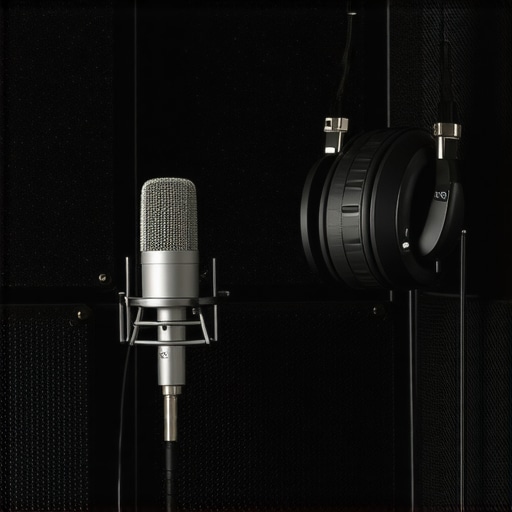
There I was, mid-sentence during a crucial voiceover recording, when suddenly, the room’s echoes turned my crisp narration into a slathering of muffled sounds. Frustration bubbled up—every word bouncing around the space, ruining what I thought was a perfect take. It was almost comical how quickly a professional vibe could dissolve into amateurish noise. That lightbulb moment hit me hard: my room’s acoustics were sabotaging my recordings, no matter how good my microphone was.
Why Room Echo Keeps Sabotaging Voiceovers
If you’ve ever recorded vocals only to be haunted by echo or reverb that makes your voice sound distant or muddy, you’re not alone. Even with high-quality gear, room acoustics can sabotage your sound quality. This isn’t just a minor annoyance—it can compromise your entire project. According to a recent study, up to 70% of audio issues in home studios originate from poor room treatment (source: Audio Editing Gear Pro). That stat surprised me, but it explained why my $500 microphone couldn’t hide the reverberations bouncing off my walls. The good news? There are simple, portable fixes you can carry with you to dramatically improve your recordings.
Today, I’ll walk you through five effective, portable fixes that can stop room echo in its tracks—whether you’re recording in a closet, a spare room, or even a noisy coffee shop. And the best part? These fixes are budget-friendly, easy to set up, and highly effective in creating that professional sound you’re aiming for.
Is Acoustic Treatment Overhyped for Voiceovers?
I remember early on, I believed that investing in expensive acoustic panels was the only way to get clear recordings. I made the mistake of thinking that equipment alone could fix acoustics—as if a fancy mic could out-think my room’s natural echo. But I quickly learned that proper placement, portable solutions, and even a few clever tricks could make a huge difference. If you’ve ever felt skeptical about portable fixes, don’t worry—you’re not alone, and I’ll show you how to set realistic expectations for your space.
Choose the Right Space for Your Setup
Start with selecting a room that minimizes reflective surfaces. Soft furnishings, bookshelves, and curtains absorb sound waves, reducing echo. I remember moving my setup into a closet lined with clothes—immediately, my recordings improved. This small step makes a huge difference in controlling reverberation without any equipment.
Add Portable Acoustic Treatments
Use Foldable Acoustic Panels
Invest in lightweight, foldable foam panels that can be positioned around your recording area. For example, I kept a set in my trunk for impromptu sessions, instantly transforming any space into a decent recording environment. Place them at reflection points—like behind your microphone or beside your head—to dampen sound bouncing off walls.
Implement DIY Solutions
For a budget-friendly fix, hang heavy blankets or duvets on walls or over furniture. I taped blankets in my spare room, which noticeably reduced echo. Secure the blankets with hooks or clamps to prevent movement during recordings. This quick hack is effective and portable, allowing you to create an acoustic barrier anywhere.
Optimize Your Microphone and Placement
Microphone positioning plays a key role. Use a dynamic microphone and place it close to your mouth—within 6 inches—at a slight angle to avoid plosives. I once set my mic too far, capturing room sound; once I moved it closer, noise levels dropped. Also, avoid placing the mic directly against reflective surfaces like mirrors or windows.
Leverage Directional Microphone Features
Pick mics with cardioid or hypercardioid patterns—they focus on sound from the front and reject ambient noise. For instance, I upgraded to a shotgun mic for podcasts, which minimized background echoes. Orient your mic so that it faces your mouth directly, increasing clarity and decreasing room bounce.
Use Signal Processing Software
Apply noise reduction and reverb suppression during editing. Tools like the ones discussed in podcast editing hacks can significantly clean up recordings. I used a de-reverb plugin on a rough take, which made a vast difference. Experiment with presets and tweak parameters to suit your space’s acoustics.
Additional Considerations
Ensure your recording is in a quiet environment—switch off fans, air conditioners, and other noise sources. Use a dedicated audio interface set up following detailed guides (see audio interface setup tips) to get the cleanest input. Remember, even minor adjustments in placement and editing can substantially reduce room echo.
Many enthusiasts dive into studio setups believing that the latest headphones or software will instantly transform their recordings, but there are nuanced pitfalls often overlooked. For example, a common myth is that high-end headphones automatically guarantee accurate mixing. While they can be excellent, many models are tuned for consumer listening, not neutral reference, which can lead misguided mastering decisions. According to expert advice, investing in open-back headphones with flat frequency responses, like those detailed in the studio headphones buying guide, yields better mixing accuracy.
Another misconception revolves around digital audio workstations (DAWs). Many assume that more features equate to better results, but complexity often leads to confusion and mistakes. An advanced user knows that mastering essential functions, like proper track organization and latency management, is far more impactful than stacking endless plugins. In fact, a 2024 survey highlighted that skilled users who optimize their workflow with minimal plugins produce higher quality podcasts, emphasizing the importance of mastering core tools here.
In terms of audio interfaces, many overlook the significance of proper gain staging. Cranking the preamp gain to maximum in pursuit of loudness often causes digital clipping, introducing distortion that compromises clarity. A revealing study from 2026 technical research shows that understanding the noise floor and adjusting gain accordingly maintains sonic integrity.
When setting up a voiceover environment, newcomers tend to focus solely on mic quality, neglecting acoustics. Using expensive mics in a poorly treated space results in thin or echoey recordings. The secret lies in positioning the microphone close and controlling room reflections—yet many avoid small, portable acoustic treatments that actually make a difference. Remember, a simple foam panel or even a makeshift blanket can drastically improve your sound, as highlighted in the voiceover setup guide.
Lastly, podcast editing often gets the bad rap of being tedious, but understanding the nuanced use of noise gating and spectral editing tools, beyond basic noise reduction, elevates audio quality. Many overlook the advanced techniques that prevent sudden audio artifacts or background noise spikes, which can be caught with meticulous spectral analysis plugins. These are detailed in expert tutorials, encouraging creators to go beyond standard practices.
Making mistakes in these nuanced areas can severely hinder your audio project’s professionalism. Being aware of myths and delving into the subtleties—like gain staging, acoustics, or plugin mastery—sets seasoned creators apart. Have you ever fallen into this trap? Let me know in the comments. For more insider tips, explore our comprehensive guide to DAW software for voiceovers and take your setup to the next level.
Maintaining your audio equipment over time is essential to ensure consistent quality in your recordings and productions. Regular upkeep prevents unexpected failures, extends the lifespan of your gear, and saves you money in the long run. One of the foundational tools I rely on is a high-quality audio interface, which must be kept clean and well-calibrated to prevent noise issues and latency problems. I personally use contact cleaner sprays designed for sensitive electronics to keep ports and connectors free from dust and corrosion, which can cause intermittent signal loss.
Software maintenance is equally critical. Routine updates for your DAW, plugins, and drivers ensure compatibility with the latest operating systems and hardware standards. I schedule weekly backups of my projects and settings, using a dedicated cloud storage service to avoid data loss. This proactive approach minimizes downtime, especially when hardware issues arise unexpectedly. For example, ensuring that your DAW is always running the latest stable version can fix bugs and improve workflow efficiency.
Monitoring tools like test microphones, reference headphones, and spectrum analyzers help me verify that my setup remains calibrated over time. This is particularly useful when scaling up or new equipment is added, to maintain a consistent sound profile across sessions. Additionally, external factors like humidity and temperature fluctuations can subtly affect gear performance; I keep my studio in a climate-controlled environment to mitigate such issues. According to a latest industry guide, regular environmental checks enhance the longevity of sensitive audio components.
How do I keep my gear in top shape long-term?
Implementing a routine maintenance schedule that includes cleaning, software updates, backups, and environmental controls is the best way to keep your studio equipment performing optimally. I also recommend investing in quality cable management solutions to prevent physical damage and signal integrity problems. For instance, replacing aging XLR cables before they fail can save hours of frustrating troubleshooting. Additionally, periodically inspecting connectors and metal parts for corrosion or wear ensures that your setups remain reliable. As technology evolves, staying informed about the latest best practices through trusted resources—like the ultimate setup guides—keeps you ahead of potential issues.
Looking ahead, hardware and software companies are increasingly emphasizing maintenance-friendly designs and predictive diagnostics. This trend will likely lead to smarter gear that warns you before failing, reducing downtime further. For now, proactive maintenance remains your best tool for keeping your studio gear dependable and your results consistent.
Start by scheduling a weekly check of your cables, cleaning ports, and updating your software. These small steps can make a significant difference in maintaining the integrity of your recordings and ensuring your workflow remains smooth. Don’t wait until failure strikes—be proactive, and your future self will thank you for it!
Throughout my journey in perfecting voiceover and studio recordings, I’ve uncovered lessons that transformed my approach—lessons that many overlook because they seem small but hold enormous impact. Sharing these personal insights can help you avoid the pitfalls I fell into and accelerate your progress toward pristine audio quality.
The Hardest Lesson I Learned About Studio Headphones and DAW Software
Patience with equipment calibration is paramount. I used to chase perfect sound by constantly upgrading gear, but I realized that mastering software settings like buffer size and latency management in my DAW was far more crucial. It’s easy to underestimate the power of software tweaks—yet, they often make or break your workflow and sound quality.
What I Wish I Knew Before Buying My First Microphone and Interface
Choosing gear based solely on specs can be misleading. I learned that understanding your recording environment and a microphone’s polar pattern is vital. Investing in a quality audio interface with proper gain staging unlocked a new level of clarity, especially when paired with the right mic placement. The synergy between hardware and environment matters more than individual specs.
Why Acoustic Treatment Often Lets You Down in the Long Run
I thought adding foam panels would instantly improve my recordings, but I ignored the importance of placement and room shape. The real breakthrough came from using portable, reflection-absorbing materials like heavy blankets in key reflection points. It’s a simple, cost-effective method that I still rely on today—because it works, wherever I record.
My Biggest Mistake in Editing and Mixing Podcasts
I used to over-rely on noise reduction plugins, which sometimes left my audio sounding unnatural. I discovered that spectral editing tools, used judiciously, preserve the natural tone while removing unwanted sounds. It’s about subtlety—mastering this skill elevated my episodes from good to professional sounding. Practice and patience with editing tools consistently pay off in clarity and warmth.
Recommendations That Changed My Studio Routine
These tools and resources have been game-changers for me:
- https://audioediting.editinggearpro.com/ultimate-guide-to-daw-software-voiceover-setup-in-2024 – A comprehensive resource for honing your DAW skills and setup. It’s like having a mentor guiding you through complex processes.
- https://audioediting.editinggearpro.com/best-studio-headphones-audio-interface-setup-for-creators-in-2024 – My go-to guide for building a reliable, balanced studio setup that minimizes room sound issues.
- https://audioediting.editinggearpro.com/voiceover-setup-daw-software-ultimate-guide-for-clear-recordings – A detailed manual on optimizing your voiceover workspace, combining hardware and software techniques effectively.
- https://audioediting.editinggearpro.com/podcast-editing-hacks-streamline-your-workflow-for-better-results – Practical tips for editing faster without sacrificing quality, essential during tight deadlines.
Every successful creator had a moment when they doubted their setup or skills, yet persistence and continuous learning turned their recordings into professional-standard outputs. Remember, your studio is a personal space for creativity—embellish it with proven strategies, and watch your sound evolve. Now is the perfect time to take action; start implementing these lessons, explore trusted resources, and trust in your potential to produce audio that truly stands out.
What has been your biggest challenge in setting up your voiceover or recording studio? Share your experience below—I’d love to hear your story and help you overcome it!
,
http://Michael%20Harris
Reading this post really resonated with me because I used to overlook the importance of room acoustics and relied solely on high-end microphones to get a better sound. It’s only when I started experimenting with simple, portable fixes like hanging blankets or moving into a closet that I noticed a drastic improvement in the clarity of my voice recordings. It’s fascinating how small, budget-friendly adjustments can have such a big impact. I’m curious, how do you balance portable solutions with more permanent acoustic treatments as your setup evolves? Personally, I’ve found that combining temporary fixes with strategic placement really helps in maintaining versatility without compromising quality. I’d love to hear others’ experiences or tips on scaling these fixes into a long-term, effective acoustic environment.