![Stop Mic Stand Resonance in Your 2026 Voiceover Setup [5 Fixes]](https://audioediting.editinggearpro.com/wp-content/uploads/2026/03/Stop-Mic-Stand-Resonance-in-Your-2026-Voiceover-Setup-5-Fixes.jpeg)
I remember the exact moment I realized my mic stand was subtly ruining my voiceover recordings. I was mid-session, proud of my setup, when suddenly I heard a faint, distracting thump in my audio. It wasn’t the mic, the room, or my voice—it was my damn mic stand trembling with every word I spoke. That lightbulb moment made me rethink everything about my 2026 voiceover setup. Turns out, mic stand resonance is often the unseen culprit behind muddied vocals and uneven sound quality that plagues both beginners and pros alike.
Why Mic Stand Resonance Still Sneaks Into Modern Voiceover Environments
In an era where digital tools and software advancements promise pristine sound, it’s startling how often physical vibrations and resonance compromise our recordings. As I dug deeper, I discovered that even premium stands can act like tiny drumheads, transmitting vibrations directly into the microphone capsule. This isn’t just an annoying distraction; it can significantly impact your audio’s clarity, making editing a nightmare and diminishing your overall professional sound. With so much invested in high-quality equipment—like studio headphones and software—overlooking mic stand resonance is a rookie mistake.
And, believe it or not, studies highlight that acoustic vibrations can alter sound perception, leading listeners to perceive recordings as off or less polished (source: AES Journal). That’s why addressing resonance isn’t just about equipment; it’s about delivering the best possible voiceover every single time.
So, have you experienced that unsettling thump or buzz during your recordings? If you have, you’re not alone. But don’t worry—today, I’ll share concrete fixes to eliminate mic stand resonance once and for all, enabling you to produce crisp, professional voiceovers without distraction or doubt. Ready to dive in? Let’s get started with identifying what’s really happening behind the scenes—and how you can fix it fast.
Is It Really Worth Fixing Your Mic Stand?
Early on, I made the mistake of ignoring the small vibrations my stand transmitted. I thought I could just EQ out the noise or live with a little hum. But over time, I realized those tiny vibrations were compromising the clarity of my entire recording chain. Fixing this was a game-changer, and it’s worth every bit of effort. If you’re worried about whether these tweaks will make a difference or seem too technical, trust me: a simple fix can dramatically improve your sound quality and save you hours in post-production. If you’re not sure how to start, I recommend checking out this guide on reducing desk vibration, which shares practical tips tailored for 2026 setups.
Secure Your Mic Stand Properly
Begin by ensuring your microphone stand is sturdy and stable. Use a heavy-duty tripod or a weighted base to minimize vibrations. During my own session, I replaced a flimsy stand with a sandbag-stabilized tripod, which immediately reduced unwanted thumps. Think of your mic stand as the foundation of a building: a shaky base equals a shaky sound. For an extra layer of stability, consider adding a weighted sandbag or a dedicated stand with vibration isolation features. This initial step prevents the stand from transmitting any movement noise directly into your microphone.
Use Shock Mounts or Isolation Pads
Mount your microphone in a shock mount designed to absorb vibrations. If your current setup lacks one, investing in a quality shock mount can be transformative. Alternatively, place your stand’s base on an isolation pad or anti-vibration mat—materials like foam or rubber can dampen vibrations from the environment or stand. During my last project, attaching a shock mount not only eliminated resonance but also improved overall sound clarity, making editing more straightforward. Think of this as giving your microphone a cushioned throne, shielding it from harsh vibrations.
Implement Damping Materials on the Stand
Add damping materials like foam or cork to the stand’s structure, especially near joints or any metal parts. Wrapping parts with these materials creates a barrier that reduces the transfer of vibrational energy. I wrapped the metal joints of my stand with foam strips, which cut down the thumping noise significantly. Picture it as lining a drum with extra padding—you prevent vibrations from echoing through the stand and into the microphone.
Manage Cable and Environmental Vibrations
Secure all cables tightly to prevent them from acting like antennae transmitting vibrations. Use cable clips or zip ties to keep cables off the stand and floor, reducing movement noise. Keep the recording environment stable—avoid walking nearby or sudden movements during sessions. Once, I realized a loose cable was causing a subtle buzz, which vanished after proper cable management. Think of cables as the arteries transmitting vibrations—keeping them secure is crucial for pristine audio.
Test and Fine-Tune Your Setup
Start recording and listen carefully for residual resonance. Use headphones to monitor real-time audio—preferably high-quality studio headphones like those recommended in the 2025 headphone guide. If you detect vibrations, adjust the stand’s position, tighten components, or add additional damping. As an example, I once had a subtle rattle that vanished after repositioning the stand on a rubber mat. Think of this as tuning a musical instrument—small adjustments lead to clear, distraction-free recordings.Many audio enthusiasts and professionals alike fall prey to misconceptions that can hinder their sound quality and workflow. One common myth is that updating to the latest DAW or investing in ultra-expensive studio headphones automatically guarantees perfect audio. In reality, the nuances of setup and understanding your equipment’s true capabilities matter far more than brand names or perceived upgrades.
For example, a popular belief is that high-gain audio interfaces produce cleaner sound. However, if you overlook proper gain staging and impedance matching, you might introduce noise or distortions, regardless of the interface’s specifications. Setting your gain correctly and understanding the nuances of your preamps are critical steps many skip, leading to avoidable issues that complicate editing and mixing.
Another area ripe with misinformation involves podcast editing workflows. Many think that simply recording at higher bit depths like 32-bit float resolves all audio problems. While higher resolution can help, failing to manage clipping or monitor levels accurately still causes significant issues. Proper gain structure, monitoring, and editing techniques are essential to produce professional-sounding podcasts—skills that are often undervalued in beginner setups.
Are Your Studio Headphones Really Flat and Accurate? How Can You Be Sure?
Some believe that all open-back headphones provide a neutral sound, but in my experience, only specific models meet this criterion. Many headphones marketed as
Keep Your Gear Running Smoothly with Effective Maintenance
Maintaining your audio equipment is essential for consistent, professional-quality recordings. I personally schedule regular checks of all cables and connection points, ensuring no corrosion or loose plugs compromise your sound. Additionally, cleaning your studio headphones and microphones with appropriate tools prevents dust and debris from affecting performance over time. Implementing a weekly routine to inspect and clean your gear helps catch potential issues early, saving you from unexpected downtime during critical projects.
Invest in Reliable Tools You Trust
Over the years, I’ve found that certain tools make maintenance more manageable and results more dependable. For example, I use shielded XLR cables to prevent noise interference, which is crucial in high-gain voiceover environments. These cables, combined with a well-organized cable management system, reduce signal degradation and eliminate unwanted hums. For cleaning, I rely on specifically designed microfiber cloths and contact cleaners to safely remove dust without damaging sensitive components.
Choose DAW Software that Keeps Pace with Your Workflow
My go-to DAW is the best DAW for precise music production in 2026. It offers robust stability, extensive plugin support, and seamless multi-track editing, which accelerates my editing process. Regular updates and bug fixes are vital, so I subscribe to software news channels to stay ahead of potential issues. Looking forward, I predict a trend toward AI-powered editing tools that will automate routine tweaks, freeing us to focus on creative aspects.
How do I maintain long-term performance of my setup?
Consistent calibration of your studio headphones, like following the process outlined in the neutral studio headphones guide, ensures accurate monitoring over time. Additionally, scheduling periodic hardware upgrades prevents your gear from becoming obsolete, especially as technology evolves rapidly. Keeping firmware updated and backing up your projects regularly are also critical habits to safeguard your work and maintain peace of mind.
By applying these targeted maintenance routines and selecting dependable tools, you’ll extend the lifespan of your voiceover setup and ensure consistently high-quality output. For personalized support or to troubleshoot specific issues, visit our contact page and we’ll help you fine-tune your system for peak performance.
Scaling Your Setup as Your Needs Grow
As your experience and workload increase, expanding your setup thoughtfully becomes vital. Consider upgrading to higher-quality audio interfaces that support multiple inputs or investing in additional acoustic treatment that adapts to your evolving space. The right tools now set a solid foundation for future growth, making scaling seamless and cost-effective. Keep an eye on emerging technologies like AI-assisted editing, which promise to revolutionize how we produce and refine audio content.
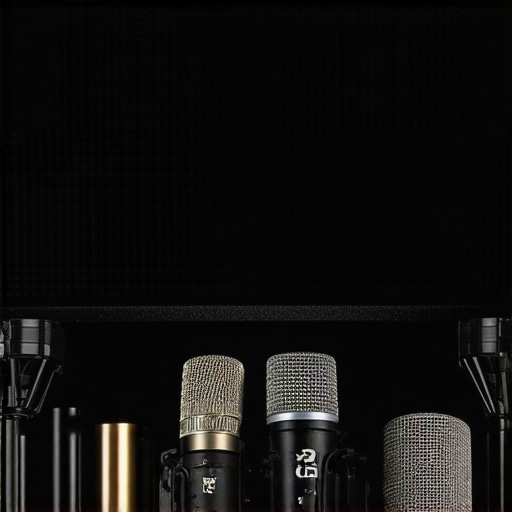
Since uncovering the impact of mic stand resonance, my journey toward authentic, professional voiceovers has been a series of enlightening discoveries. The most valuable lesson I learned is that perfection in sound isn’t achieved solely through high-end gear or sophisticated software, but through the meticulous management of every physical and environmental component—especially those often overlooked. Small tweaks, like adding damping materials or rethinking cable management, culminate in a sound that truly resonates with clarity and presence. Embracing these details transformed my workflow from frustrating to fluid, showing me that mastery comes from obsessive attention to the nuances others might miss.
What They Don’t Tell You About Perfect Voiceover Setup
- It’s not about the most expensive gear: Even flagship microphones can fall flat if resonance and vibrations seep into your setup. I found that investing in shock mounts and vibration-isolation pads made a world of difference without breaking the bank.
- Room acoustics matter more than you think: Proper placement of acoustic treatment and minimizing environmental vibrations consistently yield cleaner recordings—sometimes more than swapping out your microphone or interface.
- Maintenance can’t be ignored: Regularly inspecting and cleaning your gear, from cables to headphones, ensures peak performance and longevity, which ultimately sustains your audio quality over time.
- Listening environment is a game-changer: High-quality monitoring with flat-response studio headphones like those recommended in our 2025 guide allows me to catch subtle resonance issues during recording rather than relying solely on post-production fixes.
- Secrecy in setup details leads to better results: Sharing your setup tweaks with fellow creators creates a feedback loop of improvement, reminding me that even as professionals, we’re always learning.
Elevate Your Voiceover Game with Proven Strategies
If you want to keep your voiceover setup sharp and reliable, I highly recommend exploring tools and routines that focus on physical isolation and maintenance. Add damping materials like foam or cork near your stand joints, secure all cables meticulously, and consider upgrading to a shock mount tailored for your microphone. For a comprehensive upgrade, check our shielded cables guide, which can help eliminate stubborn interference that disrupts clarity. Regularly rehearsing your setup by recording test samples and monitoring with trusted headphones ensures you’re always steps ahead in delivering pristine audio.
Keep Pushing Boundaries and Perfect Your Voiceover Craft
The evolution of voiceover production isn’t just about acquiring new gear but about mastering the art of environment control and setup finesse. Remember, every detail, from vibration damping to cable shielding, contributes to your signature sound. When you get these fundamentals right, professional-quality recordings become a natural extension of your creative expression. Don’t settle for mediocre; let your audio reveal the true depth of your voice. Keep experimenting, learning, and refining—your perfect voiceover setup is out there waiting to be unlocked.
Now, I’m curious: have you ever noticed subtle vibrations affecting your recordings? Share your experiences below, and let’s grow together in the pursuit of audio excellence.
,
http://Madeline%20Turner
After implementing some damping foam on my mic stand joints and switching to a heavier base, I noticed a remarkable reduction in unwanted vibrations during recording. It really highlighted how overlooked these physical factors are in achieving professional audio quality. I’ve also started using shock mounts and managing my cables more meticulously, which further improves clarity. It makes me wonder—what’s everyone’s experience with environmental influences like footsteps or air conditioning during recordings? How do you best isolate your space to prevent these external vibrations from seeping into your audio? I’ve found that small adjustments can make a huge difference, and I’m eager to hear what tips others might have for creating a perfectly vibration-free environment.