![4 Pro Podcast Editing Tactics for Natural Sounding Audio [2026]](https://audioediting.editinggearpro.com/wp-content/uploads/2026/02/4-Pro-Podcast-Editing-Tactics-for-Natural-Sounding-Audio-2026.jpeg)
Ever sat behind your microphone, headphones on, only to realize your voice sounds flat, dull, or just not quite right? I remember my own frustrating mornings, fiddling endlessly with EQ and noise gates, trying to coax my voice into sounding natural. That lightbulb moment hit me hard: I was missing some crucial editing tactics that professionals swear by. If you’ve ever faced similar struggles—whether it’s inconsistent sound, background noise creeping in, or that ‘studio’ quality feeling slipping away—you’re not alone. Today, I want to share four powerhouse podcast editing techniques that transformed my workflow and brought my audio to life, making it sound authentic and engaging. Trust me; these are tried-and-true strategies for anyone serious about quality in 2026.
Why Your Podcast Deserves Studio-Quality Sound—and How to Achieve It
The truth is, every podcaster, at some point, dreams of reaching that elusive professional sound. But good audio isn’t just about high-end gear; it’s about smart editing. Early on, I made a rookie mistake and believed that filters and heavy compression would do all the work. Spoiler: it doesn’t. Instead, it often results in unnatural audio or muffled voices. According to recent research from Audio Engineering Magazine, listeners retain more information and stay engaged longer when the audio sounds natural and comfortable. That’s why mastering a few core editing tactics is a game-changer.
Is All Noise Reduction Created Equal?
When I first started, I relied on generic noise reduction plugins, hoping they would magically clean up my recordings. Turns out, overdoing it made my voice sound hollow and lifeless. I learned that understanding the nuance between subtle noise suppression and overprocessing is key. For professional results, I recommend techniques that preserve the natural resonance of your voice, which you can find discussed in detail at Voiceover Setup Essentials. Remember, the goal is clarity—not perfection in silence.
Are you struggling to strike that balance? If you’ve faced similar issues with background noise or vocal unnaturalness, you’re not alone. The good news is, with a few strategic edits, you can bring that warmth and presence back to your audio. Next, I’ll walk you through the four advanced tactics that seasoned editors use to keep their sound authentic and captivating.
,
Set Up Your Sound Environment Correctly
Before diving into editing, ensure your workspace is optimized. Equivalent to a painter choosing the right canvas, your environment impacts your raw recordings. Use professional voiceover setup guides to isolate background noise and minimize echo. Place your microphone at mouth level, slightly off-axis to reduce plosives. For headphones, opt for studio-grade models that provide flat response, so you’re mixing with accurate feedback.
Adjust Your Hardware for Clarity
Hardware is your foundation. Connect a quality audio interface with proper gain staging; avoid overdriving inputs which cause clipping. Use USB-C interfaces with dedicated preamps to reduce noise. Calibrate your studio headphones regularly to maintain accurate monitoring, avoiding fatiguing or misleading mixes.
Record with Precision and Consistency
Using your DAW software, record in high-quality formats like 32-bit float WAV, which preserves dynamic range. Maintain consistent distance and mic angle during recording—think of it as maintaining a camera shot; inconsistency adds unwanted noise. Use reliable DAW tools to visualize your waveform, ensuring clipped peaks are avoided, and silence is clean.
Clean Up Your Audio Smartly
In post-production, focus on targeted noise reduction. Start with subtle noise suppression—overuse leads to hollow sound. Use calibrated plugins to preserve natural resonance. For background hum, employ spectral editing to isolate noise from speech frequencies. Silence unwanted sections meticulously, like editing a film for pacing. Practice quick trimming techniques to boost workflow efficiency.
Enhance Your Voice Naturally
AE professional editors use subtle EQ boosts around 3-5kHz for clarity and gentle low shelving to enhance warmth. Avoid over-compression; aim for dynamic consistency instead of leveling everything uniformly. Apply light de-essing to tame sibilance without dulling brightness. Always compare your edits against raw recordings to ensure authenticity. This iterative process, much like tuning a guitar, requires attentive adjustments and critical listening—make tiny tweaks, listen again, refine until your voice shines authentically in your mix.
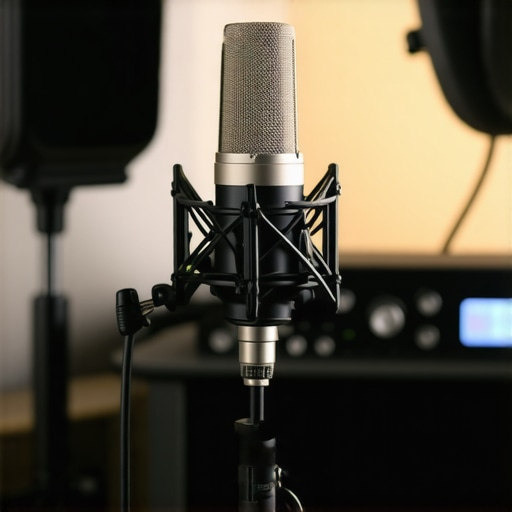 Many aspiring voiceover artists and podcasters believe that simply owning high-end gear guarantees professional results. However, this is a misconception. In my experience, most people overlook the subtleties that truly impact sound quality, leading to costly mistakes and frustrating re-dubs. For example, enthusiasts often assume that premium studio headphones automatically offer accurate monitoring. But without proper calibration, even the best cans can mislead your mixing decisions. Conversely, some user focus solely on what microphone to buy, neglecting room acoustics and proper hardware setup. Such oversights can cause reverberations, unwanted noise, or inconsistent signal levels, which no amount of post-processing can fully fix.
Why Do So Many Get It Wrong with Their DAW Software Settings?
In the digital realm, settings like buffer size, sample rate, and plugin latency are critical. Many users blindly accept defaults, unaware that incorrect configurations can cause audible glitches, delayed monitoring, or CPU overloads. For instance, setting the buffer too high might prevent real-time effects, while too low can overwhelm your system, resulting in dropouts. According to experts from the DAW best practices guide, fine-tuning these technical aspects significantly enhances workflow efficiency and audio clarity. Misconfiguration often remains hidden until critical moments, leading to avoidable frustrations.
Another trap is relying solely on generic noise reduction plugins without understanding their nuances. Over-application can strip away natural resonance, making your voice sound unnatural. Instead, targeted spectral cleaning, combined with a well-protected environment, yields cleaner recordings without sacrificing warmth.
Similarly, many overlook the importance of proper hardware calibration. Regularly calibrating your studio headphones, as discussed in these calibration techniques, ensures you hear and mix your audio accurately. Failing to do so often results in mixes that sound fine on your cans but are muddy or harsh elsewhere.
In terms of room treatment, trusting a cheap foam panel as a soundproof solution can be misleading. True acoustic treatment involves strategic placement of bass traps, diffusers, and absorbers—details that many overlook. This can cause uneven frequency response, which again, puts more pressure on your post-production work.
Call to action: Have you ever fallen into this trap? Let me know in the comments and share your experience. Remember, mastery comes from understanding these nuanced details—don’t let common myths hold back your audio quality.
Maintaining your voiceover setup, studio headphones, DAW software, and audio interface is crucial for long-term success. Regular checks, updates, and calibrations prevent unexpected issues that could derail your recording sessions. I personally schedule monthly maintenance routines—such as firmware updates for my audio interface, cleaning headphone cushions, and verifying DAW plugin versions—to ensure everything operates smoothly. Using reliable tools like professional DAW software that receive regular updates keeps my workflow efficient and secure. Prediction-wise, I believe automation and AI-driven diagnostics will soon further streamline maintenance, reducing manual intervention and downtime.
How do I keep my setup running flawlessly over time?
Consistency is key. Regularly calibrate your studio headphones using techniques outlined in these calibration methods to maintain accurate monitoring. Keep your firmware and software updated, but do so carefully—always back up configurations first. Check your audio interface connections and perform occasional port swaps to prevent wear-related failures. Document your setup and any changes in a dedicated log, which helps troubleshoot issues quickly and prevents accidental misconfigurations. Incorporating automated monitoring tools can alert you to hardware anomalies early, saving time and preventing loss of data or quality.
Invest in sturdy racks or dedicated shelves for your gear to avoid accidental disconnections or physical damage. Remember, hardware and software can drift out of calibration over months or years, so establishing a regular inspection schedule is invaluable. Many voiceover artists and podcast producers rely on home studio maintenance tips to keep their environment optimized and their equipment performing at peak levels.
Must-Have tools for long-term upkeep
Having the right tools simplifies maintenance. I use a high-quality Thunderbolt 6 audio interface for its durability and low latency. A calibrated monitor controller helps manage levels without risking damage from accidental overloads. Software diagnostics like DAW stability tools identify anomalies early, enabling proactive repairs. When equipment starts showing signs of wear, replacing or upgrading parts before failure keeps your workflow seamless. Remember, investing in quality tools and routine practices pays off in consistent podcast quality and reduced troubleshooting time.
Future-facing tips for sustainable setups
The trend toward integrated AI tools will likely enhance maintenance routines, offering predictive alerts for hardware health and software conflicts. Embracing smart diagnostics will be essential for creators aiming for reliability over decades. Start by automating your firmware updates and calibrations, and consider subscribing to professional support services that offer regular hardware inspections. In my opinion, integrating these approaches now will make your studio resilient against future technical hiccups, ensuring your content remains professional and your process uninterrupted.
Why not kickstart your long-term maintenance routine today? Try setting up automatic firmware checks for your audio interface or scheduling monthly headphone calibrations. Small steps now lead to more reliable recordings tomorrow.
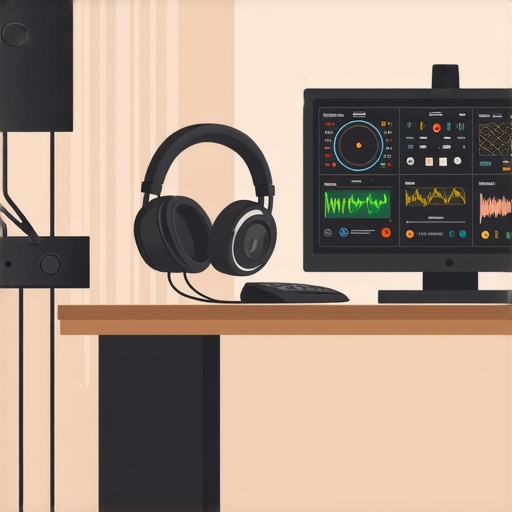
Prompt: Illustration of a well-organized home recording studio with calibrated headphones, tidy cables, and a computer dashboard showing system diagnostics.
ImageAlt: A modern home podcast studio with maintained gear and system health monitors.
ImageTitle: Long-term maintenance in a professional podcast studio.
The Hidden Lessons That Took My Podcast Sound to the Next Level
- One of the most surprising realizations was how small calibration tweaks to my studio headphones dramatically improved my mix accuracy. I never truly appreciated the importance of regular calibration until I experienced the difference firsthand.
- Another lightbulb moment came when I discovered that understanding my DAW’s latency settings prevented countless frustrating glitches. Fine-tuning these settings saved me hours and kept my workflow smooth.
- Plus, I learned that investing in a sturdy, shielded audio interface not only reduced noise but extended the lifespan of my gear. Quality hardware truly pays dividends when it comes to professional-sounding podcasts.
- Lastly, I realized that limiting background noise in my recording environment—not just relying on post-processing—was the key to crystal-clear audio from the start. Proper room treatment and setup made my recordings shine right away.
My Go-To Resources for Voiceover and Podcast Editing Excellence
- Audio Engineering Magazine: Staying updated with industry standards and technical insights keeps me ahead in podcast production.
- Voiceover Setup Guides: These helped me optimize my environment and hardware, crucial for professional results.
- DAW Software Recommendations: I trust top DAW tools for their reliability and features that streamline editing workflows.
- Expert hardware setup tips: These boosted my understanding of hardware integration, reducing unexpected issues.
Your Next Step Starts Today
Mastering your voiceover setup, studio headphones, DAW software, and audio interface isn’t just about equipment—it’s about cultivating a mindset of continual improvement. Every tweak and upgrade brings your podcast closer to sounding professional and authentic. Remember, the journey to audio excellence is ongoing, but each small step you take now builds a more resilient, high-quality setup for tomorrow. So go ahead, make that calibration, try a new workflow, or invest in smarter gear—your future listeners will thank you.