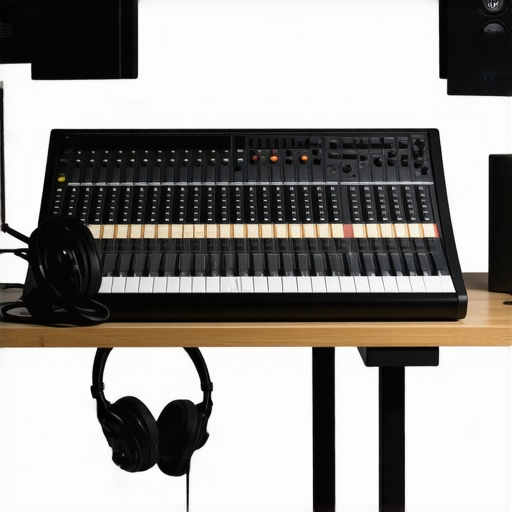
Ever had that sinking feeling during a recording session, where your voice sounds muffled or inconsistent, and you realize your equipment just isn’t doing what it’s supposed to? I used to think investing in fancy microphones or soundproofing was enough—until I recorded a podcast episode that sounded like I was talking through a brick wall. That was my lightbulb moment. It became painfully clear that the right audio interface and studio headphones are the unsung heroes of podcast clarity. Without them, even the best content can get lost in translation.
Why Choosing the Right Gear Matters More Than Ever in 2024
In 2024, the landscape of podcasting has shifted dramatically. With more creators joining the scene, the competition for attention is fierce. Listeners expect crisp, clear audio—anything less feels like a slap in the face. The truth is, your voice is your brand. If your recordings sound like they’re coming from a tin can, you’ll lose credibility fast. That’s why I’ve dedicated myself to finding the best combination of audio interfaces and studio headphones that deliver professional-quality sound, even in a home studio setup. And trust me, it’s not about spending a fortune; it’s about making smart choices that give you the best bang for your buck.
Is investing in high-end gear really worth it?
This was my biggest skepticism early on. I thought, “Does it really matter if I use a $50 microphone versus a $300 one?” The answer is a resounding yes. I learned this lesson the hard way—skipping on quality gear often meant hours of re-recording, editing, and frustration. According to a study by the Neil Patel blog, audio quality directly impacts listener engagement and retention. So, if you’re serious about your podcast, choosing the right audio interface and headphones is an investment in your craft and your audience’s experience.
Have you ever recorded an episode only to realize later that your voice sounded distant or uneven? If so, you’re not alone. But the good news is, with just a few tweaks—like upgrading your gear—you can turn that around. In this post, I’ll walk you through exactly how to pick the best audio interface and studio headphones for your needs, so your voice always sounds professional and engaging.
Start with the Right Equipment
Choosing a quality audio interface is your first step. Think of it as the bridge between your microphone and computer—like a translator ensuring your voice is captured accurately. For example, I once used a budget interface that caused latency issues, making my recordings sound distant. Upgrading to a mid-range model like the top audio interface for voiceovers in 2024 solved this, providing clear, professional sound.
Connect and Configure Properly
Follow the manufacturer’s setup guide meticulously. Use the expert tips for audio interface setup to optimize your signal chain. I remember fumbling through settings and ending up with distorted audio until I reset everything and followed a step-by-step tutorial—game changer for clarity.
Invest in Quality Studio Headphones
Good headphones are crucial for monitoring your recordings. Imagine trying to edit a podcast with muffled ears—what’s the point? I initially used cheap headphones, which masked background noise and made editing guesswork. Switching to a pair from the 2025 studio headphone buying guide unlocked a new level of precision. For recording, I prefer closed-back headphones that block out external noise and deliver crisp sound.
Calibrate Your Headphones
Once you have your studio headphones, calibrate them with your audio interface. This step ensures you’re hearing an accurate reproduction of your voice. I did this by playing a test tone and adjusting the volume levels, which improved my mixing accuracy significantly. Proper calibration prevents misjudging your voice’s tone and dynamics.
Set Up Your Microphone Correctly
Use a pop filter and proper microphone placement—about 6-12 inches from your mouth—similar to a good camera lens focusing on a subject. I once recorded without a pop filter and ended up with plosive sounds that required extensive editing. With the right mic positioning, you get cleaner recordings from the start, saving time and effort in post-production.
Use a Reflection Filter or Soundproofing
Control room acoustics by adding a reflection filter behind your microphone or soundproofing your recording space. I initially recorded in a cluttered room, which caused echo. Moving to a dedicated, treated space or even a simple reflection filter drastically improved sound quality. For more detailed tips, visit the voiceover setup guide.
Edit and Fine-Tune Your Audio
Use a reliable DAW and apply editing hacks from this guide to streamline your workflow. Cutting out background noise, equalizing, and compressing your audio ensures clarity and consistency. I once spent hours trying to fix muffled audio until I learned to use noise reduction plugins effectively, transforming my recordings overnight.
Remember, mastering these steps takes practice. Experiment with your gear, listen critically, and refine your setup. With the right equipment and techniques, your podcast will sound as professional as the top shows in 2024.
When it comes to perfecting your podcast sound, many creators fall into misconceptions that can hinder their progress. Let’s dig deeper into what most people get wrong about audio interfaces and studio headphones, so you can avoid costly mistakes and elevate your recordings.
Why Bigger Budget Doesn’t Always Mean Better Sound
It’s a common myth that the most expensive gear automatically guarantees professional results. While high-end equipment like top-tier audio interfaces and studio headphones can significantly improve your sound, they won’t compensate for poor recording techniques or inadequate room acoustics. Many creators overlook the importance of proper microphone placement, room treatment, and correct gain staging, which often matter more than the gear itself. Remember, gear alone isn’t magic—your skill and setup matter just as much.
The Hidden Trap of Over-Monitoring
A common mistake is obsessively monitoring your audio at high volume levels, thinking it will help catch every flaw. However, this can lead to ear fatigue and misjudging your sound. Instead, use calibrated studio headphones, like those recommended in the 2025 headphone buying guide, and keep your volume at a comfortable level. This way, you maintain objectivity and avoid false perceptions of your audio quality.
Can You Rely on Built-in Computer Mic?
This is a huge misconception. Many believe that their laptop or webcam mic is sufficient for podcasting. The truth is, integrated mics are designed for casual use, not professional recordings. Upgrading to a dedicated microphone paired with a quality audio interface setup ensures your voice is captured with clarity and warmth, making a noticeable difference in your final product.
Advanced Tip: How to Avoid the Echo Chamber Effect
Many creators think that recording in a quiet, untreated room is enough, but this often leads to a hollow or echoing sound. To achieve professional-quality audio, it’s crucial to implement soundproofing or acoustic treatment. Even simple solutions like reflection filters or foam panels can make a significant difference. According to this guide, controlling room acoustics is a key step many overlook. If you’re serious about your craft, invest time in optimizing your environment—your audience will notice the difference.
Have you ever fallen into this trap? Let me know in the comments. Avoiding these myths will help you create podcast content that sounds as professional as the top shows in 2024.
Keeping your podcast equipment in top shape is crucial for maintaining consistent, professional-quality sound. Over time, even the best gear can experience wear, dust accumulation, or technical glitches that impact performance. That’s why implementing a regular maintenance routine and choosing reliable tools are investments in your long-term success.
How do I maintain my audio setup over time?
Start with a comprehensive cleaning schedule. Use compressed air to blow out dust from your microphone’s grille, audio interface, and headphone jacks. Keep your cables organized and replace any frayed wires promptly to avoid signal loss or noise issues. Regularly update your firmware and drivers—these updates often include bug fixes and performance improvements. For example, manufacturers like Focusrite and Universal Audio release firmware updates that can enhance stability and compatibility with new software. Visit their official support pages periodically, such as this contact page, to stay informed about updates.
Investing in dependable tools
Personally, I rely on tools like the audio interface setup guide, which provides step-by-step instructions for maintaining my equipment. A high-quality dust cover for your microphone and audio interface can prevent dust buildup and accidental spills. Additionally, using a surge protector with EMI/RFI filtering ensures your gear is protected from power fluctuations, which can cause digital glitches or hardware damage.
Long-term benefits of proper maintenance
Consistent upkeep not only prolongs the lifespan of your equipment but also ensures your recordings stay crisp and clear. Think of your gear as an investment—regular maintenance saves money on repairs or replacements down the line. Plus, with reliable tools, you can troubleshoot issues quickly, minimizing downtime and keeping your content flow uninterrupted.
What about scaling your setup as your audience grows?
As your podcast gains popularity, you might consider upgrading to more advanced hardware or adding redundancy measures. For instance, having a backup audio interface or secondary headphones can save the day if your primary gear fails during a crucial recording. Additionally, integrating software solutions like professional DAW software can streamline editing and ensure your audio quality remains high, regardless of scale. Remember, the key is to select tools that are scalable and compatible with your existing setup, so your workflow remains efficient and stress-free.
Don’t forget to revisit your setup periodically—review your workflow, check for outdated equipment, and stay informed about new tools that can enhance your sound. By maintaining your gear diligently and investing in reliable tools, you’re setting yourself up for long-term success in the podcasting world.
Throughout my journey in podcasting, I’ve realized that the biggest breakthroughs often come from unexpected lessons. One of the hardest lessons I learned was that even the most expensive gear can’t save poor technique or a poorly treated space. It’s tempting to believe that pushing for the highest-end equipment alone will elevate your sound, but the truth is, mastering your setup and environment is what truly makes a difference. I also discovered that over-monitoring through high-volume headphones can cause ear fatigue, leading to distorted perceptions of your audio. Lastly, I once thought that integrated laptop microphones were enough—until I experienced the transformation that a dedicated microphone and proper interface brought to my recordings. These insights have shaped my approach and can do the same for you, saving time and frustration while boosting your confidence in your craft.
http://Jessica%20Lee
Reading through this post really hit home for me. I’ve definitely experienced the frustration of muffled audio and endless re-recording sessions because my gear wasn’t up to par. It’s so true that investing in a good audio interface and quality headphones makes a huge difference, especially in a home studio environment where room acoustics aren’t perfect. I’ve recently upgraded my setup following similar advice, and the clarity in my recordings has noticeably improved. What’s been a game changer for me is actually calibrating my headphones and microphone positioning carefully; just some small adjustments but they add so much to the overall sound. Has anyone else found that minor tweaks in their setup produced surprisingly big improvements? I’d love to hear your experiences or recommendations on gear that’s budget-friendly but effective for beginners just starting out.
http://Benjamin%20Carter
This post hits the nail on the head about the importance of quality gear for podcasting. I’ve been in the game for a couple of years, and I can confirm that investing in a good audio interface and a pair of accurate studio headphones truly elevates your sound quality. One thing I’ve learned is that even small improvements, like switching from open-back to closed-back headphones or adjusting mic placement, can make a significant difference in recording clarity. Also, proper room treatment is often overlooked but vital; I added some foam panels and noticed a drop in echo and background noise instantly.
Regarding your question about budget-friendly gear, I found that mid-range brands like Focusrite for interfaces and Audio-Technica for headphones offered great value without breaking the bank. For those just starting out, what affordable upgrades or tips have helped you improve your sound quality without overspending? It’s all about making smart choices and mastering technique alongside gear, right? Would love to hear your stories or suggestions.
http://Sarah%20Johnson
This post really resonated with me, especially the part about room treatment and setup. I’ve been recording in a small, untreated room, and honestly, it’s been a challenge to get that professional sound. Switching to a better microphone and monitoring with calibrated headphones made a noticeable difference, but I think the next step is acoustic treatment. I’ve been considering some DIY solutions like foam panels and reflection filters, but I’d love to hear from others who have successfully optimized their space without breaking the bank. Do you think investing in room treatment is worth it for beginner podcasters, or are there quick fixes that still deliver solid results? I’ve found that even small improvements can boost confidence and make editing a lot easier. Thanks for sharing these insights—definitely inspired to refine my setup further!