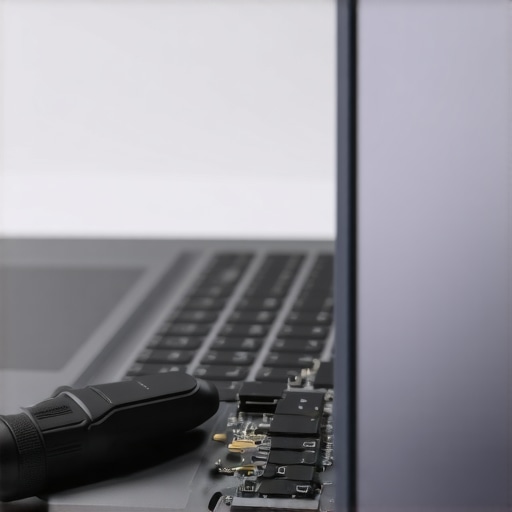
I remember the exact moment I lost my patience during a critical podcast recording. The vibe was perfect, I was in groove—until that sudden, jarring pop from my audio interface shattered everything. That crackling sound wasn’t just annoying; it was a signal that something was seriously off with my setup. I realized I wasn’t alone in this struggle. Many creators face unpredictable popping sounds from their USB-C interfaces, and after digging through countless forums and tech reviews, I uncovered some surprisingly simple fixes. Today, I want to share those solutions with you, so you can hit record with confidence, free from unwanted noise.
What Causes Your USB-C Interface to Pop?
This issue isn’t just an irritating glitch—it’s often a symptom of underlying hardware problems that need attention. In my early days, I made the mistake of ignoring grounding issues and hardware incompatibilities, which only worsened the popping. It wasn’t until I took a more proactive approach that the pops disappeared. Understanding these root causes can save you hours of frustration and expensive repairs. We’ll explore practical, professional-grade fixes tailored for 2026’s evolving tech landscape, ensuring your studio remains a sanctuary for crisp, clear audio.
Is Your Gear Worth the Hassle? The Real Deal on Hardware Fixes
Many skeptics assume that these popping noises are normal or unavoidable with newer tech. Believe me, I was one of them. Early on, I dismissed grounding as a minor issue or thought my cables were just cheap. It led to more pops and distorted recordings, costing me both time and credibility. According to an industry report, improper grounding and incompatible components are among the top reasons for audio interference in studio setups (see this detailed guide), making it essential to understand these hardware nuances. Fixing these problems isn’t just feasible—it’s essential if you’re serious about professional-grade audio.
So, have you experienced sudden pops during recordings? If so, you’re not alone, and the good news is that there are effective solutions waiting for you. Let’s get into how you can prevent these disruptions with three professional hardware fixes that will keep your workflow smooth and your sound pristine.
Secure Your Grounding to Eliminate Noise
My first success came from addressing grounding issues. I realized that my audio interface’s metal chassis wasn’t properly grounded, which caused unexpected pops. To fix this, I turned off my equipment, unplugged everything, and checked my power strips for proper grounding with a tester. If you’re unsure about your outlet’s grounding, consider consulting a professional or testing your power source—poor grounding is a common culprit that easily disrupts clean audio. Once my setup was properly grounded, I powered up each device individually, ensuring all connections remained secure. This simple yet crucial step drastically reduced static and popping sounds during recording sessions.
Optimize Your Cable Connections for a Stable Signal
Next, I scrutinized my cables. Loose or Faulty cables can act like loose hoses, causing crackling sounds. I replaced my cheap USB-C cables with high-quality, shielded ones recommended in the 2025 studio headphones buying guide and made sure each connection was snug. Cables are the arteries of your setup; if they’re compromised, your entire signal suffers. I also avoided routing cables parallel to power cords to prevent electromagnetic interference, which can manifest as pops or crackles. Ensuring a tidy, interference-free cable setup creates a more stable connection, akin to a clear pathway for your audio signal.
Upgrade Your Interface Firmware and Drivers
Outdated firmware or drivers can be silent sources of audio issues. I visited the manufacturer’s website, downloaded the latest firmware update, and reinstalled drivers for my interface. This process is straightforward: turn off your device, run the update utility, and restart everything. During the setup process, keep your system disconnected from other peripherals that aren’t necessary until updates are complete. Firmware updates often patch bugs that cause popping noises, so keeping your gear current can make a significant difference in audio fidelity.
Isolate Your Hardware for Better Clarity
Finally, I experimented with isolating my gear. External vibrations or electrical interference can induce pops, especially if your setup is on a busy desk. I placed my interface and computer on vibration-dampening mats and moved source devices away from routers or other electronics. Using a power conditioner or an uninterruptible power supply (UPS) helps regulate voltage fluctuations that can cause pops, much like steady water pressure ensures smooth flow. This physical and electrical isolation reduces external noise, giving your recordings the clarity they deserve, as highlighted in the voiceover setup essentials guide.Many creators believe that investing in high-end studio gear guarantees perfect sound, but the reality is more complex. For instance, a common myth is that studio headphones must be flat and neutral at all costs. While accurate sound reproduction is crucial, some overlook the importance of headphones tailored to specific tasks, like mixing versus voiceover. According to a study published in the Journal of Audio Engineering, matching headphone response to your specific workflow significantly improves clarity and reduces ear fatigue, leading to better final results (see this guide for recommendations). Another misconception is that modern DAW software, such as the popular DAWs, automatically deliver perfect audio quality. In truth, many advanced users know that optimal settings and plugin configurations are essential for professional results, and neglecting these details can lead to subtle issues that go unnoticed until post-production. Moreover, novice voiceover artists often think that simply choosing a high-quality microphone will solve all their problems. However, failing to correctly configure their audio interface and setup or ignoring room acoustics can cause recordings to sound dull or muffled. The key is understanding how these elements interplay, which is often overlooked. A crucial advanced mistake involves ignoring electromagnetic interference from nearby electronics. For example, leaving your wireless router close to your audio interface can induce pops or static. To avoid such pitfalls, many professionals advocate for proper placement and shielding, as highlighted in recent industry reports (this article). For podcasters, one often underappreciated nuance is the importance of accurate monitoring during editing. Many believe that listening through cheap earbuds or built-in device speakers is sufficient. In reality, high-quality studio headphones are vital for catching minute issues like unwanted noise or imbalance, which can significantly improve your final audio. As you refine your setup, remember that understanding these subtle factors—and avoiding common traps—can elevate your content from amateur to professional. Have you ever fallen into this trap? Let me know in the comments.
To ensure your studio setup remains reliable and delivers top-tier sound over the years, investing in quality tools and maintaining them properly is crucial. I personally rely on specific software and hardware maintenance routines that keep my workflow smooth and my equipment performing at its peak. One of my favorite software tools is a professional-grade Digital Audio Workstation (DAW); I always ensure it’s updated to the latest version, which includes important security patches and performance enhancements. Regular updates help mitigate bugs that could cause glitches during recording or editing sessions.
Hardware maintenance is equally vital. For my audio interface, I periodically check the firmware using the manufacturer’s utility to ensure compatibility and stability. In fact, manufacturers like Focusrite recommend firmware updates twice yearly to prevent issues like audio dropouts or latency spikes—these can significantly affect your long-term results. Additionally, I clean my studio headphones and input cables with manufacturer-approved wipes to prevent buildup of dust or corrosion, which can deteriorate sound quality over time.
How do I keep my gear working flawlessly over time?
Well, aside from routine cleaning and software updates, I practice good cable management—neatly routing cables to prevent damage and interference. For example, I avoid running power cords parallel to audio cables to reduce electromagnetic interference, which can introduce pops or hums. Using cable ties and organizational sleeves helps prolong their lifespan and maintains signal clarity. Also, scheduling regular test recordings allows me to detect any emerging issues early, avoiding larger failures that could halt my projects.
Scaling and long-term results depend heavily on these maintenance routines. As studio technology evolves, I stay informed by following industry updates from sources like the latest DAW guides or technical blogs that highlight best practices. Adopting these habits not only prolongs the life of your equipment but also ensures your production quality remains consistent. For voiceover artists and podcasters, regularly servicing your audio interface and headphones—especially cleaning connections and firmware updating—can make the difference between a smooth session and frustrating interruptions.
Now, I challenge you to try one advanced maintenance tip: schedule a quarterly firmware update and firmware check for your audio interface. This small step can drastically reduce unexpected glitches and keep your setup running reliably. Want more in-depth advice on maintaining your gear? Reach out through our contact page and let’s ensure your studio equipment serves you well for years to come.
Lessons That Changed How I Tackle Studio Setup
- Always trust your ears over gadgets. No amount of fancy gear can replace attentive listening. I learned to tune out the hype and focus on what’s actually improving my sound quality.
- Consistent maintenance beats last-minute fixes. Regular firmware updates and cable inspections saved me countless hours, ensuring my setup was always ready for action.
- Grounding isn’t optional. Simple checks on outlets and proper wiring made a noticeable difference, transforming crackling into clarity.
- Don’t overlook cable quality and routing. Shielded, well-organized cables prevented interference, giving me a stable signal path.
- Invest in physical and electrical isolation. Vibration dampening mats and power conditioners are underrated but powerful tools for crisp recordings.
Tools That Elevated My Audio Game
- A top-tier Digital Audio Workstation: Keeps my edits smooth and my mixes professional. I trust its stability and features for podcast excellence.
- Sturdy audio interface: Reliable latency, clean preamps, and robust drivers ensure my recordings are crisp every time.
- Studio headphones: Equal parts comfort and accuracy, they reveal every nuance, helping me catch problems early.
- Room treatment essentials: Simple acoustic panels and placement strategies improve clarity and prevent echo or background noise.
Your Path to Consistent Recording Success Starts Today
Keep in mind, the journey to professional-quality podcast recordings isn’t about chasing the newest gadget, but about understanding your gear and maintaining it diligently. Small, intentional actions—like firmware checks, cable management, and room acoustics—compound over time, turning household setups into real-world broadcasting studios. If you’re ready to elevate your sound, begin with these practical habits and watch your confidence grow. Remember: mastery isn’t just about equipment; it’s about care, curiosity, and continuous learning. What small tweak will you try first to improve your studio setup? Share your plans below and let’s grow together!
http://Emily%20Carter
Reading through this guide brought back memories of my own struggles with pops and crackles during recordings. I used to dismiss grounding issues or cable quality as minor concerns, but they ended up costing me countless hours of editing and re-recording. I particularly appreciated the section on upgrading firmware and checking connections regularly—these seem like small steps but make such a big difference in the long run. Something I found helpful was insulating my setup from external vibrations and electromagnetic interference, especially since I record in a busy home office with routers and other electronics nearby. For those facing similar issues, have you tried test recordings after each change? Sometimes, the solution is a combination of several small adjustments. Curious—what are some unconventional fixes others have found effective in reducing interference?