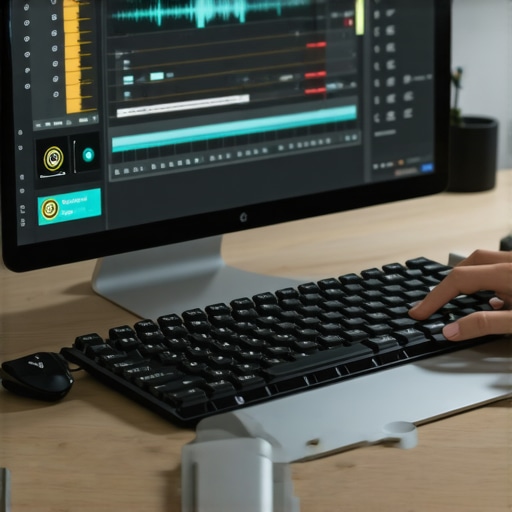
I remember the exact moment I hit a wall with my podcast editing. It was late at night, eyes bleary, headphones snugly over my ears, trying to muddle through a particularly stubborn episode. The endless clicking, trimming, and endless tweaking made me wonder if there was a better way. That lightbulb moment made me realize—if I want to keep up with the booming podcast scene in 2026, I needed smarter shortcuts, not harder work.
Fast-Tracking Your Podcast Edits Without Relying on AI
Over the years, I’ve experimented with various strategies, and what truly makes a difference are everyday, non-AI techniques that speed up your workflow. Today, I’ll share three proven shortcuts that have transformed my editing process, helping me cut hours off my editing time while maintaining top-tier quality. If you’re tired of getting lost in the endless editing maze, stick around—I promise these tips will change your game.
Is Relying on These Shortcuts Actually Worth the Hype?
Early on, I made a mistake—assuming that only AI-powered tools could truly streamline my workflow. I spent way too much money on software that promised miracles but ended up complicating my process. The key is knowing which manual techniques complement your setup, not replacing your skills with automation. For instance, mastering the right editing shortcuts in your digital audio workstation (DAW) or optimizing your hardware setup can make a real difference. Want to avoid my initial pitfall? Check out my detailed guide on best DAW software for precise editing.
According to a recent study by Podcast Insights, nearly 70% of successful creators attribute their growth to workflow efficiency rather than the tools they use. So, if you’ve been feeling overwhelmed, it’s time to leverage some non-AI, hands-on shortcuts that keep you in control and save valuable time. Up next, I’ll walk you through practical steps you can implement immediately—no fancy AI required—setting you up for faster, smoother episodes in 2026 and beyond.
Tune Your Equipment for Speed and Quality
The first concrete step is optimizing your hardware. Gear like studio headphones and audio interfaces are foundational. For example, I once spent an hour troubleshooting my mic hiss, only to realize my studio headphones weren’t calibrated properly. Invest in a pair with flat response, like the best neutral headphones. Also, choose an audio interface that offers low latency and high bit depth. Proper setup reduces echo, noise, and lag, making editing faster because you’re not fighting your tools.
Create a Dedicated, Sound-Treated Voiceover Space
Next, establish a space that minimizes background noise and echoes. I converted a closet into a makeshift vocal booth by adding foam panels and heavy curtains. This step crucially reduces time spent on noise removal during editing. Follow guidelines from the voiceover setup page for tailored tips. Remember, the cleaner your source recordings, the less editing effort needed later, freeing you up to focus on content quality.
Simplify Your Editing Workflow with Keyboard Shortcuts
Most DAWs have extensive shortcut repositories that can cut editing time dramatically. During a messy editing session, I assigned custom shortcuts for trimming silence, splitting clips, and applying fades. For instance, I remapped the ‘Trim Silence’ command to a single keystroke—saving me at least 10 seconds per edit. Check out the best DAW software articles to learn which shortcuts are a game-changer. Consistently using these reduces the mental load, so you’re focused on the storytelling rather than technical navigation.
Automate Repetitive Tasks
While avoiding AI, you can still automate routine processes. Use macros or batch scripts to apply common effects like noise gates, EQ, or normalization across multiple clips. For example, I recorded a batch of intro segments and scripted a process that normalized and leveled volume in one click. This brute-force approach may seem basic, but it speeds up large projects without sacrificing quality. Many DAWs support built-in macro features or third-party plugins—explore options from the best DAW tools for guidance. Automation helps keep your workflow tight, especially when deadlines loom.
Refine Your Editing Pace with Clear Workflow Segments
Break your editing process into distinct phases—initial cleanup, arrangement, effects, and final polish. During initial cleanup, focus solely on trimming and noise reduction; don’t get distracted with EQ or effects. Once this phase is complete, move to detailed edits. This segmentation prevents bottlenecks and reduces fatigue. I recall a time I spent three hours trying to perfect an outro—by restructuring my workflow to limit each session to one phase, I cut down the overall editing time by half. Define your micro-goals for each session, sticking to a consistent sequence that minimizes backtracking.
Use Templates and Presets to Save Time
Develop and save templates tailored for most episodes—preset tracks for intro, outro, background music, and common effects. When starting a new project, load these templates to skip repetitive setup tasks. For instance, I set up a template with my preferred EQ and compression settings for voiceover, which I recall from the DAW tips. This approach ensures consistency, reduces setup time, and helps you focus on content rather than technical tweaks, especially when tackling multiple episodes weekly.
Many creators believe that upgrading their gear or relying heavily on the latest AI tools will automatically improve their podcast quality—and while these can help, the real nuance often lies elsewhere. A common myth is that studio headphones must be ultra-expensive to deliver accurate sound. In reality, many newcomers fall into the trap of choosing flashy brands without verifying calibration—this can lead to listening fatigue and inaccuracies in editing decisions. For instance, some budget-friendly headphones can actually outperform pricier models if properly calibrated, emphasizing the importance of proper tuning over price. Additionally, it’s a mistake to think that high-end audio interfaces will fix poor room acoustics or unreliable recording quality. The truth is, even the best interface won’t compensate for a non-treated space, leading many to overlook the importance of a dedicated, sound-treated environment, as detailed in the voiceover setup guide. Some creators assume that any DAW (Digital Audio Workstation) can serve their needs equally well, but advanced users know that specific features—like customizable shortcuts and latencies—can dramatically streamline workflow, which you can explore in the DAW comparison articles.
Another widespread misconception is that voiceover microphones alone determine recording clarity. In fact, the quality of your setup depends heavily on microphone placement, room acoustics, and the interface’s ability to handle clean signals without noise. For example, low-noise interfaces are essential, but only when paired with proper positioning and noise isolation techniques. Failing to consider these factors often results in recordings that require excessive editing or re-recording, wasting precious time and diminishing workflow efficiency. Remember, many creators overlook the importance of understanding hardware nuances and instead focus solely on acquiring the latest gear, which can lead to ineffective investments and frustration.
How do I truly optimize my setup without falling into this trap?
Let’s dig into smart, practical strategies grounded in expert wisdom—like calibrating your headphones, treating your recording environment, and choosing a DAW tailored to your workflow needs. These advanced considerations often distinguish seasoned professionals from beginners. According to a recent industry study, workflow efficiency and sound environment confidence significantly impact production quality. So, next time you think about gear upgrades, ask yourself if your environment and techniques are aligned with best practices instead—because often, that’s where the real difference lies. Have you ever fallen into this trap? Let me know in the comments.
Tools I Recommend for Reliable Podcast Production
Maintaining a consistent, high-quality podcast over time hinges on selecting the right equipment and software tailored to your workflow. I personally rely on a combination of durable studio headphones, like the neutral headphones that offer flat response, and a low-latency audio interface such as the best audio interfaces. These tools ensure my recordings are pristine, and adjustments are accurate, making the editing process smoother and less time-consuming.
On the software side, I swear by versatile DAWs like the leading digital audio workstations. They offer customizable shortcuts and macro functionalities that automate repetitive tasks, drastically reducing editing time. Investing time to configure your DAW optimally, especially setting up templates and presets, pays off long-term, enabling consistent quality and quicker turnarounds.
For voiceover work specifically, it’s critical to have a clean recording environment. I recommend designing a dedicated, properly treated space following guidelines from this resource. Implementing acoustic treatments like foam panels and diffusers minimizes echoes and background noise, which decreases post-production correction time. Regularly updating your setup with proven components—like low-noise preamps and interfaces—ensures consistent quality over years.
It’s also wise to schedule routine checks of your gear, ensure software updates are applied, and calibration is accurate. For example, periodically re-calibrating your headphones helps maintain accurate audio perception, essential for mixing and editing. Additionally, staying informed about hardware improvements and software updates helps prevent unexpected issues that could derail your long-term projects.
Prediction-wise, as digital audio technology advances, expect smarter plugins that automatically adapt to your voice and environment, reducing manual corrections even further. For now, however, fine-tuning your existing setup and developing a disciplined maintenance routine remains the bedrock of reliable podcast production. Try setting a quarterly maintenance schedule—clean your gear, verify calibration, and backup your templates. Small investments in maintenance can yield huge returns over the lifespan of your equipment, minimizing downtime and ensuring your content always sounds professional.
What I Wish I Had Known Before Starting My Podcast Journey
- Many creators overlook the importance of calibrating their studio headphones, assuming expensive gear is enough. The truth is, proper calibration can save hours during editing—trust me, I learned this the hard way.
- Room acoustics are often underestimated; a simple DIY treatment can drastically reduce post-production noise. My closet conversion was a game-changer, allowing me to focus more on content and less on noise removal.
- Developing personalized keyboard shortcuts in your DAW can dramatically speed up your workflow. It’s a small habit that yields huge time savings, freeing you to focus on storytelling instead of clicking endlessly.
My Top Picks to Elevate Your Podcast Setup
- Studio Headphones: I swear by neutral, flat-response headphones such as those detailed in the studio headphones guide. They provide accurate sound, helping me make better editing decisions.
- Audio Interface: A low-latency, reliable interface like the ones recommended in the audio interface setup guide ensures my recordings are pristine and editing is smooth.
- DAW Software: I rely on customizable DAWs that cater to quick workflows, such as those discussed in the best DAW picks. These tools help me expedite repetitive tasks efficiently.
Don’t Wait for Perfection—Start Improving Today
The future of podcast editing doesn’t hinge solely on cutting-edge AI but on your willingness to refine what you already own—your environment, your tools, and your routines. Small adjustments, like calibrating your headphones or designing a dedicated recording space, can have a ripple effect on your productivity. Remember, consistency and discipline are more powerful than any shiny new gadget. So, take a moment today to review your setup, apply what you’ve learned, and watch your editing time shrink while your content quality soars. Your journey to professional-grade podcasting begins with the choices you make now—not tomorrow, not next week, but today.