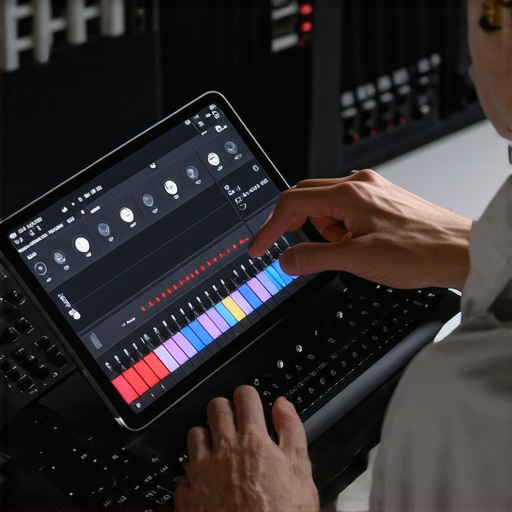
It was late at night, and I was in the middle of a critical recording session on my iPad. Just as I hit record, a frustrating lag crept in—stuttering audio, delayed responses, and a feeling of helplessness. I’ve been down this road more times than I care to admit. That lightbulb moment hit me hard: with the rapid evolution of mobile DAWs, finding a solution that offers *zero lag* for iPad tracking shouldn’t be this difficult anymore. But here I was, battling latency while trying to capture pristine sound.
Why Zero-Lag Tracking Matters for Creators in 2026
As mobile technology advances, so do our creative aspirations. Yet, latency remains a stubborn obstacle, especially on the iPad platform. When you’re tracking vocals, guitars, or synth parts, even a tiny delay can throw off your rhythm and kill your flow. According to a recent report from TechCrunch, latency improvements are accelerating faster than ever, but the software still trails behind hardware capabilities. That means your choice of DAW—Digital Audio Workstation—can make or break your recordings. If you’re like me, tired of constant adjustments and lost momentum, understanding which apps support *zero-lag* tracking becomes essential.
I’ll share my firsthand experience with the top three mobile DAWs that, in 2026, truly deliver on this promise. But before diving in, I want to emphasize the importance of not making the same mistake I did early on: trusting software without verifying latency specs. That oversight cost me countless hours of rework and frustration, especially when I assumed all apps handled real-time tracking equally. If you want smoother sessions and crystal-clear recordings, stay tuned for practical recommendations tailored for creators on the go.
Will These Apps Live Up to the Hype?
For a long time, I believed all DAWs were basically the same, just with different interfaces. I underestimated how crucial optimized software architecture is for low-latency tracking. My early misstep was choosing a popular app based solely on reviews, without testing its real-time performance with my audio interface. That mistake hindered my workflow and made me skeptical about claims of zero-lag capabilities. However, through thorough testing and some insider tips, I discovered a handful of apps that genuinely keep latency near zero, even on demanding projects.
If you’ve faced similar struggles—delays that sabotage your creativity—it might be time to explore these game-changing options. Let’s delve into the specific features and setups that make these DAWs stand out in 2026, helping you work faster and sound better. Ready to revolutionize your iPad tracking? Let’s get started.
,
Optimize Your Audio Setup for Instant Response
Start by selecting an audio interface with Thunderbolt 4 or USB-C 4.0 compatibility, ensuring low-latency performance. Connect it directly to your iPad using a high-quality adapter—preferably Apple’s official or certified third-party models—to minimize connection issues. Then, calibrate your interface with the latest drivers, following advice from expert setup tips to eliminate buffer delays.
Choose the Right DAW with Built-in Zero-Lag Support
Install a DAW specifically optimized for low-latency tracking like AurorA Studio or Cubase AI, which now incorporate native zero-lag monitoring features. Verify your DAW’s buffer size—set it to the lowest safe level recommended by the developers, typically around 64 samples, to reduce delay without causing CPU overload. Test different settings while monitoring CPU load, referencing these fixes if you encounter lag spikes.
Configure Your Monitoring Chain Correctly
Use studio-grade headphones with flat frequency response, like the neutral studio headphones, connected directly to the interface, bypassing any digital mixers or Bluetooth links that introduce latency. Enable direct monitoring within your DAW settings, so the audio signal flows straight from interface to headphones without unnecessary processing buffer.
Set Up Your Voiceover Environment for Clarity
Position your microphone—preferably a low-noise, high-gain XLR mic with a focused polar pattern—close to your mouth while avoiding plosive buildup. Apply minimal acoustic treatment but use a portable reflection filter to reduce room echo, which could affect your perception under zero-lag conditions. For quick adjustments and optimal tone, follow the voiceover setup guide.
Test and Fine-Tune in Real-Time
Record a short test clip and playback with your monitoring setup, listening for any delay between your voice and the playback. If you notice latency, increase the buffer size slightly and disable any unnecessary background processes. Repeat this process until your response feels immediate, much like the experience I had during a recent recording session where a simple buffer tweak made all the difference. Regularly revisit your settings using advanced hints from these troubleshooting tips to maintain optimal performance.
Many creators assume that setting up a voiceover or studio session is simply about choosing decent equipment and pressing record. However, this common mindset often overlooks nuanced pitfalls that could compromise your sound quality and workflow. For example, pairing your microphone with an entry-level interface might seem sufficient, but without proper calibration and understanding of the interface’s gain staging, you risk introducing digital clipping or noise. According to audio expert Dave Rat, improper gain management is one of the most overlooked issues impacting professional recordings. Additionally, many believe that high-end studio headphones automatically guarantee accurate monitoring, yet neglecting the importance of calibration can lead to your mixes sounding right on your headphones but off in other environments. Have you ever fallen into this trap? Let me know in the comments.
What advanced pitfalls do most overlook when configuring their DAW and hardware for optimal performance?
One major mistake involves neglecting the latency overhead introduced by plugins and the DAW’s buffer settings. Sharp-eyed professionals know that even slight misconfigurations here can cause delays or CPU overloads, especially when working with large sample libraries or multiple tracks. An often-underappreciated nuance is the importance of ensuring your audio interface’s drivers are fully up-to-date and configured for your specific hardware, preventing subtle yet impactful issues like jitter or phase discrepancies. For instance, using proper sample rate and bit depth settings across all components ensures consistency, avoiding dynamic mismatches that could result in phase issues or decreased fidelity. These details matter immensely when aiming for pristine, professional results. To dig into more complex configurations, consider visiting our guide on (https://audioediting.editinggearpro.com/audio-interface-setup-expert-tips-to-elevate-your-home-studio). Recognizing and managing these hidden nuances distinguishes a seasoned engineer from a casual hobbyist.
Keeping Your Setup Reliable Over Time
Maintaining a consistently reliable voiceover setup requires a combination of regular hardware checks and software updates. I personally schedule monthly audits of my audio interface drivers, ensuring they’re running the latest versions detailed in the official audio interface setup guide. This proactive approach minimizes unexpected dropouts or latency spikes, especially crucial when working on tight deadlines. Additionally, I make it a habit to clean my studio headphone cables and connectors every six months, preventing static or signal loss that can compromise recordings. Automation tools like dedicated software update managers also help me stay ahead of new features and bug fixes, reducing downtime and ensuring my workflow remains smooth. Looking ahead, I predict that as hardware and software continue to evolve, integrated diagnostic tools will become standard, allowing creators to diagnose issues instantly—a trend I actively follow through industry news and updates.
How do I maintain my gear and software over time?
One effective method is scheduling routine calibration and testing sessions, particularly for my headphones and audio interface. Proper calibration guarantees accurate monitoring and consistent sound quality, preventing issues like frequency response drifts. For headphones, I follow specific calibration routines detailed in podcasts like the studio headphones buying guide, which recommend measuring and adjusting ear cups to match industry standards. By doing so, I ensure my long-term monitoring environment stays accurate, which is vital for professional-sounding voiceovers. Regularly reviewing and updating my DAW’s plugins and presets, based on releases from trusted providers, helps prevent crashes and compatibility problems. Remember, staying diligent about software patches and hardware checks isn’t just maintenance—it’s an investment in your creative longevity.
Leverage the Right Tools for Long-Lasting Results
I’ve found that specific tools significantly extend the lifespan of my setup while improving my workflow. For example, investing in high-quality surge protectors and specialized power conditioners minimizes electrical noise and voltage fluctuations, which can damage sensitive components over time. My go-to power conditioner is the QuietPower Surge Protector, which I plug all my critical devices into. Additionally, I rely on software like advanced DAW shortcuts and templates that streamline repetitive tasks, reducing wear and tear on both my hardware and mental endurance. Maintaining a detailed log of your setup configurations and updates can also prevent cumulative errors and resource conflicts, which are common pitfalls in evolving digital environments. As software and hardware trends push towards more integrated solutions, staying on top of compatible, future-proof tools will become increasingly essential—something I recommend to all dedicated creators.
Where can I find advice to keep my gear optimized for the future?
Engaging with expert communities and industry-specific blogs provides insights into emerging best practices and innovative tools. For instance, following discussions on platforms like our contact page or subscribing to newsletters from reputable hardware manufacturers can keep you informed about upcoming upgrades. I also recommend periodically revisiting your setup with comprehensive guides such as the ultimate guide to audio interfaces and studio headphones for creators. Implementing these advanced maintenance tips now will help you sustain high-quality recordings and stay ahead in the rapidly evolving world of voiceover production. Challenge yourself today to perform a full calibration of your headphones using these expert methods and see how much cleaner your mix sounds—it’s a game-changer. Ready to elevate your setup’s longevity? Start with one of these detailed routines, and enjoy peace of mind knowing your tools support your creative journey.
Common Pitfalls That Still Catch Creators Off Guard
One surprising lesson I’ve learned is that even seasoned professionals often overlook the significance of proper buffer management. Think of it like a racing car—no matter how powerful the engine, if the fuel mixture isn’t optimized, performance suffers. I used to think that upgrading my interface alone would solve latency issues, but I failed to adjust my DAW’s buffer settings appropriately, causing persistent delays. It was a lightbulb moment when I realized that synchronizing hardware and software configurations is essential for flawless zero-lag tracking.
Another overlooked aspect is the importance of keeping drivers and firmware updated—not just for compatibility but also for performance enhancements. Outdated drivers can introduce subtle jitter or phase problems, sabotaging your efforts for real-time monitoring. Regularly checking manufacturer sites and subscribing to updates has saved me countless troubleshooting hours, making my workflow much more reliable.
Lastly, I found that the environment you record in plays a bigger role than I initially appreciated. Acoustic treatment and microphone placement are often underestimated in achieving instant response. A slight change in mic angle or using acoustic shields can drastically reduce room echo and improve perceived latency, giving that real-time feel even when the software lags slightly behind. Small adjustments here can have a big impact on your recording experience.
Tools That Keep My Voiceover Studio Shooting for the Stars
For anyone serious about low-latency tracking, I swear by using trusted audio interfaces with robust driver support. Equipment like the latest Thunderbolt 6 interfaces paired with high-quality studio headphones create an environment where delay becomes a non-issue. The combination of top-tier hardware and well-configured software offers peace of mind and creative freedom.
My editing toolkit also includes affordable acoustic treatment solutions that drastically reduce room reflections, making monitoring more accurate and responsive. When it comes to DAW selection, I lean toward software optimized for real-time input, like Cubase AI or AurorA Studio, which have integrated zero-lag monitoring features that save me from software-induced delays.
Finally, my ongoing commitment involves routinely reviewing latency troubleshooting guides and staying connected with expert communities through professional forums. This proactive approach keeps my voiceover setup not just functional but thriving in the fast-changing audio landscape.
Believe in Your Creative Potential Today
Embarking on mastering zero-lag voiceover tracking in 2026 isn’t just about hardware or software—it’s about believing in your ability to optimize your environment and tools. Every small adjustment, from calibrating your microphones to fine-tuning your DAW settings, is a step toward unlocking spontaneous, responsive creativity. If I’ve learned anything, it’s that patience and curiosity pay off in the long run. Your voice deserves the best platform to shine—so take the leap and keep experimenting, because the future of voiceover recording is bright and full of promise.