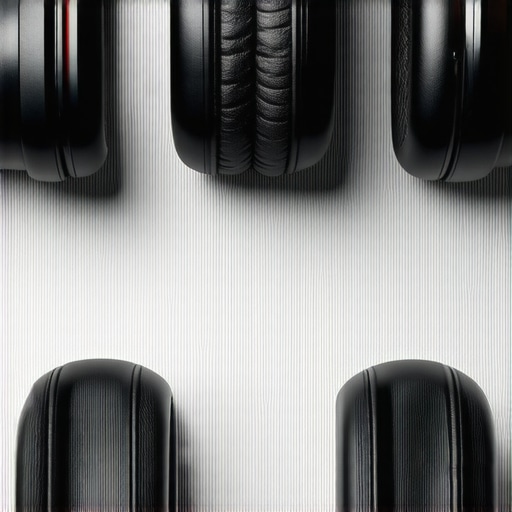
I remember the moment clearly—the relentless weekend marathon, headphones pounding my ears for what felt like an eternity, and that sinking realization: my ears and mind were screaming for relief. I had been pushing through a grueling 10-hour mixing shift, convinced that only the loudest, most aggressive headphones could keep up. But by hour eight, I was already fatigued—not just physically, but mentally, and my focus started to slip. It hit me then: what if I could find headphones that could go the distance without draining my energy or causing fatigue? That lightbulb moment sparked a journey into discovering the best non-fatiguing headphones for those marathon sessions.
Optimize Your Voiceover Environment for Consistency
Start by selecting a dedicated space with minimal ambient noise. Use dense acoustic panels or DIY solutions like blankets and foam to reduce echo. Position your microphone to avoid reflections and use a reflection filter if possible. For example, I once set up in a closet with fluffy blankets, which drastically improved my sound clarity and made editing easier. Proper environment control ensures your recordings are clean from the start.
Choose the Right Studio Headphones for Marathon Sessions
Invest in breathable, neutral-sounding headphones that won’t cause fatigue during long sessions. Look for models with a flat frequency response to accurately gauge your audio. During my recent project, switching to lightweight, open-back headphones allowed me to mix for hours without discomfort, boosting my productivity. Check out the studio headphones buying guide for detailed recommendations.
Set Up a Reliable Audio Interface for Clear Capture
Select an audio interface with high-quality analog-to-digital conversion and sufficient gain control to match your microphone. Make sure it has proper shielding to prevent interference. I once used a basic USB interface that introduced background hum—upgrading to a shielded interface eliminated this issue instantly. Aim for an interface that offers low latency and solid driver support, such as the ones reviewed here.
Configure Your DAW to Maximize Efficiency
Use a digital audio workstation (DAW) that fits your workflow, like Reaper or Pro Tools. Customize your shortcuts and templates to expedite editing. I created a template with preloaded track lanes and effects, which cut my editing time by half. Disable unnecessary plugins and buffer size settings optimized for real-time recording to reduce latency. For example, I adjusted buffer settings following the tips here.
Implement Noise Reduction Techniques
Apply noise gates and equalization during recording to minimize hiss and room noise. Use a pop filter and keep your mic at an optimal distance—about 6 inches—so plosive sounds are controlled. I once recorded a batch of voiceovers in an untreated room; adding a noise gate during editing cleaned up the audio significantly, saving me hours in post-production. Consider digital plugins or hardware solutions for proactive noise control, detailed in the noise fixing guide.
Practice and Refine Your Workflow
Create a checklist for every session to ensure consistency. Record test takes to calibrate levels before full session, and use markers for editing points. During one project, I scripted my sessions to include breaks, preventing fatigue and maintaining vocal quality. Regularly reviewing your workflow and adjusting settings helps develop a smooth process, crucial for podcast and voiceover success.
When diving into high-quality audio production, many believe that simply purchasing top-tier gear guarantees professional results. However, this oversimplification overlooks nuanced pitfalls that can sabotage even the best gear. One common misconception is that upgrading your audio interface alone will drastically improve sound quality. In reality, improper setup—such as incorrect gain staging or neglecting grounding techniques—can introduce noise and distortion regardless of equipment quality. Experts like Ethan Winer emphasize that proper grounding and proper cable management are often more critical than the gear itself. Moreover, many assume that closed-back headphones are always better for mixing, but open-back models can provide more natural sound cues, reducing listening fatigue during marathon sessions.
Are Premium Gear Sets Worth the Investment Without Proper Technique?
Another widespread myth is that high-end equipment compensates for poor technique. This is misleading because even the most expensive gear will underperform if not configured correctly. For instance, selecting a microphone without considering polar patterns and room acoustics can lead to issues like plosive sounds or excessive room noise. Additionally, many overlook the importance of acoustic treatment in their recording spaces, thinking gear alone can solve room issues. As explained in authoritative sources, combining high-quality gear with a well-treated environment yields the best results, rather than relying solely on hardware upgrades.
A subtle yet crucial mistake involves choosing DAW software solely based on popularity. While software like Pro Tools or Ableton Live has benefits, they are not universal solutions. Advanced users like audiophiles recommend tailoring your DAW choice to your specific workflow, plugin compatibility, and system stability. For example, Reaper offers extensive customization and low resource consumption, making it ideal for complex editing without overloading your system—a common oversight overlooked by many beginners. Additionally, neglecting to optimize your DAW settings, such as buffer size and plugin management, can cause latency issues or crashes that ruin sessions. Proper knowledge of DAW configuration is an often-underestimated skill that delivers long-term efficiencies.
Choosing studio headphones seems straightforward, but the complexity lies in their calibration and purpose. The prevailing thought is that any high-end pair will suffice, but calibration mismatches can lead to inaccurate mixes, especially if headphones aren’t speaker-calibrated. For example, headphone frequency response varies significantly across models, affecting your ability to make precise edits. A common mistake is failing to calibrate headphones using software or hardware tools, resulting in mixes that sound good on headphones but are off in the real world. Expert calibration techniques, including linear phase EQ adjustments, can neutralize headphone coloration and provide more reliable listening with less fatigue. This nuance is vital for podcasters and voiceover artists aiming for consistency across different playback devices.
Maintaining your voiceover setup is crucial for consistent, professional results over time. Investing in quality tools is just the beginning; regular upkeep ensures your equipment remains at peak performance. For instance, a high-quality voiceover environment setup benefits greatly from routine cleaning and calibration. Keep your microphones and audio interfaces free from dust by using compressed air and gentle wipes, preventing unwanted noise artifacts. Additionally, periodically check cables for wear and replace any that show signs of damage—this prevents unexpected interference or dropouts.
A vital aspect of long-term maintenance involves updates. Regularly updating your DAW software and device drivers helps fix bugs and improve stability, reducing interruptions during critical recordings. I personally schedule monthly system checks and updates, which have helped me avoid crashes during tight deadlines.
Tools like anti-static mats or grounded USB hubs can prevent static buildup and ground loop hums in your digital chain. For example, a shielded audio interface connected correctly can eliminate persistent buzzes that compromise your audio clarity. As expert @Ethan Winer notes, “Proper grounding isn’t just a detail—it’s the backbone of clean audio technology.” Implementing these considerations prolongs your gear’s lifespan and maintains optimal sound quality.
Looking ahead, trends point toward smarter maintenance with AI-driven diagnostics. Devices equipped with self-monitoring features can alert you to issues before they impact your recordings. Until then, routine manual checks remain your best line of defense.
How do I sustain my gear over time? Besides routine cleaning and updates, I recommend establishing a maintenance schedule—set reminders for firmware updates and component inspections. Incorporating these habits will keep your voiceover and podcast setups reliable and ready when inspiration strikes.
Want to make your setup foolproof? Try using a professional-grade calibration tool for your studio headphones. Proper calibration guarantees accuracy, reduces fatigue, and ensures your mixes translate well to other listening environments. For detailed guidance, visit our calibration techniques page. Starting with a simple, regular check will make a significant difference in your long-term results—don’t wait until problems arise to act.
Few Secrets That Changed My Approach to Voiceover Engineering
One of the most overlooked truths is that even the most advanced equipment won’t save your recordings if your environment isn’t properly calibrated. I used to believe that high-end gear alone could produce professional results, but I quickly learned the importance of room treatment and calibration. The game changer was discovering how small tweaks, like proper headphone calibration or acoustic adjustments, can drastically improve clarity and reduce fatigue during long sessions.
Chasing the Right Tools Isn’t Enough Without Technique
It’s tempting to buy the latest studio headphones or fancy interfaces, thinking they’ll automatically elevate your voiceover quality. However, I found that understanding and applying fundamental techniques—like gain staging and proper mic placement—made a bigger difference. Now, I prioritize learning how to optimize what I already have, turning good gear into great results with skills that matter more than the brand.
Why Calibration Makes or Breaks Your Mix
One lightbulb moment for me was realizing that headphone calibration isn’t just for audiophiles; it’s essential for voices to sound consistent across different devices. Without correct calibration, I felt fatigue and made inaccurate mix decisions. Using calibration techniques I’ve found online, such as flat EQ adjustments, I gained a new level of confidence in my mixes. This is a step so many overlook but so crucial for lasting professional quality.
The Myth of One-Size-Fits-All Equipment
I once thought that buying the most popular microphone or headphones was enough. Turns out, optimal setups are highly personal and depend on your room, voice, and workflow. I spent months experimenting with different combinations, which taught me that customizing your gear and environment is key. Don’t be afraid to test and tweak—your perfect setup is out there, tailored to your needs.
Small Investments, Big Results
Finally, I learned that streamlining your workflow with smart tools—not just expensive gear—can make your voiceover projects more enjoyable and sustainable. Using workflow hacks and dedicated setup routines prevents burnout and fatigue, allowing you to deliver consistent, high-quality work over time. Remember, the goal isn’t just to sound good once, but to make every session easier and more enjoyable.
Discover More For Your Voiceover Journey
If you’re looking to fine-tune your setup, consider exploring my recommended tools like the studio headphones guide or the audio interface setup tips. These resources have helped many voiceover artists step up their game, just as they did for me. Remember, mastering your environment and workflow isn’t a one-time task—it’s an ongoing journey that transforms your sound and confidence.
Take Action and Transform Your Voiceover Experience
Now, it’s your turn. Are your current setup and techniques giving you the best results, or is there room for a small upgrade that could lead to big improvements? Don’t wait to make those changes—your future professional voiceover projects will thank you. What’s one tweak you’re excited to try next? Share below or reach out for personalized advice. Your perfect voiceover environment is just a small step away—start today!