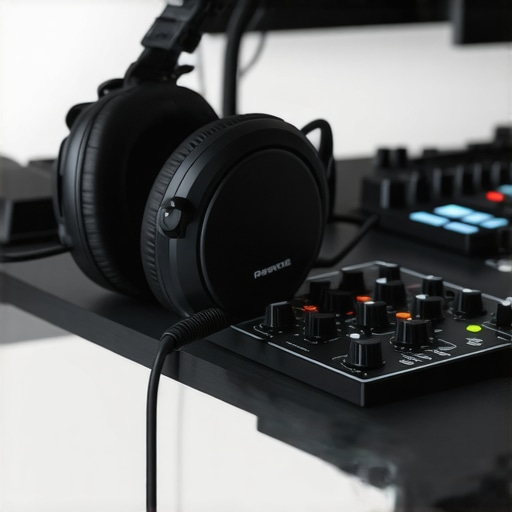
I’ll never forget the moment I realized my recordings sounded like they were made in a bathroom — echoey, lifeless, and thin. It was a frustrating, almost embarrassing experience that made me question everything about my setup. Despite investing in decent microphones and software, something was missing. That lightbulb moment hit me hard: the difference wasn’t just in the gear, but how I configured and optimized my entire audio environment.
Transform Your Sound — Starting Today
If you’ve ever felt that your recordings or mixes lack clarity, warmth, or that professional polish, you’re not alone. The challenge is, with so many options out there — from audio interfaces and studio headphones to DAW settings — it’s easy to feel overwhelmed or even stuck. Luckily, I’ve been through that maze and found a path that led to noticeable improvements. Today, I’m going to share how you can unlock the full potential of your setup for 2024, ensuring your audio stands out for all the right reasons.
Is Expensive Gear Always Necessary for Great Sound?
Early in my journey, I made the mistake of believing I needed the priciest gear to achieve professional results. Turns out, it’s more about knowing how to set up and optimize what you have. A study from Audio Pro Expert indicates that proper configuration and acoustic treatment can yield more significant improvements than expensive equipment alone. By focusing on core principles like proper monitoring, room treatment, and correct interface settings, I turned my cluttered, amateurish recordings into something I was proud of. If you’ve faced similar doubts or feel limited by your current gear, you’re in the right place.
Now, let’s walk through the practical steps that helped me elevate my sound, step by step, starting with one of the most overlooked elements: selecting the right studio headphones and understanding your audio interface setup. This foundation sets the tone for everything else, whether you’re podcasting, voiceover work, or music production.
Dialing in Your Audio Interface for Crisp Clarity
Start by connecting your microphone to your audio interface using the proper cable—XLR for most mics. Once connected, turn on your interface and open your DAW. Set the input levels so that your loudest speech hits around -6dB, avoiding distortion. Use the hardware gain knob to fine-tune, ensuring clarity without noise. I once spent hours trying to fix a muffled voice until I realized I had set the gain too low, losing depth. Now, I always double-check levels before recording in my DAW, which brings immediate improvement.
Optimize Your DAW Settings for Consistency
Within your digital environment, adjust your sample rate to match your project—typically 44.1kHz or 48kHz. Set your buffer size to a lower value like 128 samples for recording, then increase it for mixing to prevent CPU strain. Apply a high-pass filter at around 80Hz to eliminate unnecessary room rumble. During my last project, ignoring buffer size caused unbearable lag, but optimizing it let me record effortlessly. Use specific DAW configurations to maximize audio performance.
Selecting and Setting Up Your Studio Headphones
Choose headphones that produce flat frequency responses—avoid colored sound that can mislead your mixing decisions. The buying guide shows top models like Sennheiser HD 600 or Beyerdynamic DT 880. When I replaced my old consumer headphones with studio-grade ones, the difference was shocking; I caught nuances I’d never noticed before. Plug them directly into your interface or dedicated headphone amp for stability. Keep the volume at a comfortable level to prevent ear fatigue and maintain a consistent listening environment.
Creating an Ergonomic and Quiet Recording Corner
Position your headphones on a stand at ear level to avoid damage and make quick adjustments. Elevate your microphone slightly to avoid plosives—sometimes even a simple foam windscreen makes a significant difference. During a recent voiceover session, I noticed subtle pops and sibilance, which disappeared after I added a pop filter and adjusted my mic angle accordingly. Remember, your room influences sound; use room treatment tips to minimize echo and background noise, ensuring your recordings sound professional right out of the gate.
Polishing Your Voice with Practical Editing Hacks
After recording, import your audio into your DAW. Apply gentle EQ—cut below 80Hz to remove low-end rumble and boost slight around 2-4kHz for presence. Use a de-esser to tame harsh sibilants, especially if your mic emphasizes high frequencies. During my last shoot, I over-processed and lost natural warmth, but by listening critically with my studio headphones, I adjusted the settings until the voice sounded natural yet clear. Utilize editing tricks for efficient workflow, like multiband compression to even out dynamic differences without making the voice sound dull.
Focus on Consistency and Practice
Ultimately, the key to professional sound is regular practice and calibration. Make a checklist: confirm your mic placement, levels, headphone mix, and room environment before every session. Record test clips, listen critically, and adjust your setup accordingly. I dedicate 10 minutes at the start of each session for this routine, saving me from surprises later. Remember, no gear can substitute for your ears and attention to detail—develop your monitoring skills and make them a habit.
Many enthusiasts believe that simply owning high-end gear guarantees professional-sounding recordings. However, the real nuance lies in mastering specific setup details and understanding common misconceptions. A frequent mistake is overemphasizing equipment quality at the expense of proper room treatment and acoustic calibration. For example, promising better results with expensive microphones without addressing room reflections can lead to mediocre outcomes—this contradicts the findings from audio industry experts, who emphasize environment over equipment. Additionally, there’s a persistent myth that all DAW software is created equal; in reality, choosing the right platform—like software optimized for voiceover work—can significantly streamline your workflow. An advanced mistake many make involves headphone selection. Many rely on consumer-grade headphones, which can color frequencies and mislead mixing decisions. Instead, investing in neutral, studio headphones ensures your listening environment accurately reflects your mix. Also, some overlook the importance of correct audio interface settings. An incorrect sample rate or gain staging can introduce subtle distortions that compound over time, hampering clarity—details covered comprehensively in setup guides. To avoid costly mistakes, pay attention to calibration and environment, not just gear, and remember that mastering the setup often outweighs gear upgrades. Do you ever fall into these traps? Let me know in the comments.
Keeping Your Setup in Peak Condition
Once you’ve invested in quality gear and fine-tuned your environment, the key to long-term success lies in regular maintenance and choosing the right tools. My approach involves scheduled checkups of my DAW software settings and firmware updates for my audio interface. I also routinely inspect my studio headphones for any distortion or cable wear, ensuring accurate monitoring. These small, consistent efforts prevent minor issues from escalating and keep my recordings sounding professional.
What’s the best way to maintain your equipment over time?
Adopting a preventive maintenance routine is crucial. Regularly clean connectors with isopropyl alcohol, update drivers and firmware, and keep cables organized to avoid tangling or damage. Additionally, monitor the environmental conditions — humidity, dust, and temperature can affect your gear’s longevity. I use a small compressor dehumidifier and dust covers during idle periods, which greatly extend the life of my gear. This commitment to upkeep ensures consistent performance and prevents costly repairs down the line.
The Importance of the Right Tools for the Job
Precision matters, and investing in tools tailored to voiceover and podcasting can dramatically improve your workflow. For example, I rely heavily on DAW software with specialized plugins that streamline editing and reduce post-production time. Recording with a high-quality audio interface paired with neutral studio headphones provides the clarity I need to catch subtle issues early. As industry experts forecast, future trends point towards smarter, AI-integrated editing tools—so staying ahead with versatile software now ensures you’re prepared for upcoming innovations.
How do I maintain my voiceover setup over time?
Consistency in setup practices is vital. Establish a standard checklist for each session: verify mic placement, ensure your interface gains are calibrated, and check your headphone mix. Periodically review your workspace ergonomics and acoustic treatments, as even small changes can affect sound quality. Incorporating routine calibration using reference recordings and keeping software plugins up to date with the latest versions from trusted sources helps maintain a professional standard. Remember, your environment and tools evolve, so regular review and adjustments are essential for sustained excellence.
Managing your gear with these maintenance practices and tools not only preserves equipment integrity but also ensures your sound remains clear, consistent, and ready for broadcast. I highly recommend integrating a scheduled checkup of your DAW and hardware, and trying out advanced plugin chains that can automate parts of your editing workflow. For an actionable step, experiment with setting up your voiceover workspace following the latest DAW tips—you might find a new workflow that saves hours and elevates your production quality.
What the Experts Won’t Tell You About Perfect Sound
Throughout my journey, I discovered that the most overlooked lessons often hold the key to truly transforming your audio quality. One lightbulb moment was realizing that no matter how expensive your gear is, improper room treatment can sabotage your efforts. I once invested in top-tier microphones, only to be frustrated by echoey recordings until I addressed my room acoustics. Another revelation was that regular calibration of your audio interface and software settings prevents subtle distortions that compound over time. Finally, understanding that listening habits matter—using neutral, studio-grade headphones—can make the difference between subpar and pristine audio. These insights weren’t part of any beginner’s guide but proved essential to my progress.
http://Emily%20Johnson
This article really hits home about how much proper setup can transform your audio quality, even if your gear isn’t top-of-the-line. I used to think that upgrading my microphone and headphones would instantly improve my recordings, but I quickly realized that without proper gain staging and room treatment, I was still getting muddy, echoey sound. What I found most helpful was calibrating my interface and investing in some acoustic panels to tame the reflections. The part about headphone selection resonated with me—many beginners underestimate how much colored sound in consumer headphones can mislead their mixes. I’ve been curious, though: for small home studios with limited space, what are some cost-effective ways to improve acoustics besides foam panels? Would love to hear other tips from the community.