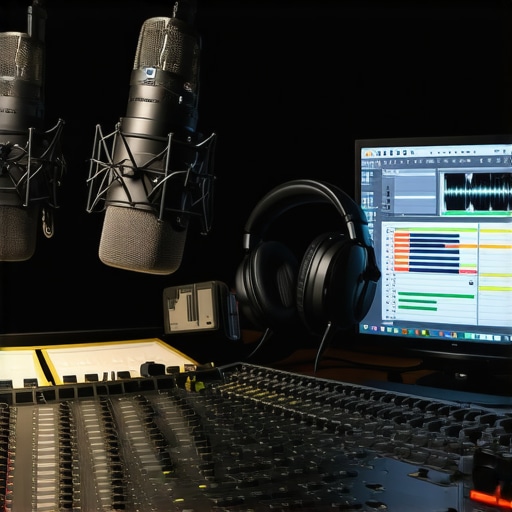
It was late at night, and I was finally ready to upload my latest podcast episode. But as I played back the recording, I cringed. The sound was muddy, distant, and full of background noise. I’d spent hours editing, but I still couldn’t capture that crisp, professional tone I knew was possible. That moment was a lightbulb for me—getting great sound isn’t just about having good gear; it’s about knowing how to use the right DAW software and editing techniques.
If you’ve ever found yourself frustrated with your audio quality, you’re not alone. I’ve been there too. The good news? There are proven tools and tips that can elevate your sound—turning your recordings from amateurish to studio-quality. Today, I’ll share the secrets I’ve learned over years of experimenting, including how to choose the best DAW software and refine your editing workflow for crystal-clear audio. Whether you’re podcasting, making music, or doing voiceovers, these insights will help you avoid common pitfalls and start creating professional-grade sound.
Why Your Choice of DAW Software Matters More Than You Think
Choosing the right Digital Audio Workstation (DAW) isn’t just about having the fanciest features. It’s about finding a platform that matches your workflow, supports essential editing tools, and allows you to fine-tune every nuance of your audio. I used to believe that any program would do, but I quickly learned that switching to a dedicated, user-friendly DAW made a world of difference. For example, I now swear by software that offers detailed waveform editing and real-time effects, which are crucial for polishing your sound.
Not all DAWs are created equal, and some are better suited for specific tasks. For podcast editing, I recommend exploring options that support multi-track editing and seamless plugin integration. If you’re serious about quality, investing in the right software can save you hours of frustration and significantly boost your final product. Want to see what the top options are? Check out this comparison of the best DAW software for precise music production and editing in 2024.
Is Investing in Premium Software Actually Worth It?
Let’s be honest—early in my journey, I made the mistake of sticking with free or overly simple programs, thinking they’d suffice. But I quickly outgrew those tools when I realized they limited my editing potential and made it harder to achieve that professional sound. Modern DAWs offer features like advanced noise reduction, automation, and high-quality effects that are essential for clarity.
If you’re questioning whether it’s worth splurging on premium options, consider this: high-quality sound can make or break your podcast’s reputation. Plus, many professional creators swear by certain software because of how it streamlines editing and enhances audio quality. For detailed guidance on selecting the best DAW for your needs, I recommend this detailed guide on the top DAW software for voiceover artists and podcasters.
And don’t forget, even the best software won’t do the trick without proper setup. Make sure your studio environment is optimized—invest in good studio headphones, a quality microphone, and an audio interface. You can find expert tips on (https://audioediting.editinggearpro.com/audio-interface-setup-expert-tips-to-elevate-your-home-studio) to get started.
Have you struggled with choosing the right editing software or setting up your workspace? Drop your questions below—I’m here to help you elevate your audio game in 2024 and beyond.
Choosing the Right DAW Software for Your Workflow
Start by assessing your specific needs. If you’re editing multiple tracks or need detailed waveform manipulation, software like top DAW options for precise music production can be game-changers. I once switched from a basic program to a more advanced DAW when I realized my edits lacked clarity. The difference was immediate: cleaner cuts, better effects, and smoother automation.
Next, prioritize user interface and workflow compatibility. For example, if you’re used to quick keyboard shortcuts, choose a DAW that supports customizable commands. This saves time during editing sessions and prevents burnout. Remember, a complex interface can slow you down, so pick software that feels intuitive.
Fine-Tuning Your Audio with Editing Techniques
Once your software is set up, focus on editing techniques that elevate your sound. Start with noise reduction—use built-in plugins or external tools like voiceover setup essentials to eliminate background hums or pops. I once spent hours trying to fix a recording, but a quick noise gate application made everything clearer instantly.
Then, apply equalization (EQ) to enhance vocal clarity. Cut unnecessary low frequencies that muddy the mix and boost high frequencies slightly for brightness. For instance, I remember boosting the 3-5 kHz range to bring out the voice in a podcast, resulting in more engaging audio.
Compression is your friend for consistency. Use it to tame loud peaks and bring softer sounds forward. Be careful—over-compression can make your audio sound flat. Experiment with settings until you find a natural balance. A simple tip: keep an eye on your gain reduction meter to avoid overdoing it.
Adding Effects and Final Touches
Reverb and delay are tempting but often overused. Use subtle effects to add space without overwhelming the listener. For example, a slight room reverb can make your voice sound more natural, but too much can be distracting. I often apply a small amount of reverb in studio headphones to gauge how effects translate in real listening environments.
Finally, listen critically. Use professional-grade headphones like those recommended in top studio headphones to identify any inconsistencies or residual noise. Make small adjustments and compare before and after. Your goal is a balanced, crisp sound that’s pleasing and clear.
Remember, editing is both an art and a science. Practice these steps, experiment with settings, and over time, your audio quality will soar. Keep refining your workflow, and don’t hesitate to revisit your setup periodically to incorporate new techniques or software updates. With dedication, you’ll produce podcast episodes that sound as professional as those from top studios.
 When diving into audio editing, many creators fall prey to misconceptions that can sabotage their progress. One of the biggest myths is that expensive gear and software alone guarantee professional sound. In reality, **tech is just part of the equation**; mastering nuanced techniques and understanding the science behind sound quality are what truly elevate your recordings. For example, a common mistake is believing that boosting high frequencies indiscriminately will make voices clearer. Instead, expert editors use targeted EQ adjustments—cutting unnecessary lows and subtly enhancing mids and highs—to achieve natural clarity.
Another misconception revolves around the importance of noise reduction. Many assume that noise gates or filters can fix poor recordings, but over-reliance on these tools can introduce artifacts or make audio sound unnatural. The real secret is **preventative setup**—like proper microphone placement and environment control—which reduces the need for heavy editing later. You can learn more about creating a professional sound environment with these voiceover setup essentials.
Now, let’s address an advanced question: How do you balance dynamic range without losing naturalness? Over-compression is a trap many fall into, leading to flat, lifeless audio. Instead, aim for subtle compression that maintains the human element—some peaks should still breathe. According to audio engineering expert Bob Katz, careful use of compression enhances clarity while preserving musicality.
**Avoid these pitfalls by focusing on your workflow**. Using a high-quality DAW such as those listed in the best DAW software for precise music production can help you apply nuanced edits. Remember, **the goal is to make your audio transparent, not overly processed**—a skill that comes with practice and understanding the subtle interplay between different editing tools.
Have you ever fallen into this trap? Let me know in the comments. For more tips on streamlining your editing process, check out our podcast editing hacks streamlining workflow for better results. And if you’re ready to upgrade your setup, explore the top studio headphones and audio interfaces for crystal-clear recordings in 2024.
Maintaining your audio setup is crucial to ensure consistent, professional results, especially as your projects grow in complexity. The right tools and regular upkeep can extend the life of your equipment and keep your workflow smooth. One of my favorite strategies is investing in high-quality audio interfaces with durable components and reliable drivers. These devices serve as the backbone of your studio, converting analog signals into digital with minimal noise. I personally use the audio interface I recommend for voiceover artists because of its robust build and clean sound.
Another critical tool is a good pair of studio headphones. Regularly calibrating and cleaning your headphones prevents sound degradation over time. I suggest checking out the latest headphone models in the 2024 guide to find something that matches your needs. Consistent maintenance includes wiping down your equipment, updating firmware, and running routine tests to catch issues early. This proactive approach minimizes downtime and saves money long-term.
Software updates are equally vital. Keep your DAW and plugins current to benefit from bug fixes and new features. For instance, I regularly visit the best DAW resources to stay informed about the latest developments. Automated backups and version control are also lifesavers, ensuring you never lose progress after a crash or accidental deletion.
Looking ahead, I predict that AI-powered maintenance tools will become more prevalent. These will monitor your system’s health, recommend optimal settings, and even troubleshoot issues automatically. Embracing these innovations now will keep you ahead of the curve, saving you time and frustration. For example, tools like automatic environment calibration are already making a difference in professional studios.
How do I keep my gear working smoothly over time?
Establish a regular maintenance routine: clean your equipment, update software, and check connections monthly. Invest in reliable surge protectors and power conditioners to safeguard your gear from electrical faults. Additionally, document your setup configurations and updates; this makes troubleshooting faster. Remember, a well-maintained system not only prolongs your equipment life but also ensures your audio remains crisp and professional.
Try implementing a scheduled review of your hardware and software every three to six months. This proactive habit will help you catch potential issues before they become costly problems. Don’t forget to keep a spare set of cables and backup drives—these small investments pay off in avoiding unexpected downtime. Keep your workspace organized to prevent accidental damage and make troubleshooting easier. Over time, these small but consistent efforts will keep your studio running smoothly, allowing you to focus on creating rather than fixing.
For more detailed tips on optimizing your studio setup, visit our contact page. Remember, staying proactive is the secret to long-term success in audio production. Start with these tools and habits today, and your future self will thank you for it!
Lessons That Changed My Approach to Sound Editing
- One of the biggest lessons I learned was that even the most expensive gear can’t fix poor technique. Investing time in learning precise editing and mastering your DAW’s features made a profound difference in my results.
- Another insight was the importance of a clean, controlled environment. No amount of editing can fully salvage a recording plagued by background noise or inconsistent acoustics. Proper setup and preventative measures are key.
- I also realized that understanding the science of sound—like how EQ and compression interact—empowers you to make informed decisions rather than relying on guesswork. This knowledge transforms your workflow from trial-and-error to intentional craft.
Tools and Resources That Transformed My Workflow
- My top pick has been the best DAW software for precise music production. Its intuitive interface and advanced editing capabilities helped me achieve professional clarity with less frustration.
- For headphones, I swear by the top studio headphones in 2024. Accurate sound reproduction is essential for critical listening and fine-tuning your audio.
- The ultimate guide to audio interfaces helped me select reliable hardware that minimized noise and maximized clarity during recording sessions.
- Finally, I rely on podcast editing hacks to optimize my workflow, saving me hours each week while maintaining quality.
Your Next Step in Audio Mastery
Don’t let fear or uncertainty hold you back from achieving the professional sound you envision. Embrace continuous learning, invest in the right tools, and stay proactive with maintenance and setup. Your future projects will thank you for the effort you invest today. Remember, every great audio engineer started exactly where you are now—so take that first step with confidence.
What’s the biggest challenge you face when editing your audio? Share your experience below—I’d love to help you overcome it and elevate your sound quality in 2024!
http://Chris%20Morgan
This article hits the nail on the head for me. I used to rely solely on free editing programs, and I constantly struggled with background noise and inconsistent sound quality. Switching to a dedicated DAW like Reaper, and investing in a good quality microphone and audio interface, changed everything. I’ve found that the real game-changer is not just the software but also the environment you record in. Proper room treatment and mic placement make a huge difference. I agree that mastering techniques like EQ, compression, and subtle reverb really elevate the professionalism of a podcast or voiceover. One thing I’d add from my experience is the importance of setting up a good monitoring environment—using quality studio headphones helps catch issues that aren’t audible on regular speakers. Have any of you found a particular workflow or tool that made your editing process more efficient? Would love to hear your tips for streamlining post-production while maintaining quality.
http://Emily%20Rogers
Reading this post really resonates with me because I used to underestimate the importance of a good setup in my editing workflow. I used to rely on free DAWs and cheap headphones, and my sound suffered because of it. Ever since I invested in a decent audio interface and some studio headphones, my ability to identify issues during editing improved dramatically. It’s not just about the software at that point—it’s about creating an environment that maximizes your hearing accuracy. I also found that dedicating specific time to learn keyboard shortcuts and workflow tricks in my DAW helps me save a lot of time and reduces frustration.
For those still struggling with background noise or inconsistent sound, do you prioritize your recording environment first, or are you focusing more on advanced post-production techniques? I’d love to hear how others balance these aspects.
http://Daniel%20Harris
This post really hits home for me because I used to rely on basic freeware for editing, and my sound quality suffered heavily from background noise and inconsistent audio levels. Investing in a good DAW like Reaper, paired with a quality microphone and a well-treated room, made a world of difference. I learned that mastering your editing tools—like noise reduction plugins, EQ, and compression—is just as important as the hardware you use. One tip I found effective was creating a dedicated editing workflow template to streamline repetitive processes, which saves me hours and keeps my quality high. Also, aligning my monitoring setup with good studio headphones ensures I catch issues early, before finalizing my edits. I’m curious—what are some of your favorite plugins or workflows that help you stay consistent and efficient during editing?
http://Megan%20Carter
Your post really hits home for me because I’ve also struggled with making my audio sound professional, especially in a home studio environment where acoustics can be tricky. I recently started using a combination of a good DAW with detailed waveform editing and a few essential plugins for noise reduction and equalization. It’s surprising how even small tweaks, like cutting unnecessary lows and boosting mid-highs, can elevate the clarity of voice recordings. I found that spending time to properly set up my recording space—like adding some soft furnishings and acoustic panels—made a noticeable difference in reducing background noise from the start, so I don’t rely so much on heavy post-processing. This balance between environment setup and effective editing techniques has really helped improve my workflow.
For those just starting, do you think investing in soundproofing tools is worth it, or should you focus more on software corrections first? I believe both are crucial, but I’d love to hear what others prioritize when improving their audio quality.
http://Samuel%20Johnson
Wow, this post really resonates with me. I used to focus only on software and plugins, thinking they alone would give me professional results. But I quickly learned that environmental factors—like room acoustics and mic placement—play a huge role in audio quality. Since investing in some acoustic panels and a decent microphone, my recordings have improved tremendously, even before editing. That said, I still struggle sometimes balancing noise reduction and preserving natural sound. Do others find that a combination of environment setup and advanced editing techniques works best? I would love to hear how you guys prioritize these aspects in your workflow, especially when working on tight deadlines.