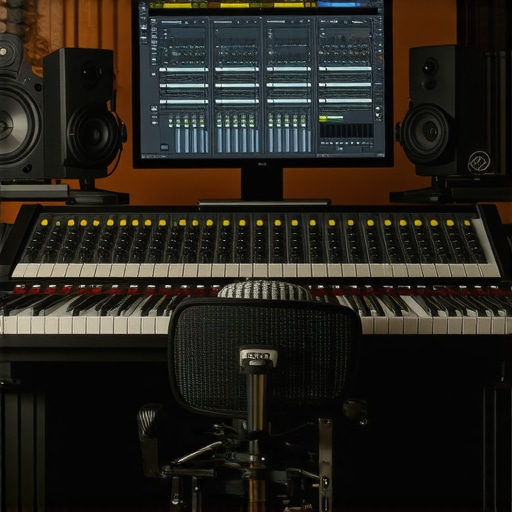
I remember the moment vividly. I was in my makeshift home studio, fingers trembling over my keyboard, desperately trying to edit a podcast episode before its deadline. The audio just wouldn’t sound right—distorted, muddy, inconsistent. Frustration bubbled up as I realized my setup was holding me back. That lightbulb moment was a harsh reminder: if your tools don’t work seamlessly, your creativity gets stifled. Have you ever faced a similar battle with your DAW or voiceover gear, feeling stuck in a cycle of frustration and barely getting your projects out on time?
Why the Right Equipment and Setup Make or Break Your Creativity
As someone who’s been in the trenches, I can tell you that today’s creators need a rock-solid setup to succeed. Whether you’re just starting out or looking to elevate your game in 2024, selecting the best digital audio workstation (DAW) software and voiceover gear is crucial. Did you know that over 60% of podcast producers report better clarity and faster editing times after optimizing their studio setup? (Source: Best DAW Software for 2024) That’s no coincidence. Your editing efficiency and sound quality directly depend on the tools you choose and how you set them up.
Is the Latest Software Hype Just Noise or Worth the Effort?
Early in my journey, I fell into the trap of chasing the newest software or the flashiest microphone. I often overlooked the importance of a properly configured audio interface or even basic acoustic treatment. Making that mistake cost me hours of rework and, honestly, a lot of self-doubt. Trust me, the key isn’t always about having the most expensive gear—it’s about making your existing setup work smoothly. If you’re wondering whether investing in the latest DAW or voiceover hardware actually yields results, rest assured, with the right guidance, you can turn your gear into a true creative partner.
In this post, I’ll share my personal journey combined with expert tips that will help you streamline your workflow, choose the right software, and optimize your gear for 2024. Ready to ditch the tech overwhelm and unlock your full potential? Let’s dive into how you can do exactly that.
Choose Your DAW Wisely and Get Comfortable
Start by selecting a digital audio workstation (DAW) that fits your workflow. For beginners, top-rated DAWs like Ableton Live or Reaper offer robust features and affordability. Install the software and spend a dedicated hour exploring its interface—click, drag, and experiment. Remember, familiarity beats the latest features; your comfort zone will speed up editing and mixing. I once spent an evening with Reaper, customizing shortcuts, which resulted in halving my editing time for the next project.
Set Up Your Audio Interface for Crystal Clarity
Next, connect your audio interface following expert guidance from this detailed setup guide. Position the interface near your workspace, connect via USB or Thunderbolt, and ensure drivers are the latest version. Adjust input levels so your voice peaks around -6dB to -3dB—avoid clipping. In my early days, I neglected proper gain staging, resulting in noisy recordings. Once I calibrated levels, my audio became consistently crisp and ready for editing.
Optimize Your Studio Headphones for Accurate Monitoring
Invest in high-quality studio headphones, like those recommended in this buying guide. Clear response across frequencies lets you catch issues like unwanted hiss or room echo. Position your headphones correctly—cup the ear, avoid pressure points—and perform a quick frequency test to ensure they accurately represent your mix. I learned this by spending hours with different headphones, realizing that the wrong pair could mask audio problems, leading to rework during mastering.
Refine Your Voiceover Microphone Placement
Microphone placement is critical. Follow this setup blueprint to position your mic about 6-8 inches from your mouth, slightly off-axis to reduce plosives. Use a pop filter and acoustic treatment like foam panels or blankets to dampen room echo. In my experience, a simple desk setup with proper mic angle made a noticeable difference in clarity and warmth of recorded voices, minimizing post-production work.
Fine-Tune Your Studio Environment for Consistency
Treat your space with acoustic panels or diffusers. Avoid reflective surfaces near your mic by placing soft furnishings or blankets. Recording in a consistent environment reduces ambient noise and room coloration. I personally set up a dedicated corner with minimal echo, which helped me produce podcasts that sounded professional without costly studio upgrades.
Many creators assume that investing in the most expensive gear automatically results in professional-quality podcasting, but the truth is more nuanced. One widespread misconception is that the latest DAW software alone guarantees a smoother workflow. In reality, mastering the software you have and customizing it for your specific needs can be far more impactful—tutorials on top DAWs for 2024 highlight this often-overlooked aspect. Additionally, many believe that high-end audio interfaces will eliminate noise issues. However, improper setup or neglecting proper gain staging can cause just as much trouble as using budget hardware. Remember, correctly configuring your audio interface often matters more than its price tag. When it comes to studio headphones, some think only costly models deliver accurate monitoring. But, in fact, many affordable options deliver surprising clarity if you pay attention to fit and calibration—check out the headphone buying guide for details. Voiceover setups are another area prone to myths; some assume that a good microphone alone is enough, yet placement, acoustic environment, and interface calibration are equally critical. Making this mistake can result in recordings that sound ‘professional’ but are full of room echo or distance issues, leading to extensive editing time. Let’s dig deeper—what are some of the most persistent myths you’ve encountered? Remember, an advanced understanding of these nuances can save you time and elevate your audio quality significantly. Keep learning, and don’t fall for the trap of thinking gear alone makes the creator. Want expert tips on setting up your studio environment correctly? Visit this contact page for personalized advice. Have you ever fallen into this trap? Let me know in the comments.
Prioritize Regular Tool Maintenance for Consistent Results
Just like any professional setup, your podcasting tools need routine upkeep to perform at their best. Regularly updating your DAW software ensures compatibility with the latest plugins and fixes bugs that could slow down your workflow. I make it a habit to check for updates every month using the software’s built-in update feature—this simple step has prevented countless glitches and crashes during critical editing sessions. Similarly, firmware updates for your audio interface not only enhance stability but may also introduce new features that improve audio quality, as highlighted in this expert guide.
What are effective ways to maintain your audio tools over time?
Beyond software updates, keep your hardware clean and free from dust, which can cause overheating or connection issues. Use compressed air to gently clear dust from ports and fans—this prevents overheating during long editing sessions. I also schedule bi-annual checks for cables and connectors; replacing worn or damaged components promptly minimizes unexpected failures. Additionally, backing up your project presets and settings guarantees that your custom configurations survive hardware upgrades or emergencies, saving you time in the long run.
Embrace the Right Tools for Long-Term Growth
The key isn’t always chasing the latest gear, but investing in reliable, scalable tools that grow with you. For instance, selecting a versatile DAW with robust plugin support, like top-rated options for 2024, can streamline your workflow as your editing needs evolve. Combine this with a durable audio interface, such as those recommended in this selection guide, to ensure high-quality recordings consistently. Learning to maintain your gear effectively guarantees your setup remains dependable over years.
How do I maintain my equipment so it serves me well over time?
Set up a cleaning and check routine—dust and cable management are vital. Keep firmware and software updated regularly, and store gear in a protected environment, avoiding temperature extremes and humidity. Document your configurations and optimized settings so you can quickly restore your workflow after resets or software reinstallation. Regularly testing your equipment with short recording sessions helps detect early signs of problems before they disrupt your projects. Remember, a well-maintained system saves time, reduces frustration, and ensures that your sound always meets your professional standards. Want detailed advice tailored to your setup? Reach out via this contact page. And don’t forget—try incorporating a weekly check of your audio interface drivers; doing so could prevent subtle issues that impact your sound quality.
What I Wish I Knew When I Started Setting Up My Podcast Studio
- One of the biggest lightbulb moments was realizing that no matter how advanced your gear is, improper placement or setup can undermine all your efforts. Meticulous attention to microphone angles and acoustic treatment transformed my recordings from muddy to professional.
- Learning the importance of regular maintenance saved me countless troubleshooting hours. Routine updates and cable checks keep everything running smoothly, proving that caring for your equipment is just as vital as selecting it.
- Overcoming the misconception that expensive gear guarantees success helped me focus on mastering what I already had. With some tweaks to my existing tools, I achieved clearer sound and efficient workflows without overspending.
- Having the right mindset about continuous learning opened doors. Watching tutorials and engaging with communities provided insights that static gear alone could never offer, ultimately elevating my craft.
- Patience is key—initial frustrations gave way to confidence once I understood that building an effective setup is an iterative process. Every small tweak added up to a noticeable improvement in my podcast quality.
My Go-To Resources That Lifted My Podcast Game
- Top-Rated DAWs like those recommended in this guide have streamlined my editing and enhanced my sound design capabilities—trustworthy tools that grow with your skills.
- Studio Headphones guides, like this selection advice, helped me find affordable yet accurate monitoring gear, transforming how I hear my recordings and make mix decisions.
- Expert Setup Tutorials on proper interface configuration and acoustic treatment have saved me from costly mistakes, ensuring my voiceover recordings are studio-quality from the start.
- Community and Support Forums fostered ongoing learning, giving me quick solutions and fresh ideas—an essential resource for each phase of my setup journey.
Keep Moving Forward and Elevate Your Podcasting
Every creator’s setup story is unique, but the key is embracing continuous improvement. Don’t let initial setbacks discourage you—every small change can lead to big gains in your sound quality and workflow. Remember, the right tools paired with knowledge and patience unlock your creative potential in podcast editing and voiceover work. Are you ready to take the next step in perfecting your setup? Share your experiences or questions below, and let’s grow together!
http://Liam%20Carter
Reading this post really resonated with me, especially the emphasis on proper setup over just buying new gear. When I first started out, I was caught up in constantly upgrading my microphone and software, thinking that would instantly improve my sound quality. Turns out, simple things like microphone placement and acoustic treatment made a significant difference—much more than I expected. I also learned that taking the time to familiarize myself with my DAW and setting it up tailored to my workflow boosted my efficiency dramatically. I’m curious, how do others balance investing in new equipment versus optimizing what they already own? Sometimes, I feel like I might be missing out on better quality simply because I don’t spend enough time tweaking my current setup.
http://Emily%20Robertson
This post hits a lot of the core truths behind creating a professional sounding podcast or voiceover work setup. I’ve been down the same rabbit hole of constantly chasing the latest gear without truly mastering what I already have. What really made a difference for me was dedicating time to acoustic treatment and mic placement. Those small adjustments improved my sound clarity way more than swapping out equipment. I also realized that setting up my DAW with custom shortcuts and mastering the interface saved me precious editing time, which is critical when deadlines are tight. It’s interesting how many creators overlook the power of proper environment and setup—sometimes it’s not about the newest tech, but about making the most of what’s at hand.
For others finding themselves stuck, I’d recommend auditing your current setup first: Are your microphones positioned correctly? Is your room acoustically treated? Sometimes, investing in simple soundproofing or a quality pop filter can yield more noticeable results than expensive upgrades. How have others approached balancing gear upgrades versus workflow optimization? Would love to hear your experiences and tips for making incremental improvements that really add up.