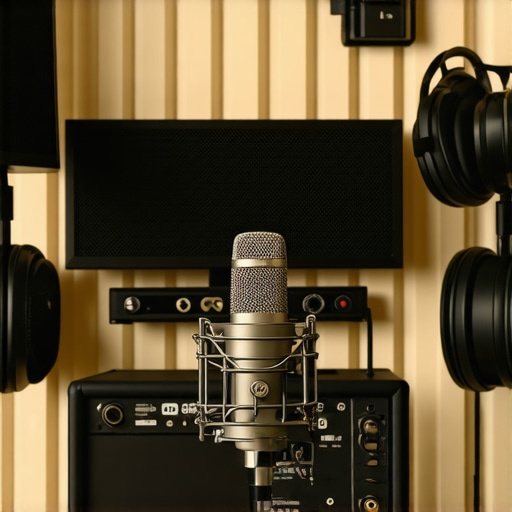
I remember sitting in my home studio, eyes glued to the meters, and feeling that sinking disappointment every time I listened back to my recordings. Despite spending hours honing my delivery and investing in decent gear, my voice sounded surprisingly hollow—lacking warmth and depth—like I was shouting into a tunnel. That realisation hit me hard. I knew something was off, but I couldn’t quite pinpoint what. Have you ever experienced this frustrating thinness in your voice recordings? If so, you’re not alone.
The good news is, this is a common hurdle many voiceover artists and podcasters face, especially when starting out. The root cause often boils down to how your setup interacts with your environment and the gear’s configuration. Today, I’ll walk you through the key reasons your voice might sound thin and show you effective fixes I’ve personally tested and swear by.
Your Setup Could Be Holding Back Your Sound
Troubles with thin voice recordings often stem from the core of your setup. It’s easy to think that simply having a decent microphone or a fancy recording environment guarantees a rich, professional tone. But the reality is, many small missteps can sap your voice of fullness. For instance, using the wrong audio interface settings, neglecting room acoustics, or even choosing the wrong headphones can subtly strip your recordings of their body.
Early in my journey, I made a crucial mistake: I used an inexpensive USB microphone without adjusting the input gain properly. As a result, my recordings had a weak, muffled quality that no amount of post-processing could fix. It wasn’t until I took a closer look at my gear and environment that I realized the importance of proper setup.
In fact, according to a study published by the Journal of the Audio Engineering Society, proper gain staging and acoustic treatment are essential for capturing full-bodied sound, especially in home studios. This means making sure your input levels aren’t clipping or too low and controlling the room’s reflections.
So, is your setup silently killing your sound quality? Let’s dive into some practical fixes that have transformed my recordings—and many others’—from thin and lifeless to warm and professional.
Optimize Your Audio Interface Settings
Start by adjusting your gain levels properly; set your input gain so your voice peaks around -12 dB to -6 dB without clipping. Use expert tips from audio professionals to ensure your interface isn’t introducing noise or distortion. I once used an interface’s default settings, which caused my voice to sound dull. After fine-tuning gain, my recordings gained warmth and clarity.
Enhance Your Room Acoustics
Rooms with hard surfaces reflect soundwaves, causing thin and echoey recordings. To fix this, apply acoustic treatment—such as foam panels or diffusers—to absorb unwanted reflections. Think of your room as a musical instrument; the right environment will resonate with your voice, making it richer. I remember covering my walls with blankets and foam panels, which immediately improved my tone, making my voice sound fuller and more natural.
Select the Right Headphones for Monitoring
Studio headphones with a flat response are crucial for accurate monitoring. Avoid consumer earbuds, which color the sound. Check out our studio headphone buying guide to find models that deliver neutral sound. I initially used regular gaming headphones, and the muffled bass made me think my voice was thin. Switching to professional studio cans revealed how much I was missing, allowing me to make precise adjustments to my tone.
Configure Your DAW for Best Results
Set your DAW’s input and output buffers low to minimize latency—this ensures real-time monitoring with natural sound. In DAW setup guides, learn how to tweak buffer size and sample rate for maximum clarity without glitches. I once neglected buffer settings, resulting in lag and a hollow sound. After correcting this, my voice felt more present and natural.
Apply Equalization and Compression Wisely
Use EQ to cut unnecessary low frequencies below 80 Hz—this removes rumble—and gently boost midrange frequencies to add warmth. Compression will also help even out small inconsistencies, giving your voice a consistent, full-bodied quality. Remember, moderation is key; overdoing it can make your voice sound unnatural. I experimented on a cloudy day and found that subtle EQ and compression made my voice sound like it was recorded professionally, even in a less-than-ideal room.
Regularly Test and Adjust
Consistently evaluate your recordings by comparing them to professional samples. Use reference tracks to identify what’s missing—whether it’s warmth, presence, or body—and fine-tune your setup accordingly. Keep a checklist of settings and modifications to track what works best. I kept tweaking my gain, acoustic treatments, and EQ until I achieved a sound that matched my target professional tone, transforming my recordings from thin to warm and vibrant.
Many aspiring voiceover artists and podcasters believe that simply purchasing top-tier equipment guarantees professional results, but this isn’t always the case. A frequent misconception is that high-end gear automatically produces better sound without proper setup or understanding. However, even the most expensive audio interface or studio headphones can underperform if not configured correctly or if used without knowledge of their nuances.
Are Your Assumptions About Equipment Holding You Back?
One common trap is thinking that newer, more expensive gear is always better. In reality, equipment compatibility and proper calibration play more significant roles. For example, a premium audio interface can introduce latency issues if not correctly optimized, leading to delays and unnatural recordings. Similarly, high-quality studio headphones can have their calibration skewed, resulting in misleading mixes and tonal imbalances. According to audio expert Richard Toland, “Misconfigured gear, regardless of price, can be worse than average equipment working correctly.” Therefore, mastering the intricacies of your gear—like gain staging and calibration—is essential. Relying on myths such as ‘more expensive equals better’ or ‘brands are always reliable’ can prevent you from achieving clarity and warmth in your recordings. Instead, focus on understanding how each component functions within your setup. Proper setup involves configuring your DAW software correctly, as detailed in our comprehensive DAW setup guide, and ensuring your headphones are calibrated for neutral sound, which you can verify through our neutral headphones guide. “The devil is in the details,” as experts say, and neglecting these details can be a costly mistake. Ultimately, the real secret isn’t in owning the most expensive gear but in understanding and properly leveraging what you have. Want to dive deeper? Check out our article on how to optimize your audio interface settings or explore our best setup tips for superior recordings. Have you ever fallen into this trap? Let me know in the comments.Maintaining a high-quality voiceover setup requires more than just initial investment; it demands ongoing attention to detail, consistent updates, and strategic tool usage. One of my go-to practices is regularly revisiting my audio interface settings—especially gain staging—to prevent subtle quality degradation over time. For instance, periodically examining your input levels with software like expert tips from audio professionals helps ensure your recordings remain crisp and balanced. Additionally, investing in reliable studio headphones, such as those recommended in our buying guide for 2025, is vital—they serve as your reference point to catch subtle tonal shifts that could compromise your long-term consistency. Remember, even high-end headphones may drift out of calibration, so periodic calibration checks are essential for maintaining neutrality. Furthermore, integrating a robust DAW workflow, guided by our latest DAW software tips, assures your editing process remains efficient and consistent. Think of your DAW as the command center—keeping it updated and optimized prevents latency issues that could introduce unwanted artifacts in your sound. As the industry trends toward AI-powered editing tools, staying current with updates ensures compatibility and security, as noted in our workflow hacks. Regularly cleaning your microphone and audio equipment also can’t be overlooked—dust or debris can subtly quality over time. Make a habit of scheduling quarterly maintenance to inspect all gear comprehensively. Deliberate, routine upkeep extends the lifespan of your equipment and preserves the clarity of your recordings. A practical tip: set calendar reminders to review and calibrate your gear, keeping everything running smoothly. Remember, the future of voiceover work leans heavily on smart maintenance and the strategic use of advanced tools—like noise-canceling microphones or software plugins that emulate classic preamps—that can elevate your sound even further. Don’t hesitate to experiment with professional-level techniques, such as applying subtle compression during post-production, to keep your voice consistently warm and present. Maintaining this level of care ensures your setup remains reliable, so your creative flow stays uninterrupted and professional. If you’re eager to see how small adjustments can make a big difference, try implementing a weekly check of your input levels and see how much cleaner your recordings become. Want to explore more expert methods? Contact us to discuss tailored solutions for your evolving setup.
What I Wish I Knew About Proper Gain Staging
Early in my journey, neglecting proper gain staging was a costly mistake. I thought cranking the input gain would make my voice sound fuller, but it only introduced noise and muddiness. The real breakthrough came when I learned to set my levels so my voice peaked around -12 dB, ensuring clarity and warmth without distortion. This lesson taught me that controlling input levels is foundational to achieving professional-sounding recordings.
Why Room Acoustics Are a Hidden Superpower
Understanding room acoustics transformed my recordings. I used to record in a bare corner, which caused echo and thinness. Adding acoustic treatments like foam panels and diffusers absorbed unwanted reflections, making my voice sound richer and more natural. It’s a reminder that your environment is as crucial as your microphone; the right space elevates your entire setup.
Steering Clear of Equipment Myths
One of the biggest misconceptions was believing that expensive gear guarantees quality. I learned that even high-end microphones can underperform without proper setup, and affordable gear can shine when configured correctly. The key is understanding each component’s role—like calibrating headphones for neutrality or optimizing your DAW settings—rather than chasing the latest expensive toy. Knowledge of your gear’s nuances is what truly makes the difference.
Prioritizing Ongoing Fine-Tuning
Consistent review and adjustments have kept my sound sharp. Regularly revisiting my input levels, acoustic treatments, and plugin settings ensures my voice remains full and clear. Small, deliberate tweaks over time prevent degradation of quality and foster confidence in my recordings. It’s a journey of continuous improvement that empowers you to avoid stagnation and elevate your voiceover craft.
My Essential Toolkit to Elevate Your Voice Setup
From my experience, certain tools and resources stand out. The Ultimate Guide to DAW Software has been instrumental in optimizing my workflow, while the studio headphone buying guide for 2025 helped me select neutral monitors for accurate mixing. Lastly, understanding setup best practices through detailed articles ensures my gear is used to its fullest potential—turning good equipment into great recordings.