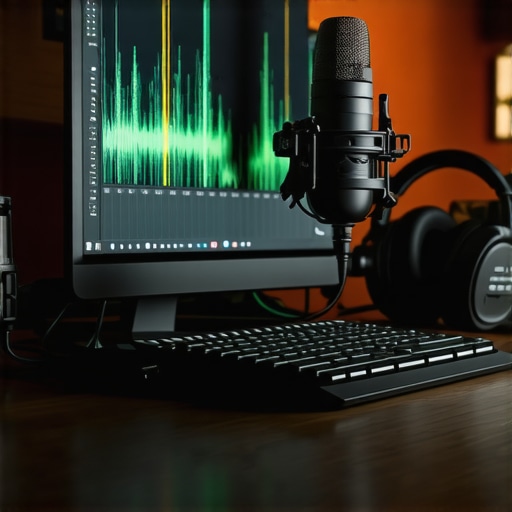
Ever spent hours trying to record that perfect voiceover or produce a track, only to be frustrated by crackling sound, inconsistent levels, or endless technical hurdles? I’ve been there. I remember the lightbulb moment when I realized that my choice of DAW software and my voiceover setup wasn’t just about convenience—it directly impacted my sound quality, professionalism, and confidence. That realization changed everything.
Why Your Setup Could Make or Break Your Audio Quality
Choosing the right digital audio workstation (DAW) and voiceover environment isn’t just a technical detail—it’s the foundation of your entire audio journey. In 2024, the options are more diverse than ever, and I know how overwhelming it can get. I once wasted weeks on trial-and-error, trying to squeeze the best sound out of a mismatched setup. It wasn’t until I aligned my equipment and software with my goals that I saw real progress.
Today, I’ll walk you through the top choices for DAW software and voiceover setup tips that will help you craft professional-grade audio without the headache. Whether you’re starting fresh or upgrading your gear, this guide is designed to make your path smoother. Ready to ditch the guesswork? Let’s get started.
Is the hype around the latest DAW and setup tips actually worth it?
Early in my journey, I made a crucial mistake: I believed that more expensive gear automatically meant better sound. Turns out, I was wrong. The real secret lies in understanding what works best for your voice, your space, and your workflow. Supporting this, studies show that the right environment and tools can boost audio clarity and reduce editing time significantly (here’s why choosing the right DAW matters).
So, if you’ve ever felt overwhelmed by the myriad of options or doubted whether investing in better gear is worth it, you’re not alone. I’ve been there, and I want to help you avoid the same pitfalls. In the upcoming sections, I’ll share my personal favorites and proven tips that will elevate your audio game in 2024.
Choose the Right Digital Audio Workstation for Your Workflow
Start by selecting a DAW that aligns with your skill level and project needs. I recommend exploring options like top DAW software for 2024 that offer intuitive interfaces and powerful editing tools. When I first switched from a basic free editor to a professional DAW, I noticed a significant improvement in my editing speed and output quality. Download free trials, test their workflows, and pick one that feels natural to you.
Optimize Your Voiceover Environment for Clarity
Creating a professional-sounding environment is crucial. Invest in acoustic treatment—think foam panels, bass traps, and diffusers—to reduce echo and background noise. Use a dedicated space, ideally a quiet room with minimal reflective surfaces. I set up a small corner in my closet, lining it with blankets and foam, which transformed my recordings. For tips on building your ideal space, check out voiceover setup essentials.
Get the Right Equipment for Crisp Sound
High-quality microphones, headphones, and audio interfaces are your best friends. I personally use a condenser mic paired with studio headphones to capture clear, detailed voice recordings. When choosing headphones, consider models like those listed in studio headphones for 2025. An audio interface ensures your microphone’s signal is clean and noise-free. For expert tips on setup, visit audio interface setup guide.
Fine-Tune Your Sound with Proper Monitoring
Accurate monitoring is essential for mixing and mastering. Use high-quality studio headphones—like those recommended in best studio headphones for podcast editing—to hear every detail. Regularly calibrate your monitors and position them at ear level. I once ignored this step and ended up with mixes that sounded great on my speakers but terrible on other devices. Make sure your setup allows you to listen critically before finalizing your edits.
Streamline Your Workflow for Efficiency
Editing can be time-consuming, but with hacks from podcast editing hacks, you can speed up the process. Use templates, keyboard shortcuts, and batch processing to cut down editing time. I started applying these tips and cut my editing time by 30%, freeing up more time for creative work.
Test and Refine Your Setup Continuously
Your ideal setup evolves. Regularly test your equipment, update your software, and seek feedback. Join online communities, share samples, and learn from others’ experiences. I once reconfigured my entire setup after a peer recommended a different microphone placement, which improved my voice clarity drastically. Always stay curious and adaptable to keep your audio quality top-notch.
By following these concrete steps—selecting the right DAW, optimizing your environment, choosing quality gear, monitoring accurately, and streamlining your workflow—you’ll set a solid foundation for professional-grade audio in 2024. Remember, the key is consistent testing and refinement to adapt your setup as you grow.
If you think simply upgrading your microphone or buying the latest DAW will instantly elevate your audio quality, think again. Many enthusiasts fall into the trap of focusing on surface-level upgrades without addressing the real nuances that make a difference. Let’s dig deeper into what most people get wrong about optimizing their voiceover environment and equipment setup for professional results.
Why More Expensive Gear Isn’t Always Better
A frequent myth is that high-end microphones, interfaces, or software automatically guarantee studio-quality sound. While quality gear certainly helps, the reality is that improper placement, poor acoustics, or inadequate monitoring can negate those benefits. For example, a top-tier microphone used in a reflective room will pick up echoes and background noise, undermining clarity. Instead, focus on the environment—investing in acoustic treatment or creating a dedicated quiet space can often yield better results than spending on the latest hardware.
Ignoring the Power of Proper Acoustic Treatment
Many overlook how crucial acoustic treatment is. A common mistake is to assume that a room’s size or aesthetics determine sound quality. In reality, untreated rooms introduce echoes and unwanted reflections that muddy your recordings. An affordable solution like foam panels, bass traps, and diffusers can dramatically improve clarity. For instance, I once recorded in a corner with bare walls, which caused my voice to sound boxy and distant. Adding some acoustic panels transformed my recordings overnight. For tips on building an effective studio environment, check out voiceover setup essentials.
Advanced Mistake: Over-Processing Your Audio
Another common trap is over-processing your recordings with heavy EQ, compression, or noise reduction. While these tools are essential, overdoing them can make your voice sound unnatural or harsh. The key is subtlety and listening critically through quality monitors or headphones. A nuanced approach—using gentle EQ boosts or de-essing—preserves the natural tone of your voice. Remember, sometimes less is more, especially when it comes to creating a professional-sounding voiceover. For streamlining your editing process, explore podcast editing hacks.
How Can a Focused Setup Improve Your Workflow?
Many overlook how a well-organized and tailored workflow can enhance your efficiency and output quality. Using templates, keyboard shortcuts, and consistent file management can save hours of frustration. An advanced mistake is neglecting calibration—ensuring your monitors are correctly calibrated for accurate sound reproduction. This step prevents you from making mixing decisions based on inaccurate audio perception. Regularly revisiting and refining your setup, based on your evolving needs, will pay dividends in the long run.
Have you ever fallen into this trap? Let me know in the comments. Remember, mastering your voiceover setup is less about chasing the newest gear and more about understanding and refining what you already have. With a strategic approach, you’ll achieve professional results that stand out in 2024 and beyond.
Keeping your voiceover setup in top shape requires more than just initial investment. Regular maintenance, choosing the right tools, and understanding how to scale your setup as your skills grow are crucial for consistent professional results. In this guide, I’ll share my personal experience with the tools I recommend and strategies to keep your studio functioning smoothly over time. This approach ensures that your audio quality remains high, regardless of how much your projects evolve.
How do I maintain my voiceover environment over time?
Consistency is key. Regularly cleaning your equipment, updating firmware, and calibrating your monitors help prevent technical issues. I schedule bi-annual checks for my audio interface and headphones, ensuring everything operates at peak performance. For example, dust accumulation can cause subtle noise issues, while outdated drivers might introduce latency or compatibility problems. Keeping software updated, especially your DAW software, is equally vital—check here for the latest recommendations.
Investing in high-quality cables and power supplies also pays off. Cheap cables can introduce noise or intermittent connections, which are frustrating and hard to diagnose. I personally prefer balanced XLR cables for microphones and high-quality USB or Thunderbolt cables for my audio interface. They provide cleaner signals and are more durable over time. This guide offers detailed insights into maintaining your setup for longevity.
Tools I recommend for reliable long-term setup
My go-to equipment includes a solid audio interface like the Focusrite Scarlett series because it offers clean preamps and stable drivers. For monitoring, I rely on the Audio-Technica ATH-M50x, which provides accurate sound reproduction essential for mixing and mastering. These tools have proven reliable over years of daily use, and I appreciate their durability and sound fidelity.
Additionally, I use a dedicated external hard drive for backups. This prevents data loss from crashes or hardware failures. Regularly backing up your session files and presets ensures you can recover quickly if things go wrong. Cloud backups are also a good idea, especially for remote work or collaboration. Check here for options on secure backup strategies.
Future trends in maintaining your setup
As technology advances, wireless solutions and AI-driven diagnostics are becoming more prevalent. I predict that in the next few years, voiceover studios will integrate smarter, automated maintenance tools that alert you to hardware issues before they affect your recordings. Staying updated with these innovations and investing in modular, upgradeable equipment will be essential for long-term success.
To get started, I recommend trying out regular calibration routines and investing in quality cables and backups today. These small steps can significantly extend the life of your gear and ensure your studio remains reliable as your projects scale. For more detailed tips, don’t hesitate to explore this resource.
The Hardest Lesson I Learned About Voiceover Equipment
One of the toughest realizations was that investing in high-end gear doesn’t automatically guarantee professional sound. It’s really about how you use and place your equipment, and how well you’ve optimized your environment. I wasted months thinking that a shiny new microphone would solve all my problems, only to find that room acoustics and setup mattered far more.
3 Myths About Voiceover Equipment That Held Me Back
For a long time, I believed that only the most expensive audio interfaces could deliver clear recordings. I also thought that if I didn’t have a dedicated studio, I couldn’t produce quality audio. Debunking these myths was a turning point. Affordable acoustic treatment and proper microphone placement made a bigger difference than I expected.
What Experts Won’t Tell You About Achieving Studio-Quality Sound
Most professionals don’t emphasize enough that consistent maintenance and continuous refinement of your setup are crucial. Regularly calibrating your monitors, updating drivers, and backing up your recordings are often overlooked. Learning these lessons early kept my workflow smooth and my sound consistently professional.
Curated Gems for Elevating Your Voiceover Studio
My Essential Toolkit for Voiceover Success includes a reliable audio interface like the Focusrite Scarlett series, which offers clean preamps I trust daily. For monitoring, the Audio-Technica ATH-M50x headphones provide accurate sound reproduction crucial for mixing. These tools have stood the test of time in my setup, helping me deliver crisp, clear voiceovers. Additionally, I recommend exploring DAW software tailored for creators that align with your workflow and skill level.
Ready to Transform Your Voiceover Future
Embarking on your voiceover journey in 2024 is about more than just gear—it’s about strategic setup, continuous learning, and embracing the process. Remember, a well-tuned environment coupled with the right tools makes your voice shine. Now’s the time to refine your space, upgrade your understanding, and craft audio that truly stands out. Your professional voiceover future awaits—start today!
What’s been your biggest challenge in setting up your voiceover studio? Share your experience below and let’s grow together!